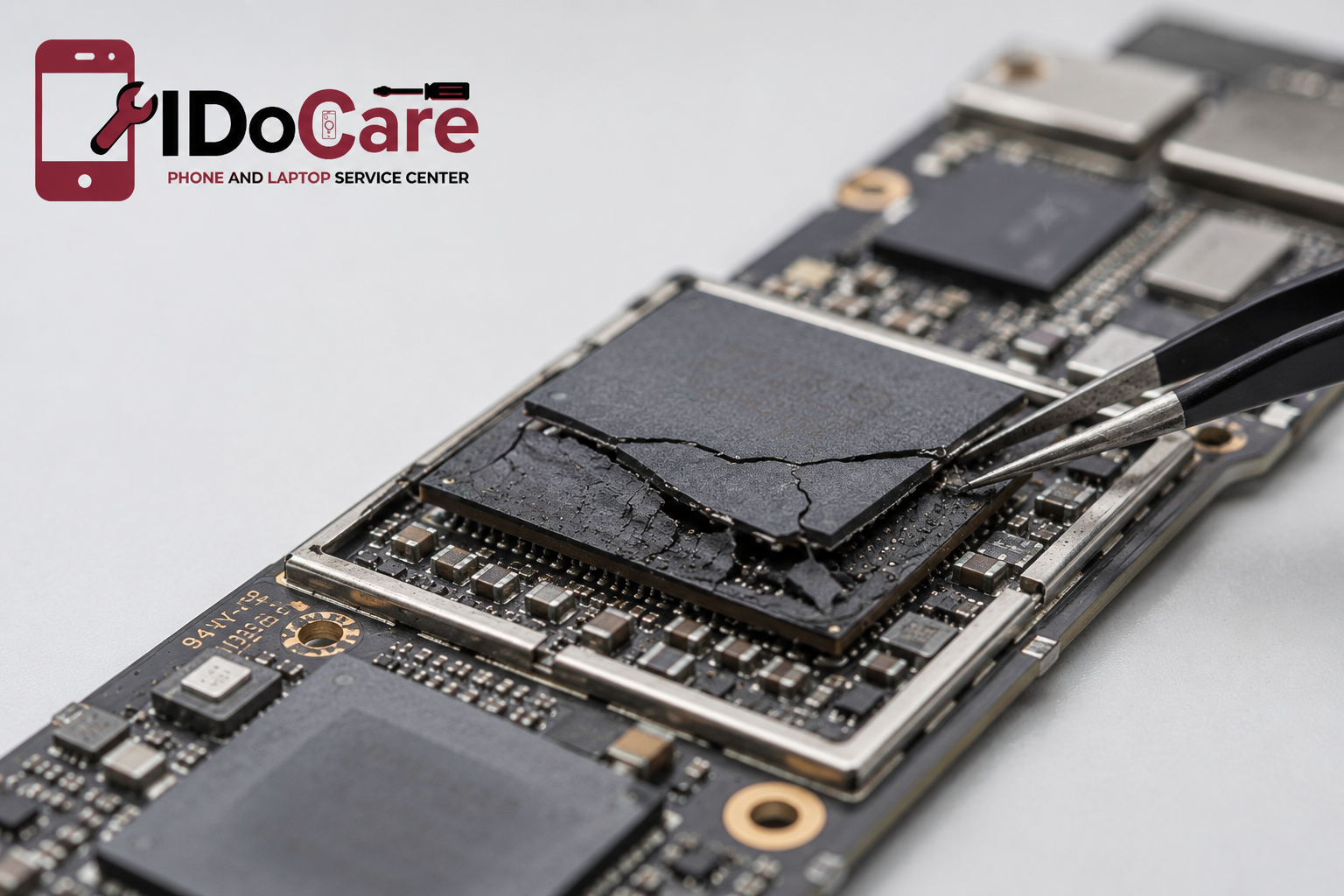
Modern smartphones are engineering marvels. Powerful processors, advanced cameras, AI capabilities, and high-speed memory are packed into devices only a few millimetres thick. Hidden beneath these compact designs is the motherboard, the central circuit that powers every function of the phone.
One of the least understood yet increasingly important causes of motherboard failure is underfilling material breakdown. While most users blame software updates, batteries, or charging ports when a phone begins restarting or refuses to turn on, the real culprit may lie beneath the processor itself.
Underfill is a specialized epoxy applied beneath Ball Grid Array (BGA) chips such as the CPU, RAM, and storage. It reinforces thousands of microscopic solder connections and helps the motherboard withstand heat, vibration, and everyday use. However, years of thermal cycling, accidental drops, overheating, and natural aging can cause this material to lose its protective properties.
When underfill degrades, the solder joints beneath critical chips become vulnerable. This can lead to intermittent electrical connections, random restarts, boot loops, charging problems, overheating, or complete motherboard failure. Because these faults occur beneath the chip, they cannot be detected through software diagnostics alone and require advanced board-level inspection.
In this guide, you'll discover how underfill material works, why it breaks down, the warning signs to watch for, how professional technicians diagnose the issue, and when component-level repair is a better option than replacing the entire motherboard.
At a Glance
|
Question |
Quick Answer |
|
What is underfill material? |
A protective epoxy applied beneath BGA chips to strengthen solder joints. |
|
Why does underfill fail? |
Heat, aging, thermal cycling, physical stress, and repeated impacts. |
|
Can underfill breakdown damage a phone? |
Yes. It can interrupt electrical connections and cause motherboard failure. |
|
Can it be repaired? |
In many cases, yes. Professional chip-level repair can restore the affected motherboard. |
|
Is DIY repair recommended? |
No. Specialized BGA equipment and micro-soldering expertise are required. |
|
Can data be recovered? |
Often yes, depending on the extent of motherboard damage. |
|
Average repair time |
Same day to 3 days, depending on the complexity of the repair. |
1. Understanding Underfill Material in Smartphones
Underfill is a specialized epoxy resin placed beneath Ball Grid Array (BGA) chips during the manufacturing process. These chips include the processor (CPU), memory (RAM), storage (NAND/UFS), graphics processor, and power management ICs.
Unlike traditional electronic components with visible pins, BGA chips are connected to the motherboard using hundreds—or even thousands—of microscopic solder balls. While this design saves space and improves electrical performance, it also makes these connections more vulnerable to mechanical and thermal stress.
To improve reliability, manufacturers inject underfill between the chip and the printed circuit board (PCB). Once cured, it surrounds the solder joints, creating a protective layer that helps absorb stress and distributes mechanical forces more evenly across the chip.
Why Smartphone Manufacturers Use Underfill
Underfill provides several important benefits:
- Reinforces microscopic solder joints.
- Reduces stress caused by repeated heating and cooling.
- Improves resistance to accidental drops and vibrations.
- Enhances long-term reliability of high-performance chips.
- Minimizes solder fatigue during everyday use.
- Supports thinner smartphone designs without compromising structural integrity.
Without underfill, modern flagship smartphones would be more susceptible to solder joint failures caused by constant thermal expansion and mechanical stress.
Think of Underfill Like a Building's Foundation
Imagine a skyscraper resting on hundreds of small support columns. Those columns represent the solder balls beneath a smartphone chip. Underfill acts like reinforced concrete surrounding those columns, distributing weight and preventing structural failure.
As this protective material ages or degrades, the support weakens. Tiny movements caused by heat or physical impacts can then damage the solder joints, resulting in unstable electrical connections and motherboard faults.
2. Why Underfill Material Breaks Down Over Time
Although underfill is designed for long-term durability, it is not immune to wear. Several factors contribute to its gradual degradation.
A. Thermal Cycling
Every time a smartphone is powered on, used for gaming, charged, or exposed to warm environments, the motherboard heats up. When the device cools down, the motherboard contracts.
This continuous cycle of expansion and contraction creates microscopic stress between the chip, the solder joints, and the PCB. Over months or years, these repeated cycles can weaken the underfill and increase the risk of solder fatigue.
B. Excessive Heat
High temperatures accelerate material aging.
Common sources include:
- Extended gaming sessions
- Fast charging
- Wireless charging
- Video recording in 4K or 8K
- Navigation under direct sunlight
- Poor ventilation during charging
Persistent overheating can cause the epoxy to lose flexibility, making it more susceptible to cracking.
C. Physical Impact
A single hard drop may not immediately break a motherboard, but repeated impacts can create microscopic fractures beneath the chip. These tiny cracks often remain invisible until electrical failures begin to appear.
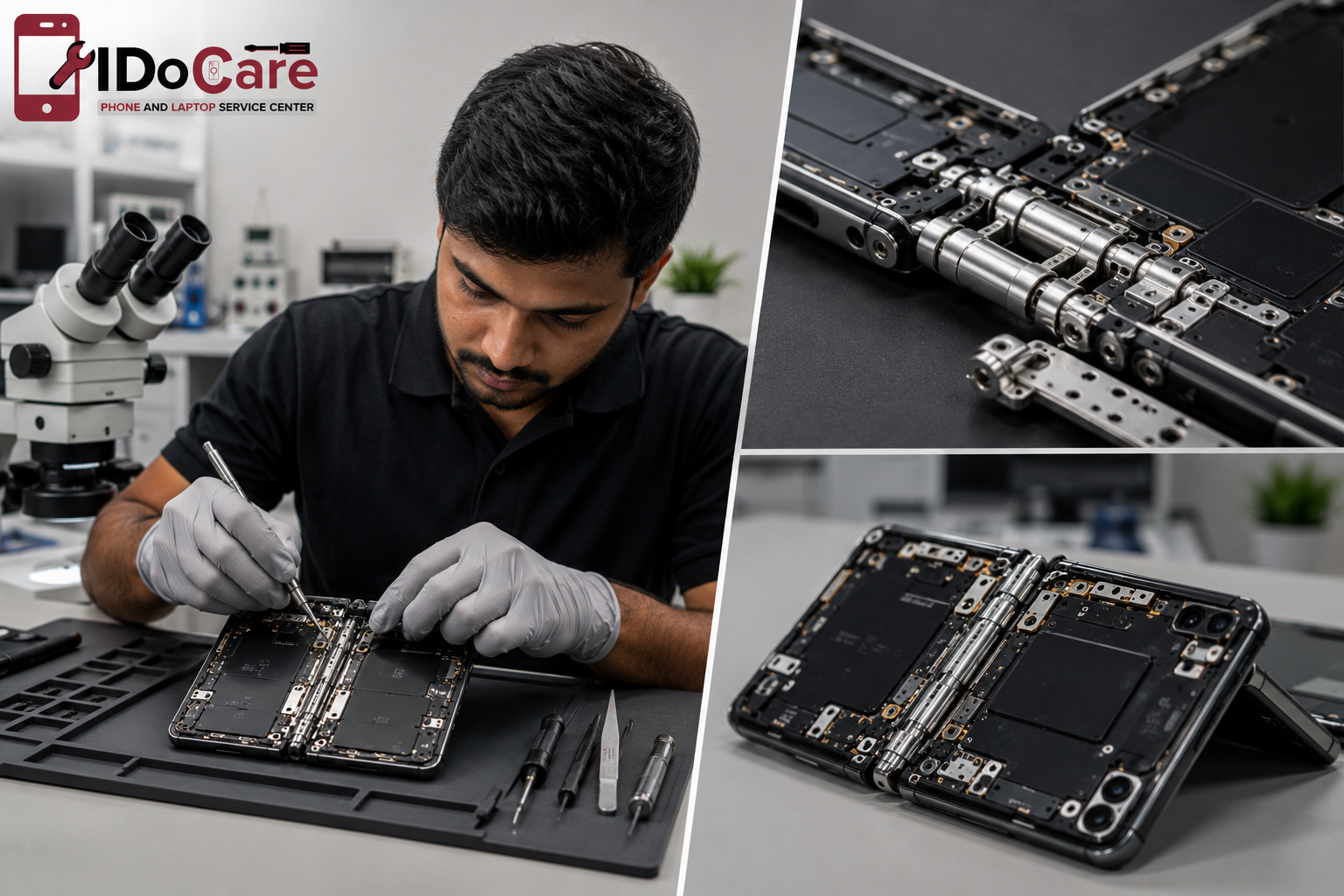
Foldable phones, with their complex hinge mechanisms and thinner internal layouts, may experience additional mechanical stress compared to traditional smartphones.
D. Natural Aging
Even under normal operating conditions, underfill materials gradually age. Over several years, they can become less elastic and less effective at protecting solder joints.
E. Manufacturing Variations
Different manufacturers use different underfill formulations and production methods. Variations in material properties, curing processes, and chip layouts can influence long-term durability. However, underfill degradation is not unique to any one brand and can occur across many modern smartphones over time.
3. Symptoms of Underfill-Related Motherboard Failure
Because underfill degradation affects electrical connections beneath critical chips, the symptoms can resemble software glitches or battery issues. Recognizing these warning signs early can prevent further damage.
Common Symptoms
- Phone randomly restarts without warning.
- Device becomes stuck in a boot loop.
- Phone does not power on despite a charged battery.
- Unexpected overheating during light use.
- Charging works intermittently or fails completely.
- Screen remains black while the phone vibrates or makes sounds.
- Apps crash frequently due to unstable processor communication.
- Touchscreen becomes unresponsive.
- Cellular or Wi-Fi connectivity drops unexpectedly.
- Battery drains unusually fast because of unstable power management.
- Camera or fingerprint sensor stops working due to interrupted motherboard communication.
When Should You Visit a Repair Centre?
If your smartphone shows one or more of these symptoms—especially after prolonged overheating or accidental drops—it is advisable to seek a professional motherboard inspection. Continuing to use the device may worsen the damage and reduce the likelihood of a successful repair.
At IDoCare, our technicians use advanced diagnostic tools, thermal imaging, and component-level testing to identify hidden motherboard faults before recommending repair or replacement.
4. How Engineers Diagnose Underfill Material Breakdown
One of the biggest challenges with underfill-related motherboard failures is that the damage is hidden beneath BGA (Ball Grid Array) chips. Unlike a cracked screen or damaged charging port, these faults cannot be seen with the naked eye.
Professional technicians rely on advanced board-level diagnostics to pinpoint the issue before attempting any repair.
Step 1: Customer Symptom Analysis
The diagnostic process begins by understanding how the device behaves.
Technicians typically ask questions such as:
- Does the phone restart randomly?
- Was the phone dropped recently?
- Does it overheat during charging?
- Did the issue appear gradually or suddenly?
- Has the phone been repaired before?
These details help narrow down the possible cause.
Step 2: Visual Motherboard Inspection
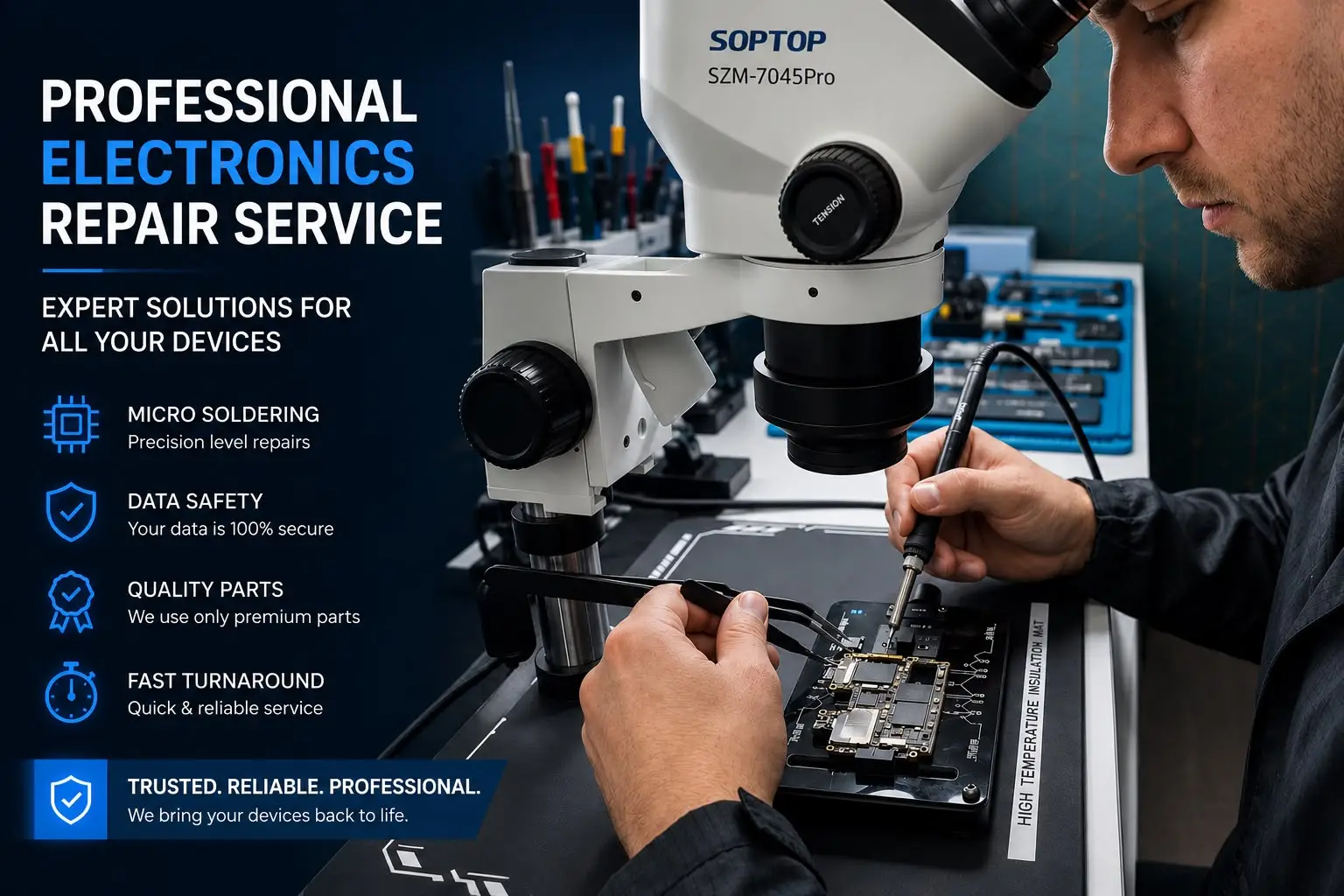
After safely disassembling the phone, the motherboard is examined under a high-powered microscope.
Technicians look for:
- Cracked solder joints
- Burn marks
- Corrosion
- Broken PCB traces
- Damaged connectors
- Previous repair attempts
- Missing components
Although underfill itself is not always visibly damaged, surrounding clues often indicate where further testing is needed.
Step 3: Electrical Testing
Using precision instruments, engineers test:
- Power rails
- Resistance values
- Short circuits
- Ground connections
- Current flow
Abnormal readings can quickly identify which motherboard section is malfunctioning.
Step 4: Thermal Imaging
Thermal cameras reveal abnormal heat patterns while the motherboard is powered.
A failing IC affected by underfill degradation may:
- Heat excessively
- Remain unusually cold
- Draw unstable current
Thermal imaging often identifies hidden faults that conventional testing misses.
Step 5: Current Consumption Analysis
A DC power supply replaces the battery during testing.
Engineers monitor:
- Startup current
- Idle current
- Boot sequence
- Short circuit behaviour
Current patterns frequently indicate whether the CPU, PMIC, NAND, or another BGA chip is failing.
Step 6: Component-Level Confirmation
Only after completing multiple diagnostic tests does the technician determine whether:
- Underfill degradation is the primary issue.
- Another motherboard component is defective.
- A software problem is contributing.
- The motherboard is beyond economical repair.
This careful process avoids unnecessary chip removal and improves repair accuracy.
5. Can Underfill Material Breakdown Be Repaired?
Many people assume that a motherboard affected by underfill degradation must be replaced. In reality, component-level repair is often possible when the damage is localized.
The repair approach depends on:
- Which chip is affected
- PCB condition
- Solder pad integrity
- Extent of thermal damage
- Presence of corrosion
- Previous repair history
A thorough diagnosis helps determine the most appropriate solution.
Professional Repair Workflow
1. Complete Motherboard Diagnosis
Every repair begins with a detailed inspection to locate the exact failure point.
2. Controlled Chip Removal
Using a professional BGA rework station, technicians remove the affected chip while carefully controlling temperature and airflow.
This minimizes stress on nearby components and protects the PCB.
3. Underfill Removal
Removing degraded underfill is one of the most delicate stages of the repair.
Technicians use specialized tools under a microscope to clean the epoxy without damaging:
- PCB traces
- Copper pads
- Nearby components
- Adjacent BGA chips
4. PCB Cleaning
Flux residue, oxidation, and debris are removed using professional cleaning solutions to prepare the board for rework.
5. Solder Pad Restoration
If any solder pads have lifted or become damaged, they are repaired before reinstalling the chip.
6. Chip Reballing
If the chip itself is functional, new solder balls are applied in a precise grid pattern.
This process restores reliable electrical connections.
7. Chip Replacement (If required)
If diagnostics show that the chip has failed internally, it may be replaced with a compatible component.
8. Precision Reinstallation
The repaired or replacement chip is aligned using optical equipment and soldered back onto the motherboard.
Proper alignment is critical because modern processors contain hundreds of microscopic solder joints.
9. Quality Testing
Before returning the device, technicians verify:
- Stable boot sequence
- Charging performance
- Camera operation
- Audio functions
- Network connectivity
- Wi-Fi
- Bluetooth
- Sensors
- Face recognition or fingerprint functionality (where applicable)
- Long-duration stability
Only after passing these tests is the repair considered complete.
Real Repair Experience
At IDoCare, we regularly diagnose smartphones that appear to have battery or software problems but are actually suffering from motherboard-level faults.
For example, a customer may report that their phone:
- Restarts randomly while using social media.
- Shuts down despite showing 40% battery.
- Works normally when cold but fails after warming up.
After advanced diagnostics, we may identify unstable solder connections beneath a critical BGA chip. By performing precise component-level repair and restoring those connections where feasible, many devices can be returned to reliable operation without replacing the entire motherboard.
Every case is unique, and repair success depends on the condition of the board, the affected components, and the extent of the damage.
Repair Success Factors
Not every motherboard has the same likelihood of repair. Several factors influence the outcome.
|
Factor |
Effect on Repair Success |
Importance |
|
Time since symptoms began |
Earlier diagnosis often improves outcomes |
⭐⭐⭐⭐⭐ |
|
PCB condition |
Intact boards are generally easier to repair |
⭐⭐⭐⭐⭐ |
|
Heat exposure |
Excessive heat can increase damage |
⭐⭐⭐⭐☆ |
|
Water or liquid damage |
Corrosion may complicate repair |
⭐⭐⭐⭐☆ |
|
Previous repair attempts |
Incorrect repairs can reduce success |
⭐⭐⭐⭐☆ |
|
Physical impact |
Severe board flex or cracks may limit repair options |
⭐⭐⭐⭐☆ |
|
Chip condition |
Internally damaged chips may require replacement |
⭐⭐⭐⭐⭐ |
Repair vs. Motherboard Replacement
Choosing between repair and replacement depends on the specific fault.
|
Situation |
Component-Level Repair |
Motherboard Replacement |
|
Localized underfill degradation |
✅ Recommended |
❌ Usually unnecessary |
|
Single BGA solder issue |
✅ Recommended |
❌ Not required |
|
PMIC or charging IC fault |
✅ Recommended |
❌ Usually unnecessary |
|
CPU or memory chip failure |
⚠ Depends on diagnosis |
✅ Sometimes required |
|
Severe PCB damage |
❌ Limited |
✅ Recommended |
|
Multiple critical IC failures |
⚠ Case-dependent |
✅ Often recommended |
|
Data preservation priority |
✅ Preferred |
❌ May risk data loss |
In many cases, repairing the original motherboard helps retain the device's existing storage and personal data, provided the storage chip itself remains functional.
Which Smartphones Are More Susceptible?
Underfill degradation is not limited to a specific manufacturer. It can occur in many modern smartphones after years of use, especially when exposed to repeated thermal or mechanical stress.
Devices that may experience a higher risk include:
- Older flagship smartphones that have undergone years of thermal cycling.
- High-performance gaming phones that frequently operate at elevated temperatures.
- Foldable smartphones, where complex mechanical designs can introduce additional stress.
- Phones regularly exposed to heavy multitasking, prolonged gaming, or fast charging.
- Devices that have experienced multiple accidental drops or significant physical impacts.
The likelihood of failure depends on usage patterns, operating temperatures, device age, and overall hardware condition—not solely on the brand or model.
6. How to Reduce the Risk of Underfill Material Breakdown
While no electronic component lasts forever, proper care can significantly reduce stress on your smartphone's motherboard and extend its lifespan. Underfill degradation is often accelerated by heat, repeated mechanical stress, and poor charging habits. Adopting a few preventive measures can help minimize the risk.
Avoid Excessive Heat
Heat is one of the biggest contributors to underfill degradation. Continuous high temperatures cause the motherboard, solder joints, and BGA chips to expand and contract repeatedly, increasing mechanical stress over time.
To reduce heat buildup:
- Avoid prolonged gaming while charging.
- Limit extended 4K/8K video recording if the device becomes hot.
- Keep your phone out of direct sunlight for long periods.
- Close unnecessary background applications.
- Allow the device to cool naturally after intensive use.
Use Certified Chargers and Cables
Low-quality chargers may deliver unstable voltage or excessive heat, placing unnecessary stress on the motherboard.
For better long-term reliability:
- Use the manufacturer's original charger or a certified equivalent.
- Replace damaged charging cables promptly.
- Avoid counterfeit charging accessories.
Protect Your Phone from Physical Stress
Even if the screen doesn't crack, repeated drops or bending can create microscopic damage beneath BGA chips.
Good practices include:
- Use a quality protective case.
- Avoid carrying your phone in a tight back pocket.
- Prevent excessive twisting or bending.
- Handle foldable devices carefully around the hinge area.
Keep Your Device Dry
Although this article focuses on underfill degradation rather than liquid damage, moisture can accelerate corrosion and weaken already stressed motherboard components.
If your phone gets wet:
- Turn it off immediately.
- Do not charge it.
- Avoid using a hair dryer.
- Seek professional inspection as soon as possible.
Don't Ignore Early Warning Signs
Small motherboard problems rarely fix themselves.
Seek professional diagnostics if you notice:
- Random restarts
- Boot loops
- Charging interruptions
- Overheating
- Screen freezing
- No power
- Unexpected battery drain
Early diagnosis often prevents additional component damage and can improve the chances of a successful repair.
Myth vs. Fact
Many misconceptions surround motherboard failures and underfill degradation. Understanding the facts can help users make informed decisions.
|
Myth |
Fact |
|
A software update can repair motherboard damage. |
Software updates cannot repair physical hardware failures beneath BGA chips. |
|
Every dead motherboard must be replaced. |
Many motherboard faults can be repaired at the component level after proper diagnosis. |
|
Reballing fixes every motherboard issue. |
Reballing is only appropriate when the chip and PCB are otherwise suitable for repair. |
|
Underfill never fails. |
Underfill materials can degrade over time due to heat, aging, and mechanical stress. |
|
Random restarts always mean a bad battery. |
Motherboard faults can produce similar symptoms and require professional testing. |
|
DIY heating methods permanently fix motherboard problems. |
Temporary heating may worsen damage and should never replace proper repair techniques. |
|
All motherboard repairs are the same. |
Each repair depends on the affected chip, PCB condition, and diagnostic findings. |
When Should You Visit a Professional Repair Centre?
Many users continue using a phone despite recurring issues, hoping the problem will disappear. Unfortunately, motherboard faults usually worsen with time.
Consider a professional inspection if your smartphone:
- Restarts without warning.
- Gets unusually hot during light use.
- Fails to charge consistently.
- Shows a black screen but vibrates.
- Remains stuck on the boot logo.
- Powers off even with sufficient battery charge.
- Stops recognizing the SIM card or Wi-Fi.
- Experiences repeated freezing despite factory resets.
Professional diagnostics can determine whether the issue is related to underfill degradation, another motherboard fault, or a different hardware component.
Why Professional Chip-Level Repair Matters
Repairing a smartphone motherboard requires specialized knowledge, precision equipment, and experience. Attempting repairs without proper tools can permanently damage the board.
Professional technicians use:
- High-powered microscopes
- BGA rework stations
- Precision hot-air systems
- Thermal imaging cameras
- DC power supplies
- Oscilloscopes
- Micro-soldering tools
- Professional cleaning equipment
These tools enable accurate diagnosis and safe component-level repairs while minimizing the risk of further damage.
Why Choose IDoCare for Smartphone Motherboard Repair?
When dealing with complex motherboard failures, choosing an experienced repair center is just as important as identifying the problem.
At IDoCare, we specialize in advanced component-level smartphone motherboard repair. Our technicians diagnose and repair issues affecting iPhones, Samsung Galaxy devices, Google Pixel phones, OnePlus, Xiaomi, Vivo, Oppo, Motorola, Realme, Poco, and many other smartphone brands.
What Sets IDoCare Apart?
- Experienced chip-level repair technicians
- Advanced BGA rework equipment
- Precision micro-soldering services
- Professional motherboard diagnostics
- Component-level repair instead of unnecessary replacements
- Transparent repair recommendations
- High-quality replacement components
- Fast turnaround for eligible repairs
- Data-preservation-focused repair approach
- Support for customers across Bangalore
Whether your phone suffers from random restarts, overheating, charging failures, or complete motherboard failure, our team performs detailed diagnostics before recommending the most suitable repair solution.
Serving Customers Across Bangalore
IDoCare provides professional smartphone motherboard diagnostics and repair services for customers throughout Bangalore, including:
- Malleswaram
- Rajajinagar
- Indiranagar
- Koramangala
- Jayanagar
- Whitefield
- Yeshwanthpur
- Hebbal
- HSR Layout
- Electronic City
- Marathahalli
- Banashankari
- Vijayanagar
- Basavanagudi
- RT Nagar
- Sadashiv Nagar
- JP Nagar
- MG Road
- Cunningham Road
- Surrounding areas
If you're searching for mobile motherboard repair in Bangalore, chip-level repair near me, or logic board repair experts, IDoCare offers professional diagnostics and repair services designed to restore your device whenever possible.
To better understand and maintain your device, explore these related services on the IDoCare website:
- Mobile Motherboard Repair
- Water-Damaged Phone Repair
- iPhone Repair Services
- Samsung Phone Repair
- OnePlus Repair
- Google Pixel Repair
- Charging Port Repair
- Battery Replacement
- Display Replacement
- Data Recovery Services
- Doorstep Mobile Repair in Bangalore
Conclusion
Underfill material is one of the most important yet least visible elements of a smartphone motherboard. Designed to reinforce delicate solder joints beneath high-performance chips, it plays a critical role in ensuring long-term reliability. However, years of thermal cycling, overheating, accidental drops, and natural aging can gradually weaken this protective layer.
When underfill material breaks down, the resulting electrical instability can lead to random restarts, charging issues, boot loops, overheating, and complete motherboard failure. Because these faults occur beneath BGA chips, they require advanced diagnostic tools and specialized chip-level repair techniques.
The good news is that many underfill-related motherboard failures do not automatically require a full motherboard replacement. With accurate diagnostics, precision micro-soldering, and professional component-level repair, many devices can be restored while preserving valuable user data.
If your smartphone is showing early warning signs of motherboard failure, seeking professional assistance promptly can improve the likelihood of a successful repair and help prevent additional damage.
Ready to Get Your Smartphone Diagnosed?
Don't let hidden motherboard issues turn into permanent failures.
At IDoCare, we combine advanced diagnostics, board-level expertise, and precision repair techniques to help restore smartphones affected by underfill degradation and other complex motherboard faults.
Why Customers Trust IDoCare
✅ Component-level motherboard repair
✅ Advanced BGA chip repair and micro-soldering
✅ Experienced technicians
✅ Transparent diagnostics and repair recommendations
✅ Fast turnaround for eligible repairs
✅ Service for major smartphone brands
✅ Data-preservation-focused approach
📍 Visit: https://idocare.in/
📞 Call: +91 97405 35716
Book your professional motherboard inspection today and let our experts determine the best repair solution for your device.
Frequently Asked Questions
1. What is underfill material in a smartphone motherboard?
Underfill material is a specialized epoxy placed beneath Ball Grid Array (BGA) chips such as the CPU, RAM, NAND storage, and power management IC. It strengthens microscopic solder joints, reduces mechanical stress, and improves the long-term durability of the motherboard.
2. What causes underfill material to break down?
Underfill degradation is usually caused by:
- Continuous overheating
- Thermal expansion and contraction
- Physical drops or impacts
- PCB flexing
- Long-term aging
- Heavy gaming and intensive workloads
- Frequent fast charging combined with high temperatures
These factors gradually weaken the protective epoxy and the solder joints beneath critical chips.
3. Can underfill degradation be repaired?
In many cases, yes. Professional technicians can diagnose the affected area, remove the degraded underfill where appropriate, repair damaged solder joints or PCB traces, and reinstall or replace the affected chip using specialized BGA rework equipment.
The repair method depends on the condition of the motherboard and the affected components.
4. What are the signs of underfill-related motherboard failure?
Common symptoms include:
- Random restarts
- Boot loops
- Phone not turning on
- Overheating
- Charging problems
- Black screen
- Battery draining unusually fast
- Network signal issues
- Touchscreen freezing
- Unexpected shutdowns
Professional diagnostics are required because these symptoms can also be caused by other hardware faults.
5. Does overheating damage smartphone motherboards?
Yes. Excessive heat accelerates thermal stress on the motherboard, weakens solder joints, and can contribute to underfill degradation over time.
6. Is underfill degradation a software problem?
No. Underfill degradation is a hardware issue that affects the physical connections beneath BGA chips. Software updates or factory resets cannot repair damaged solder joints or degraded epoxy.
7. Is motherboard replacement always necessary?
No. Many motherboard failures can be repaired at the component level. A complete motherboard replacement is usually recommended only when the PCB or multiple critical components are beyond repair.
8. Can data be recovered from a motherboard with underfill damage?
Often, yes. If the storage chip and surrounding circuitry remain functional, professional technicians may be able to preserve or recover user data. The outcome depends on the extent of the damage.
Why Trust IDoCare?
At IDoCare, we focus on component-level smartphone motherboard repair, combining practical repair experience with advanced diagnostic techniques.
Our technicians work with precision tools, including:
- High-magnification microscopes
- BGA rework stations
- Precision micro-soldering equipment
- Thermal imaging systems
- DC power supplies
- Oscilloscopes
- Professional PCB cleaning equipment
Every motherboard is inspected individually. We diagnose the fault, explain the findings clearly, and recommend the most appropriate repair option based on the device's condition. If a repair is not technically feasible or cost-effective, we communicate that honestly rather than recommending unnecessary work.
This approach reflects our commitment to technical accuracy, transparency, and customer trust.