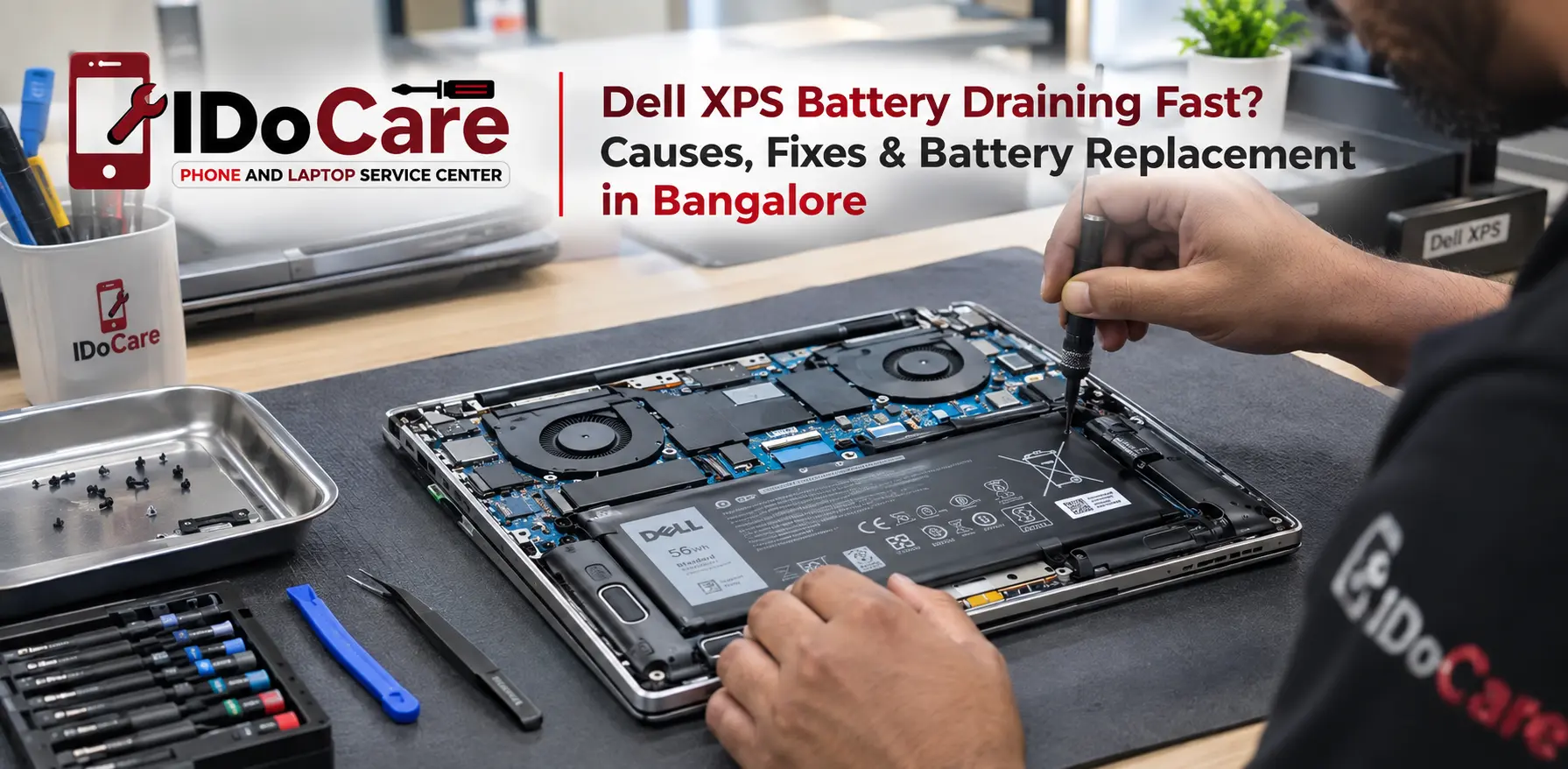
A Dell XPS laptop that once lasted for hours but now loses battery power quickly can become frustrating, especially when you use it for work, study, travel, or professional tasks. Fast battery drain can happen because of normal battery ageing, background applications, high screen brightness, excessive CPU usage, overheating, charging problems, or a battery that has reached the end of its useful life.
If your Dell XPS battery is draining fast, not charging properly, showing an incorrect battery percentage, or the laptop is shutting down unexpectedly, the first step is to identify the actual cause instead of immediately replacing the battery.
This guide explains the common causes of Dell XPS battery drain, practical troubleshooting steps, battery health checks, signs that replacement may be required, and what to expect from professional Dell XPS battery replacement in Bangalore.
Quick Answer: Why Is My Dell XPS Battery Draining So Fast?
The most common reasons include:
- An ageing or worn-out battery
- High screen brightness or display refresh rate
- Background applications consuming power
- Heavy CPU or GPU usage
- Windows updates or software running in the background
- Too many startup applications
- Overheating and poor thermal management
- Battery health degradation
- Faulty charging adapter or charging port
- Incorrect power-management settings
- Hardware or motherboard-related power issues
If the battery has significantly degraded, software adjustments may improve battery life temporarily but will not restore the battery's original capacity. In that situation, professional battery testing can determine whether replacement is appropriate.
Common Dell XPS Models That Can Develop Battery Problems
Battery-related issues can occur across different Dell XPS generations and configurations.
Commonly serviced models include:
- Dell XPS 13
- Dell XPS 13 Plus
- Dell XPS 14
- Dell XPS 15
- Dell XPS 16
- Older Dell XPS models with lithium-ion batteries
The exact battery design, capacity, connector, and replacement procedure vary by model. Therefore, a compatible battery should be selected using the exact Dell XPS model and battery part information, rather than relying only on the laptop series name.
Signs Your Dell XPS Battery May Need Replacement
Battery degradation usually becomes noticeable through several symptoms.
1. Battery Percentage Drops Very Quickly
If your Dell XPS goes from 100% to a low percentage much faster than it previously did, the battery may have lost a significant amount of its original capacity.
Some reduction in runtime is normal as a battery ages. A sudden or severe change, however, deserves further diagnosis.
2. Dell XPS Shuts Down Unexpectedly
Unexpected shutdowns while the laptop still shows battery percentage can indicate a battery that can no longer reliably deliver power.
However, sudden shutdowns can also be related to overheating, power circuitry, software problems, or motherboard faults. Testing is important before replacing the battery.
3. Battery Does Not Charge Fully
If the laptop remains connected to the charger but does not reach the expected charge level, possible causes include:
- Battery degradation
- Charging settings
- Adapter problems
- Charging-port problems
- Battery communication issues
- Power-management faults
4. “Plugged In, Not Charging”
This message does not automatically mean the battery has failed.
The problem can originate from the charger, charging port, Windows settings, battery condition, firmware, or internal charging circuitry.
A proper diagnosis helps separate a battery problem from a charging-system problem.
5. Battery Runtime Has Become Very Short
If your XPS used to provide several hours of normal use but now lasts only a fraction of that time, battery wear is one possible explanation.
Before replacing it, check battery health and actual power consumption.
6. Battery Swelling
A swollen laptop battery requires immediate attention.
If the bottom panel is lifting, the touchpad is becoming raised, or the laptop chassis appears to be bulging, stop using the laptop and avoid pressing on the battery.
A swollen lithium-ion battery should be handled by a qualified technician.
Why Is My Dell XPS Battery Draining Even When I'm Not Using It?
Battery drains during sleep or idle periods can have several causes.
Background applications may continue running, connected devices may consume power, or Windows power-management settings may prevent the laptop from entering a low-power state correctly.
Other possible causes include:
- Network activity
- Background synchronization
- Windows updates
- Connected USB devices
- High standby power consumption
- Driver or firmware issues
- Battery degradation
If the battery loses a large amount of charge while the laptop is supposed to be sleeping, investigate the power settings and battery health rather than assuming the battery itself is defective.
How to Check Dell XPS Battery Health
Windows provides a useful way to generate a battery report.
Step 1: Open Windows Terminal or Command Prompt
Search for Command Prompt or Windows Terminal in Windows.
Step 2: Generate a Battery Report
Enter:
powers /battery report
Windows will create a battery report containing information such as:
- Design capacity
- Full charge capacity
- Battery usage
- Recent battery activity
- Battery capacity history
The important comparison is between the design capacity and the current full-charge capacity.
For example, if a battery originally had a design capacity of 60 Wah but its current full-charge capacity has fallen substantially below that figure, the battery has experienced capacity degradation.
Battery health should not be judged from one number alone. Actual runtime, usage pattern, charging behaviour, temperature, and unexpected shutdowns should also be considered.
How to Reduce Dell XPS Battery Drain
Before replacing the battery, try these practical steps.
Reduce Screen Brightness
The display can be a significant source of power consumption. Lowering brightness when maximum brightness is unnecessary can extend runtime.
Check Background Applications
Open Windows Task Manager and look for applications using unusually high CPU, memory, or power resources.
Close unnecessary applications when they are not required.
Review Startup Programs
Too many applications launching automatically can increase background activity and power consumption.
Disable unnecessary startup applications through Windows settings.
Use an Appropriate Power Mode
Windows provides power-management options designed for different usage requirements.
For normal office work, browsing, and documents, a balanced or energy-saving mode can help reduce unnecessary power consumption.
Update Windows and Drivers
Battery and power-management behaviour can sometimes be affected by outdated drivers or firmware.
Keep Windows, Dell drivers, and relevant firmware updated through appropriate official sources.
Check for Overheating
High temperatures can increase power consumption and may affect overall laptop performance.
If the XPS becomes unusually hot during light workloads, investigate the cooling system, airflow, fan operation, and thermal condition.
Dell XPS Battery Draining Fast While Charging
If the battery percentage decreases even while the charger is connected, do not immediately assume the battery needs replacement.
Possible causes include:
- Inadequate or incompatible charger
- Damaged charging cable
- Charging-port problem
- Heavy CPU/GPU workload
- Battery degradation
- Charging circuit fault
- Power-management issue
High-performance workloads can consume substantial power. In some situations, the laptop may draw significant power even while connected to a charger.
A technician can test the charger, charging input, battery condition, and power circuitry to determine where the problem originates.
Dell XPS Battery Not Charging? What Should You Check?
If your Dell XPS is not charging, start with basic checks:
- Confirm that the charger is properly connected.
- Check the charging cable and adapter for visible damage.
- Try a known-good compatible power source where appropriate.
- Inspect the charging port for damage or debris.
- Restart the laptop.
- Check Windows battery and power settings.
- Check battery health.
- Look for unusual charging messages.
- If the problem continues, arrange professional diagnosis.
Avoid repeatedly forcing a damaged connector or using an unsuitable charger.
When Should You Replace a Dell XPS Battery?
Battery replacement becomes more reasonable when testing shows significant capacity loss or the battery consistently produces symptoms such as:
- Very short battery runtime
- Unexpected shutdowns
- Severe capacity degradation
- Battery not holding a useful charge
- Battery failure confirmed by diagnostics
- Physical battery swelling
Replacement should be based on the actual condition of the battery rather than simply the laptop's age.
Dell XPS Battery Replacement in Bangalore
If troubleshooting does not resolve the problem, professional Dell XPS battery replacement in Bangalore can help restore reliable mobile use.
At IDoCare – Phone and Laptop Service Centre, Dell laptop battery problems are approached through diagnosis rather than assuming every charging issue requires a new battery.
The inspection may include:
- Battery health assessment
- Charging and power diagnosis
- Adapter inspection
- Charging-port inspection
- Battery connector checks
- Power-related hardware diagnosis
- Physical inspection for battery swelling or damage
The correct replacement battery depends on the exact Dell XPS model and compatible battery specification.
Why Professional Diagnosis Matters
A laptop that is not charging may have a battery problem, but it could also have a charger, port, firmware, or motherboard-related issue.
Replacing the battery without checking these possibilities can result in unnecessary expense and may not solve the original problem.
A professional diagnosis helps determine whether the issue is:
Battery → Charger → Charging Port → Software/Firmware → Power Circuit → Motherboard
This approach is particularly useful for premium laptops such as the Dell XPS series, where power and charging systems can involve multiple components.
Dell XPS Battery Replacement: What Happens During Service?
A professional battery replacement generally involves several steps.
1. Model Identification
The technician confirms the exact Dell XPS model and checks the required battery specification.
2. Battery and Power Diagnosis
The laptop is checked for battery health, charging behaviour, and related power symptoms.
3. Physical Inspection
The laptop and battery area are inspected for signs of swelling, damage, overheating, or connector issues.
4. Battery Replacement
If replacement is required, the old battery is carefully removed and a compatible replacement is installed.
5. Charging Test
The laptop is tested to confirm charging behaviour and battery detection.
6. Final Testing
The system is checked for stable operation before the device is returned.
How Much Does Dell XPS Battery Replacement Cost in Bangalore?
The cost of Dell XPS battery replacement in Bangalore varies according to the exact XPS model, battery specification, availability, and whether additional charging or power-related repairs are required.
Because different XPS models use different battery configurations, quoting one fixed price for every Dell XPS laptop would not be accurate.
For an exact estimate, provide the technician with your Dell XPS model number or service tag so the correct battery and service requirements can be identified.
Can Dell XPS Battery Problems Be Repaired Without Replacing the Battery?
Sometimes, yes.
If the battery itself is healthy but the laptop has a charging-port, adapter, software, firmware, or power-circuit issue, replacing the battery may not be necessary.
This is why diagnosis should come before replacement.
However, if the battery has physically degraded or is damaged, software troubleshooting cannot restore its lost chemical capacity. Replacement may then be the appropriate solution.
How to Protect Your New Dell XPS Battery
After replacing the battery, good usage habits can help maintain battery performance.
- Avoid excessive heat whenever possible.
- Keep ventilation areas clear.
- Use a compatible charger.
- Avoid regularly running the laptop until it completely shuts down.
- Keep Windows and relevant drivers updated.
- Use appropriate power settings for your workload.
- Monitor unusual battery drain or overheating.
- If you notice swelling, stop using the laptop and seek professional service.
Modern laptop batteries are designed to manage charging electronically, so you do not need to follow outdated advice about completely discharging the battery every time.
Frequently Asked Questions About Dell XPS Battery Problems
Why is my Dell XPS battery draining so fast?
A Dell XPS battery can drain quickly because of battery degradation, high brightness, demanding applications, background processes, overheating, power settings, or charging-related problems. Battery health testing can help identify the actual cause.
How do I know if my Dell XPS battery needs replacement?
Check the battery report, charging behaviour, runtime, and physical condition. Very low capacity, unexpected shutdowns, extremely short runtime, or confirmed battery failure can indicate that replacement is required.
Can a Dell XPS battery be replaced?
Yes. Many Dell XPS models have replaceable internal batteries, but the exact battery and replacement procedure depend on the model and configuration.
Why does my Dell XPS say plugged in but not charging?
This can happen because of battery health, charging settings, adapter problems, charging-port faults, firmware issues, or internal charging circuitry. The message alone does not prove that the battery has failed.
How long does a Dell XPS battery replacement take?
Service time depends on the exact XPS model, battery availability, and whether additional charging or power faults are discovered during diagnosis. Many straightforward battery services can be completed quickly when the correct replacement is available.
Can overheating cause Dell XPS battery drain?
Overheating can increase power consumption and may affect laptop performance and battery behaviour. If an XPS becomes unusually hot during normal workloads, the cooling system and power usage should be checked.
Should I replace the battery or repair the charging port?
It depends on the diagnosis. If the battery has lost significant capacity, replacement may be required. If the battery is healthy but the charging port or charging circuit is faulty, repairing that component may address the problem.
Where can I get Dell XPS battery replacement in Bangalore?
IDoCare – Phone and Laptop Service Centre provides Dell laptop diagnosis and battery-related service in Malleshwaram, Bengaluru. Customers can contact the service center with their Dell XPS model details to discuss the battery issue and service requirements.
Professional Dell Laptop Battery Service in Malleshwaram, Bangalore
If your Dell XPS is draining battery quickly, not charging, shutting down unexpectedly, or showing poor battery health, getting the problem diagnosed can prevent unnecessary replacement.
IDoCare – Phone and Laptop Service Centre provides professional laptop service for Dell XPS and other Dell laptop models in Bangalore, including battery-related diagnosis, charging issues, and battery replacement.
For the most accurate battery replacement recommendation, keep your Dell XPS model number or service tag available when contacting the service center.
Final Takeaway
A Dell XPS battery that drains quickly does not always mean the battery must be replaced. Software, background applications, overheating, chargers, charging ports, and power circuitry can also cause similar symptoms.
Start with battery-health and power-consumption checks. If the battery has significantly degraded or failed testing, a compatible battery replacement may restore reliable portable use.
For Dell XPS battery replacement in Bangalore, professional diagnosis is the safest way to identify whether the problem is the battery itself or another part of the laptop's charging and power system.