Galaxy S Series Device Models
Select your specific device model for repair services

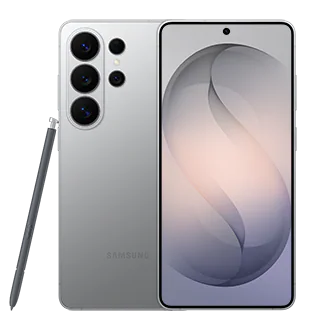
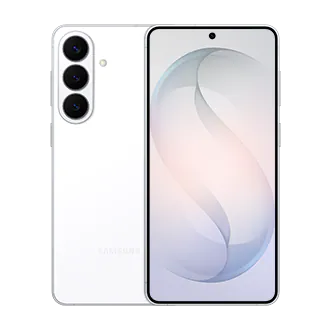


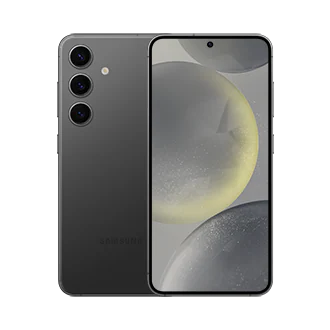


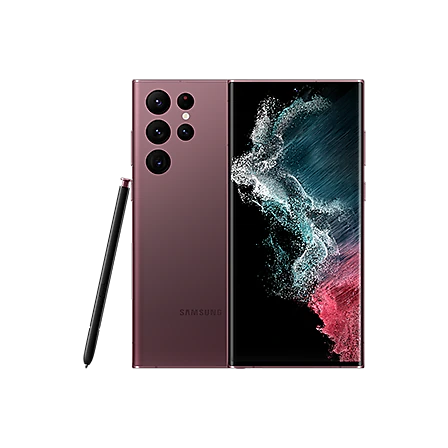
Galaxy S26 FE
Samsung Galaxy S26 FE Repair in Bangalore
iDoCare provides Samsung Galaxy S26 FE repair in Bangalore for screen, battery, charging, camera, speaker, software and hardware-related problems. If your Galaxy S26 FE has a damaged display, fast battery drain, charging problem, camera issue or unexpected hardware fault, professional diagnosis can help identify the actual cause before repair.
The Galaxy S26 FE is part of Samsung's current Galaxy S series and combines a high-refresh-rate display, advanced camera system, Galaxy AI features and a high-capacity battery.
Common Samsung Galaxy S26 FE Problems
Galaxy S26 FE users may seek repair or diagnosis for problems such as:
- Cracked or damaged display
- Touchscreen not responding
- Screen flickering or display failure
- Black or blank screen
- Fast battery drain
- Battery performance problems
- Phone not charging
- Slow or intermittent charging
- USB-C charging-port problems
- Camera not opening or focusing correctly
- Blurry photos or camera instability
- Speaker or microphone problems
- Earpiece issues
- Overheating or abnormal heat
- Wi-Fi, Bluetooth or connectivity problems
- Software or performance issues
- Liquid or accidental damage
- Internal hardware or motherboard faults
Galaxy S26 FE Screen Repair
A damaged display can affect visibility, touch response and everyday use. Cracks, black areas, flickering, touch failure or display problems after an accidental impact should be properly inspected before repair.
iDoCare provides Galaxy S26 FE screen and display repair in Bangalore, with diagnosis based on the condition of the display and related internal components.
If the screen is not working correctly, the fault may involve the display assembly, touch functionality, internal connection or another hardware component. Proper diagnosis helps determine the appropriate repair solution.
Galaxy S26 FE Battery & Charging Repair
Battery drain and charging problems can have different causes. If your Galaxy S26 FE loses battery unusually quickly, charges slowly or does not charge consistently, the device should be inspected before replacing a component.
iDoCare provides Galaxy S26 FE battery and charging service in Bangalore for issues including:
- Fast battery drain
- Reduced battery performance
- Phone not charging
- Slow charging
- Intermittent charging
- USB-C port damage
- Charging-related hardware faults
The required repair depends on the condition of the battery, charging port, charging circuitry and other internal components.
Galaxy S26 FE Camera Repair
The Galaxy S26 FE includes an advanced multi-camera system, so camera-related problems can affect photography, video recording and video calls. Samsung lists features including a 50 MP main camera with OIS, telephoto capability and ProVisual Engine.
iDoCare can diagnose problems such as:
- Camera not opening
- Blurry images
- Autofocus problems
- Camera vibration or instability
- Rear-camera problems
- Front-camera problems
- Flash-related issues
- Camera-related software faults
The diagnosis helps determine whether the problem is related to the camera module, software or another internal component.
Galaxy S26 FE Speaker, Microphone & Hardware Repair
If your Galaxy S26 FE has audio, sensor, button or internal hardware problems, professional inspection can help identify the affected component.
iDoCare provides diagnosis for:
- Speaker and earpiece problems
- Microphone issues
- Vibration problems
- Power and volume button issues
- Sensor-related problems
- Connectivity faults
- Software problems
- Internal hardware faults
- Motherboard-related issues
Galaxy S26 FE Water & Accidental Damage
Accidental drops and liquid exposure can affect multiple components. A damaged phone may develop display, charging, camera, speaker or power-related problems.
If your Galaxy S26 FE has suffered physical or liquid damage, professional inspection can help determine the extent of the affected components and the available repair approach.
Galaxy S26 FE Repair in Bangalore
Looking for Samsung Galaxy S26 FE repair in Bangalore? iDoCare provides diagnosis and repair support for screen, battery, charging, camera, audio, software and hardware-related problems.
Because different faults can produce similar symptoms, accurate diagnosis is important before deciding whether a component requires repair or replacement.
For Galaxy S26 FE service, providing the exact model and describing the problem can help the repair team understand the issue more accurately.
Where can I repair a Samsung Galaxy S26 FE in Bangalore?
You can get Samsung Galaxy S26 FE diagnosis and repair in Bangalore at iDoCare for screen, battery, charging, camera, audio and hardware-related problems.
What are common Galaxy S26 FE problems?
Common repair concerns include display damage, touchscreen problems, battery drain, charging faults, camera issues, speaker or microphone problems, software faults and internal hardware issues.
Can the Galaxy S26 FE screen be repaired?
Yes. The appropriate screen repair depends on the type and extent of damage and the condition of the device. A professional inspection can identify the suitable repair option.
Can iDoCare repair Galaxy S26 FE battery problems?
Yes. Battery and charging problems can be diagnosed to determine whether the issue involves the battery, charging port, charging circuitry, software or another internal component.
Why is my Galaxy S26 FE not charging?
Charging failure can have several causes, including a damaged USB-C port, battery-related problems, charging circuitry faults, cable or adapter issues, or software-related problems. Diagnosis is recommended before replacing hardware.
Can a water-damaged Galaxy S26 FE be repaired?
Liquid damage can affect multiple internal components. The device should be inspected to determine the extent of the damage and whether repair is possible.
Does iDoCare repair Galaxy S26 FE camera problems?
Yes. Camera problems such as focusing issues, blurry images, camera failure or instability can be diagnosed to determine whether the cause is software, the camera module or another internal component.
Why Choose Professional Galaxy S26 FE Repair?
Modern smartphones combine advanced displays, cameras, charging systems and compact internal components. A single symptom can sometimes have more than one possible cause.
Professional diagnosis helps identify the actual fault before repair and can reduce unnecessary component replacement.
For Samsung Galaxy S26 FE repair in Bangalore, iDoCare provides diagnosis and repair support for display, battery, charging, camera, audio, software and hardware-related problems.
Galaxy S26 Ultra
Samsung Galaxy S26 Ultra Repair in Bangalore
iDoCare provides Samsung Galaxy S26 Ultra repair in Bangalore for screen, battery, charging, camera, speaker, software and hardware-related problems. If your Galaxy S26 Ultra has a damaged display, battery drain, charging issue, camera fault or hardware problem, professional diagnosis can help identify the actual cause before repair.
The Galaxy S26 Ultra is Samsung's flagship Galaxy S Series smartphone, featuring an advanced display, multi-camera system, S Pen support, Galaxy AI features and a customized processor. Samsung also lists a built-in Privacy Display and enhanced charging capabilities for the model.
Common Samsung Galaxy S26 Ultra Problems
Galaxy S26 Ultra users may seek professional diagnosis for:
- Cracked or damaged display
- Touchscreen not responding
- Screen flickering or display failure
- Black or blank screen
- Display damage after an accidental drop
- Fast battery drain
- Battery performance problems
- Phone not charging
- Slow or intermittent charging
- USB-C charging-port problems
- Camera not opening or focusing correctly
- Blurry images or camera instability
- Speaker or microphone problems
- Earpiece issues
- Overheating or abnormal heat
- Wi-Fi, Bluetooth or network problems
- Software or performance issues
- Liquid or accidental damage
- Internal hardware or motherboard faults
- S Pen-related functionality problems
Galaxy S26 Ultra Screen Repair
The Galaxy S26 Ultra has a large advanced display, so screen damage can affect visibility, touch response and everyday operation. Cracks, black areas, flickering, touch failure or display problems following accidental impact should be properly inspected.
iDoCare provides Galaxy S26 Ultra screen and display repair in Bangalore, based on the condition of the display and associated components.
A display problem can sometimes be caused by more than the visible screen itself. Professional diagnosis helps determine whether the issue involves the display assembly, touch functionality, internal connection or another hardware component.
Galaxy S26 Ultra Battery & Charging Repair
Battery drain and charging problems can have several possible causes. If your Galaxy S26 Ultra loses charge unusually quickly, charges slowly or stops charging, the device should be diagnosed before deciding on a component replacement.
iDoCare provides Galaxy S26 Ultra battery and charging service in Bangalore for issues including:
- Fast battery drain
- Reduced battery performance
- Phone not charging
- Slow charging
- Intermittent charging
- USB-C port problems
- Charging-related hardware faults
- Unexpected shutdowns
Samsung states that the Galaxy S26 Ultra supports Super Fast Charging 3.0 and can reach up to 75% charge in around 30 minutes under its specified conditions.
Galaxy S26 Ultra Camera Repair
The Galaxy S26 Ultra has a multi-camera system designed for photography and video, including a 200 MP wide camera and telephoto cameras. Samsung also highlights Nightography improvements for low-light video.
iDoCare can diagnose camera-related problems such as:
- Camera not opening
- Blurry images
- Autofocus problems
- Camera vibration or instability
- Rear-camera problems
- Front-camera problems
- Flash-related issues
- Camera-related software faults
The diagnosis helps determine whether the issue is related to the camera module, software or another internal component.
Galaxy S26 Ultra Speaker, Microphone & Hardware Repair
If your Galaxy S26 Ultra develops audio, button, sensor or internal hardware problems, professional inspection can help identify the affected component.
iDoCare provides diagnosis for:
- Speaker and earpiece problems
- Microphone issues
- Vibration problems
- Power and volume button issues
- Sensor-related faults
- Connectivity problems
- Software issues
- Internal hardware faults
- Motherboard-related problems
- S Pen-related hardware or functionality concerns
Galaxy S26 Ultra Water & Accidental Damage
Drops, impact and liquid exposure can affect multiple components of a smartphone. Symptoms may include display failure, charging problems, camera faults, speaker issues or unexpected shutdowns.
If your Galaxy S26 Ultra has suffered accidental or liquid damage, professional inspection can help determine which components may be affected and what repair options are appropriate.
Galaxy S26 Ultra Privacy Display & Screen Issues
The Galaxy S26 Ultra introduces Samsung's built-in Privacy Display, designed to restrict viewing of selected screen information from side angles.
If the display behaves unexpectedly, shows abnormal brightness, develops touch problems or does not function correctly, diagnosis can help determine whether the issue is software-related or associated with the display hardware.
Samsung Galaxy S26 Ultra Repair in Bangalore
Looking for Samsung Galaxy S26 Ultra repair in Bangalore? iDoCare provides diagnosis and repair support for screen, battery, charging, camera, audio, software and hardware-related problems.
Because modern flagship smartphones combine multiple advanced components in a compact design, accurate diagnosis is important before selecting a repair solution.
For Galaxy S26 Ultra service, providing the exact problem and device condition can help the repair team identify the appropriate diagnostic and repair process.
Where can I repair a Samsung Galaxy S26 Ultra in Bangalore?
You can get Samsung Galaxy S26 Ultra diagnosis and repair in Bangalore at iDoCare for screen, battery, charging, camera, audio and hardware-related problems.
What are common Galaxy S26 Ultra repair problems?
Common repair concerns include display damage, touchscreen problems, battery drain, charging faults, camera issues, speaker or microphone problems, software faults and internal hardware issues.
Can the Galaxy S26 Ultra screen be repaired?
Yes. The appropriate repair depends on the type and extent of display damage and the condition of the device. Professional inspection can identify the suitable repair option.
Why is my Galaxy S26 Ultra not charging?
Charging failure can have several possible causes, including a damaged USB-C port, battery-related problems, charging circuitry faults, cable or adapter issues or software-related problems. Diagnosis is recommended before replacing hardware.
Can iDoCare repair Galaxy S26 Ultra battery problems?
Yes. Battery and charging problems can be diagnosed to determine whether the issue involves the battery, charging port, charging circuitry, software or another internal component.
Can a water-damaged Galaxy S26 Ultra be repaired?
Liquid damage can affect multiple internal components. The phone should be inspected to determine the extent of the damage and whether repair is possible.
Does iDoCare repair Galaxy S26 Ultra camera problems?
Yes. Camera problems such as focusing issues, blurry images, camera failure or instability can be diagnosed to determine whether the cause is software, the camera module or another internal component.
Can Galaxy S26 Ultra motherboard problems be diagnosed?
Yes. Hardware and motherboard-related symptoms can be inspected to identify the affected circuit or component and determine the appropriate repair approach.
Why Choose Professional Galaxy S26 Ultra Repair?
The Galaxy S26 Ultra combines an advanced display, camera system, charging hardware, S Pen functionality and compact internal components. A single symptom can sometimes have more than one possible cause.
Professional diagnosis helps identify the actual fault before repair and can reduce unnecessary component replacement.
For Samsung Galaxy S26 Ultra repair in Bangalore, iDoCare provides diagnosis and repair support for display, battery, charging, camera, audio, software and hardware-related problems.
Galaxy S26+
Samsung Galaxy S26+ Repair in Bangalore
iDoCare provides Samsung Galaxy S26+ repair in Bangalore for screen, battery, charging, camera, speaker, software and hardware-related problems. If your Galaxy S26+ has a cracked display, fast battery drain, charging issue, camera fault or other hardware problem, professional diagnosis can help identify the actual cause before repair.
The Galaxy S26+ is a premium Samsung Galaxy smartphone with an advanced display, camera system, battery and modern connectivity features. As with other high-end smartphones, accurate diagnosis is important when a component develops a fault or the phone has suffered accidental damage.
Common Samsung Galaxy S26+ Problems
Galaxy S26+ users may seek professional repair or diagnosis for:
- Cracked or damaged display
- Touchscreen not responding
- Screen flickering or display lines
- Black or blank screen
- Display damage after an accidental drop
- Fast battery drain
- Reduced battery performance
- Unexpected shutdowns
- Phone not charging
- Slow or intermittent charging
- USB-C charging-port problems
- Camera not opening
- Blurry photographs
- Autofocus problems
- Camera instability
- Speaker or earpiece problems
- Microphone issues
- Overheating or abnormal heat
- Wi-Fi, Bluetooth or network problems
- Software or performance issues
- Liquid or accidental damage
- Internal hardware or motherboard faults
Galaxy S26+ Screen Repair
A damaged display can affect visibility, touch response and everyday phone use. Cracks, lines, flickering, black areas or an unresponsive touchscreen should be inspected before deciding on a repair.
iDoCare provides Samsung Galaxy S26+ screen and display repair in Bangalore, based on the condition of the device and the diagnosed fault.
A display symptom may sometimes be caused by the display assembly, touch system, internal connection or another hardware component. Proper diagnosis helps identify the actual source of the problem.
Galaxy S26+ Battery & Charging Repair
Battery drain and charging problems can have different causes. If your Galaxy S26+ loses charge unusually quickly, charges slowly or does not charge consistently, the device should be inspected before replacing a component.
iDoCare provides Galaxy S26+ battery and charging service in Bangalore for issues such as:
- Fast battery drain
- Reduced battery performance
- Phone not charging
- Slow charging
- Intermittent charging
- USB-C port problems
- Charging-related hardware faults
- Unexpected shutdowns
Battery replacement should be considered after checking the battery condition and ruling out charging-port, software or charging-circuit problems.
Galaxy S26+ Camera Repair
Camera problems can affect photographs, videos, video calls and other everyday functions.
iDoCare can diagnose Galaxy S26+ camera issues including:
- Camera not opening
- Blurry images
- Autofocus problems
- Camera instability
- Rear-camera problems
- Front-camera problems
- Flash-related issues
- Camera-related software problems
Diagnosis helps determine whether the issue is related to the camera module, software or another internal component.
Galaxy S26+ Speaker, Microphone & Hardware Repair
Audio and hardware problems can make a Galaxy S26+ difficult to use for calls, media and everyday communication.
iDoCare can diagnose:
- Speaker problems
- Earpiece problems
- Microphone failure
- Vibration issues
- Power and volume button problems
- Sensor-related faults
- Connectivity issues
- Software problems
- Internal hardware faults
- Motherboard-related problems
The appropriate repair depends on the exact model, symptom and diagnostic findings.
Galaxy S26+ Charging Port Repair
If your Galaxy S26+ charges intermittently, charges only at a particular angle or does not recognize a compatible charger, the USB-C port and related charging hardware should be inspected.
Charging problems can also be caused by the battery, charging circuitry, cable, adapter or software.
iDoCare provides Galaxy S26+ charging-port diagnosis and repair in Bangalore.
Galaxy S26+ Water & Accidental Damage Repair
Accidental drops and liquid exposure can affect multiple internal components. Problems may appear immediately or develop after some time.
Possible symptoms include:
- Display failure
- Touch problems
- Charging failure
- Camera problems
- Speaker or microphone issues
- Connectivity problems
- Unexpected shutdowns
Professional inspection can help determine the extent of damage and whether repair is technically appropriate.
Samsung Galaxy S26+ Repair in Bangalore
Looking for Samsung Galaxy S26+ repair in Bangalore? iDoCare provides diagnosis and repair support for screen, battery, charging, camera, audio, software and hardware-related problems.
Because different faults can produce similar symptoms, proper diagnosis is important before deciding whether a component needs repair or replacement.
For Galaxy S26+ service, providing the exact problem and device condition can help the repair team determine the appropriate diagnostic process.
Where can I repair a Samsung Galaxy S26+ in Bangalore?
You can get Samsung Galaxy S26+ diagnosis and repair in Bangalore at iDoCare for screen, battery, charging, camera, audio and hardware-related problems.
What are common Galaxy S26+ problems?
Common issues include display damage, touchscreen failure, battery drain, charging problems, camera faults, speaker or microphone issues, software problems and internal hardware faults.
Can the Galaxy S26+ screen be repaired?
The appropriate repair depends on the type and extent of display damage. A professional inspection can determine whether the display assembly or another related component requires attention.
Why is my Galaxy S26+ not charging?
Possible causes include a damaged USB-C port, battery-related problems, charging circuitry, cable or adapter issues, software faults or another internal hardware problem. Diagnosis is recommended before replacing components.
Can iDoCare replace a Galaxy S26+ battery?
Battery replacement may be appropriate when diagnosis confirms battery degradation or another battery-related fault. The device should first be inspected to determine the actual cause.
Can Galaxy S26+ camera problems be repaired?
Yes. Camera problems such as focusing issues, blurry images, camera failure or instability can be diagnosed to determine whether the cause is software, the camera module or another internal component.
Can Galaxy S26+ motherboard problems be diagnosed?
Yes. Hardware and motherboard-related symptoms can be inspected to identify the affected component or circuit and determine the appropriate repair approach.
Can a water-damaged Galaxy S26+ be repaired?
Liquid damage can affect multiple internal components. The phone should be inspected to determine the extent of damage and whether repair is possible.
Why Professional Galaxy S26+ Diagnosis Matters
Modern Samsung smartphones combine advanced displays, cameras, charging systems and compact internal hardware. The same symptom can sometimes have more than one possible cause.
Professional diagnosis helps identify the actual fault before repair and can reduce unnecessary component replacement.
For Samsung Galaxy S26+ repair in Bangalore, iDoCare provides diagnosis and service support for display, battery, charging, camera, audio and hardware-related problems.
Galaxy S26
Samsung Galaxy S26 Repair in Bangalore
iDoCare provides Samsung Galaxy S26 repair in Bangalore for screen, battery, charging, camera, speaker, software and hardware-related problems. If your Galaxy S26 has a cracked display, fast battery drain, charging failure, camera issue or other hardware fault, professional diagnosis can help identify the actual cause before repair.
The Galaxy S26 is a premium Samsung smartphone designed for everyday performance, photography, communication and productivity. Like other modern smartphones, its display, battery, charging system, cameras and internal components require proper diagnosis when a fault develops.
Common Samsung Galaxy S26 Problems
Galaxy S26 users may seek repair or diagnosis for:
- Cracked or damaged display
- Touchscreen not responding
- Screen flickering or display lines
- Black or blank screen
- Display damage after an accidental drop
- Fast battery drain
- Reduced battery performance
- Unexpected shutdowns
- Phone not charging
- Slow or intermittent charging
- USB-C charging-port problems
- Camera not opening
- Blurry images
- Autofocus problems
- Camera instability
- Speaker or earpiece problems
- Microphone issues
- Overheating or abnormal heat
- Wi-Fi, Bluetooth or network problems
- Software or performance issues
- Liquid or accidental damage
- Internal hardware or motherboard faults
Galaxy S26 Screen Repair
A damaged display can affect visibility, touch response and normal phone operation. Cracks, flickering, lines, black areas or touchscreen failure should be properly inspected before repair.
iDoCare provides Samsung Galaxy S26 screen and display repair in Bangalore, depending on the actual condition and diagnosed fault.
A display problem may originate from the display assembly, touch system, internal connection or another hardware component. Professional diagnosis helps identify the actual source before repair.
Galaxy S26 Battery & Charging Repair
Fast battery drain, slow charging or complete charging failure can have several possible causes. Battery condition, charging hardware, software and internal circuitry may all need to be considered.
iDoCare provides Galaxy S26 battery and charging service in Bangalore for problems such as:
- Fast battery drain
- Reduced battery performance
- Phone not charging
- Slow charging
- Intermittent charging
- USB-C port problems
- Charging-related hardware faults
- Unexpected shutdowns
Battery replacement should be considered after checking the battery and related charging components.
Galaxy S26 Camera Repair
Camera problems can affect photography, video recording, video calls and other everyday functions.
iDoCare can diagnose Galaxy S26 camera issues including:
- Camera application not opening
- Blurry photographs
- Autofocus problems
- Camera instability
- Rear-camera problems
- Front-camera problems
- Flash-related issues
- Camera-related software faults
Diagnosis helps determine whether the problem is related to the camera module, software or another internal component.
Galaxy S26 Speaker, Microphone & Hardware Repair
Audio and hardware problems can affect calls, media playback and normal phone operation.
iDoCare can diagnose:
- Speaker problems
- Earpiece problems
- Microphone failure
- Vibration issues
- Power and volume button problems
- Sensor-related faults
- Connectivity issues
- Software problems
- Internal hardware faults
- Motherboard-related problems
The repair approach depends on the exact symptom and diagnostic findings.
Galaxy S26 Charging Port Repair
If your Galaxy S26 charges intermittently, charges slowly, disconnects repeatedly or does not recognize a compatible charger, the USB-C port should be inspected.
Charging problems can also result from the battery, charging circuitry, cable, adapter or software.
iDoCare provides Galaxy S26 charging-port diagnosis and repair in Bangalore.
Galaxy S26 Water & Accidental Damage Repair
Accidental drops and liquid exposure can affect the display, charging system, cameras, audio components and internal hardware.
Possible symptoms include:
- Display failure
- Touch problems
- Charging failure
- Camera issues
- Speaker or microphone problems
- Connectivity faults
- Unexpected shutdowns
Professional inspection can help determine the extent of damage and the appropriate repair approach.
Samsung Galaxy S26 Repair in Bangalore
Looking for Samsung Galaxy S26 repair in Bangalore? iDoCare provides diagnosis and repair support for screen, battery, charging, camera, audio, software and hardware-related problems.
Different faults can produce similar symptoms, so accurate diagnosis is important before deciding whether a component needs repair or replacement.
For Galaxy S26 service, providing the exact problem and device condition can help the repair team determine the appropriate diagnostic process.
Where can I repair a Samsung Galaxy S26 in Bangalore?
You can get Samsung Galaxy S26 diagnosis and repair in Bangalore at iDoCare for screen, battery, charging, camera, audio and hardware-related problems.
What are common Galaxy S26 problems?
Common problems include display damage, touchscreen failure, battery drain, charging issues, camera faults, speaker or microphone problems, software issues and internal hardware faults.
Can the Galaxy S26 screen be repaired?
The appropriate repair depends on the type and extent of display damage. Professional inspection can determine whether the display assembly or another related component requires attention.
Why is my Galaxy S26 not charging?
Possible causes include a damaged USB-C port, battery problems, charging circuitry, cable or adapter issues, software faults or another internal hardware problem. Diagnosis is recommended before replacing components.
Can iDoCare replace a Galaxy S26 battery?
Battery replacement may be appropriate when diagnosis confirms battery degradation or another battery-related fault. The device should first be inspected to determine the actual cause.
Can Galaxy S26 camera problems be repaired?
Yes. Camera problems such as blurry images, focusing issues, camera failure or instability can be diagnosed to determine whether the cause is software, the camera module or another internal component.
Can Galaxy S26 motherboard problems be diagnosed?
Yes. Hardware and motherboard-related symptoms can be inspected to identify the affected component or circuit and determine the appropriate repair approach.
Can a water-damaged Galaxy S26 be repaired?
Liquid damage can affect multiple internal components. The phone should be inspected to determine the extent of damage and whether repair is technically possible.
Why Professional Galaxy S26 Diagnosis Matters
Modern smartphones combine advanced displays, cameras, batteries, charging systems and compact internal hardware. Similar symptoms can sometimes have different causes.
Professional diagnosis helps identify the actual fault before repair and can reduce unnecessary component replacement.
For Samsung Galaxy S26 repair in Bangalore, iDoCare provides diagnosis and service support for display, battery, charging, camera, audio and hardware-related problems.
Galaxy S25 Edge
Samsung Galaxy S25 Edge Repair in Bangalore
iDoCare provides Samsung Galaxy S25 Edge repair in Bangalore for screen, battery, charging, camera, speaker, software and hardware-related problems. If your Galaxy S25 Edge has a damaged display, battery drain, charging problem, camera fault or other hardware issue, professional diagnosis can help identify the actual cause before repair.
The Galaxy S25 Edge is a premium Samsung smartphone with a slim design, advanced display, camera system and integrated internal components. Because compact flagship phones contain closely fitted components, proper diagnosis and careful handling are important during repair.
Common Samsung Galaxy S25 Edge Problems
Galaxy S25 Edge users may seek professional diagnosis for:
- Cracked or damaged display
- Touchscreen not responding
- Screen flickering or display lines
- Black or blank screen
- Display damage after an accidental drop
- Fast battery drain
- Reduced battery performance
- Unexpected shutdowns
- Phone not charging
- Slow or intermittent charging
- USB-C charging-port problems
- Camera not opening
- Blurry images
- Autofocus problems
- Camera instability
- Speaker or earpiece problems
- Microphone issues
- Overheating or abnormal heat
- Wi-Fi, Bluetooth or network problems
- Software or performance issues
- Liquid or accidental damage
- Internal hardware or motherboard faults
Galaxy S25 Edge Screen Repair
A damaged display can affect visibility, touch response and normal phone operation. Cracks, flickering, lines, black areas or touchscreen failure should be inspected before selecting a repair.
iDoCare provides Samsung Galaxy S25 Edge screen and display repair in Bangalore, based on the condition of the device and diagnosed fault.
A display symptom may originate from the display assembly, touch system, internal connection or another hardware component. Proper diagnosis helps identify the actual source of the problem.
Galaxy S25 Edge Battery & Charging Repair
Battery drain and charging problems can have several possible causes. If your Galaxy S25 Edge loses charge unusually quickly, charges slowly or stops charging, professional diagnosis can help identify the underlying fault.
iDoCare provides Galaxy S25 Edge battery and charging service in Bangalore for issues including:
- Fast battery drain
- Reduced battery performance
- Phone not charging
- Slow charging
- Intermittent charging
- USB-C port problems
- Charging-related hardware faults
- Unexpected shutdowns
Battery replacement should be considered after checking the battery condition and related charging components.
Galaxy S25 Edge Camera Repair
Camera problems can affect photographs, video recording, scanning and video calls.
iDoCare can diagnose Galaxy S25 Edge camera issues such as:
- Camera not opening
- Blurry images
- Autofocus problems
- Camera instability
- Rear-camera problems
- Front-camera problems
- Flash-related issues
- Camera-related software faults
Diagnosis helps determine whether the problem is related to the camera module, software or another internal component.
Galaxy S25 Edge Speaker, Microphone & Hardware Repair
Audio and hardware problems can affect calls, media playback and everyday phone use.
iDoCare can diagnose:
- Speaker problems
- Earpiece problems
- Microphone failure
- Vibration issues
- Power and volume button problems
- Sensor-related faults
- Connectivity issues
- Software problems
- Internal hardware faults
- Motherboard-related problems
The appropriate repair depends on the exact symptom and diagnostic findings.
Galaxy S25 Edge Charging Port Repair
If your Galaxy S25 Edge charges intermittently, charges slowly, disconnects repeatedly or does not recognize a compatible charger, the USB-C port and related charging hardware should be inspected.
Charging problems can also involve the battery, charging circuitry, cable, adapter or software.
iDoCare provides Galaxy S25 Edge charging-port diagnosis and repair in Bangalore.
Galaxy S25 Edge Water & Accidental Damage Repair
Accidental drops and liquid exposure can affect several internal components. Symptoms may include display failure, charging problems, camera issues, audio problems or unexpected shutdowns.
If your Galaxy S25 Edge has suffered physical or liquid damage, professional inspection can help determine the extent of the affected components and the appropriate repair approach.
Samsung Galaxy S25 Edge Repair in Bangalore
Looking for Samsung Galaxy S25 Edge repair in Bangalore? iDoCare provides diagnosis and repair support for screen, battery, charging, camera, audio, software and hardware-related problems.
Because different faults can produce similar symptoms, accurate diagnosis is important before deciding whether a component requires repair or replacement.
For Galaxy S25 Edge service, providing the exact problem and device condition can help the repair team determine the appropriate diagnostic process.
Where can I repair a Samsung Galaxy S25 Edge in Bangalore?
You can get Samsung Galaxy S25 Edge diagnosis and repair in Bangalore at iDoCare for screen, battery, charging, camera, audio and hardware-related problems.
What are common Galaxy S25 Edge problems?
Common issues include display damage, touchscreen failure, battery drain, charging problems, camera faults, speaker or microphone issues, software problems and internal hardware faults.
Can the Galaxy S25 Edge screen be repaired?
The appropriate repair depends on the type and extent of display damage. Professional inspection can determine whether the display assembly or another related component requires attention.
Why is my Galaxy S25 Edge not charging?
Possible causes include a damaged USB-C port, battery problems, charging circuitry, cable or adapter issues, software faults or another internal hardware problem. Diagnosis is recommended before replacing components.
Can iDoCare replace a Galaxy S25 Edge battery?
Battery replacement may be appropriate when diagnosis confirms battery degradation or another battery-related fault. The device should first be inspected to determine the actual cause.
Can Galaxy S25 Edge camera problems be repaired?
Yes. Camera problems such as blurry images, focusing issues, camera failure or instability can be diagnosed to determine whether the cause is software, the camera module or another internal component.
Can Galaxy S25 Edge motherboard problems be diagnosed?
Yes. Hardware and motherboard-related symptoms can be inspected to identify the affected component or circuit and determine the appropriate repair approach.
Can a water-damaged Galaxy S25 Edge be repaired?
Liquid damage can affect multiple internal components. The phone should be inspected to determine the extent of damage and whether repair is technically possible.
Why Professional Galaxy S25 Edge Diagnosis Matters
Modern flagship smartphones combine advanced displays, cameras, batteries, charging systems and compact internal hardware. Similar symptoms can sometimes have different causes.
Professional diagnosis helps identify the actual fault before repair and can reduce unnecessary component replacement.
For Samsung Galaxy S25 Edge repair in Bangalore, iDoCare provides diagnosis and service support for display, battery, charging, camera, audio and hardware-related problems.
Galaxy S25 FE
Samsung Galaxy S25 FE Repair in Bangalore
iDoCare provides Samsung Galaxy S25 FE repair in Bangalore for screen, battery, charging, camera, speaker, software and hardware-related problems. If your Galaxy S25 FE has a cracked display, fast battery drain, charging issue, camera fault or other hardware problem, professional diagnosis can help identify the actual cause before repair.
The Galaxy S25 FE is a Samsung Galaxy S Series smartphone designed for everyday use, photography, communication and productivity. When a component develops a fault or the phone suffers accidental damage, accurate diagnosis helps determine the appropriate repair solution.
Common Samsung Galaxy S25 FE Problems
Galaxy S25 FE users may seek professional diagnosis for:
- Cracked or damaged display
- Touchscreen not responding
- Screen flickering or display lines
- Black or blank screen
- Display damage after an accidental drop
- Fast battery drain
- Reduced battery performance
- Unexpected shutdowns
- Phone not charging
- Slow or intermittent charging
- USB-C charging-port problems
- Camera not opening
- Blurry images
- Autofocus problems
- Camera instability
- Speaker or earpiece problems
- Microphone issues
- Overheating or abnormal heat
- Wi-Fi, Bluetooth or network problems
- Software or performance issues
- Liquid or accidental damage
- Internal hardware or motherboard faults
Galaxy S25 FE Screen Repair
A damaged display can affect visibility, touch response and normal phone operation. Cracks, lines, flickering, black areas or an unresponsive touchscreen should be inspected before deciding on a repair.
iDoCare provides Samsung Galaxy S25 FE screen and display repair in Bangalore, depending on the device condition and diagnosed fault.
A screen problem may originate from the display assembly, touch system, internal connection or another hardware component. Proper diagnosis helps identify the actual source of the problem.
Galaxy S25 FE Battery & Charging Repair
Fast battery drain, slow charging and charging failure can have several possible causes. Battery condition, charging hardware, software and internal circuitry may all need to be checked.
iDoCare provides Galaxy S25 FE battery and charging service in Bangalore for issues such as:
- Fast battery drain
- Reduced battery performance
- Phone not charging
- Slow charging
- Intermittent charging
- USB-C port problems
- Charging-related hardware faults
- Unexpected shutdowns
Battery replacement should be considered after checking the battery condition and related charging components.
Galaxy S25 FE Camera Repair
Camera problems can affect photography, video recording, video calls and everyday use.
iDoCare can diagnose Galaxy S25 FE camera issues including:
- Camera application not opening
- Blurry images
- Autofocus problems
- Camera instability
- Rear-camera problems
- Front-camera problems
- Flash-related issues
- Camera-related software faults
Diagnosis helps determine whether the problem is related to the camera module, software or another internal component.
Galaxy S25 FE Speaker, Microphone & Hardware Repair
Audio and hardware problems can affect calls, media playback and normal phone operation.
iDoCare can diagnose:
- Speaker problems
- Earpiece problems
- Microphone failure
- Vibration issues
- Power and volume button problems
- Sensor-related faults
- Connectivity problems
- Software issues
- Internal hardware faults
- Motherboard-related problems
The repair approach depends on the exact symptom and diagnostic findings.
Galaxy S25 FE Charging Port Repair
If your Galaxy S25 FE charges intermittently, charges slowly, disconnects repeatedly or does not recognize a compatible charger, the USB-C port and related charging hardware should be inspected.
Charging problems can also be caused by the battery, charging circuitry, cable, adapter or software.
iDoCare provides Galaxy S25 FE charging-port diagnosis and repair in Bangalore.
Galaxy S25 FE Water & Accidental Damage Repair
Accidental drops and liquid exposure can affect several internal components. Problems may include:
- Display failure
- Touch problems
- Charging failure
- Camera issues
- Speaker or microphone problems
- Connectivity faults
- Unexpected shutdowns
Professional inspection can help determine the extent of damage and the appropriate repair approach.
Samsung Galaxy S25 FE Repair in Bangalore
Looking for Samsung Galaxy S25 FE repair in Bangalore? iDoCare provides diagnosis and repair support for screen, battery, charging, camera, audio, software and hardware-related problems.
Because different faults can produce similar symptoms, accurate diagnosis is important before deciding whether a component needs repair or replacement.
For Galaxy S25 FE service, providing the exact problem and device condition can help the repair team determine the appropriate diagnostic process.
Where can I repair a Samsung Galaxy S25 FE in Bangalore?
You can get Samsung Galaxy S25 FE diagnosis and repair in Bangalore at iDoCare for screen, battery, charging, camera, audio and hardware-related problems.
What are common Galaxy S25 FE problems?
Common issues include display damage, touchscreen failure, battery drain, charging problems, camera faults, speaker or microphone issues, software problems and internal hardware faults.
Can the Galaxy S25 FE screen be repaired?
The appropriate repair depends on the type and extent of display damage. Professional inspection can determine whether the display assembly or another related component requires attention.
Why is my Galaxy S25 FE not charging?
Possible causes include a damaged USB-C port, battery problems, charging circuitry, cable or adapter issues, software faults or another internal hardware problem. Diagnosis is recommended before replacing components.
Can iDoCare replace a Galaxy S25 FE battery?
Battery replacement may be appropriate when diagnosis confirms battery degradation or another battery-related fault. The device should first be inspected to determine the actual cause.
Can Galaxy S25 FE camera problems be repaired?
Yes. Camera problems such as blurry images, focusing issues, camera failure or instability can be diagnosed to determine whether the cause is software, the camera module or another internal component.
Can Galaxy S25 FE motherboard problems be diagnosed?
Yes. Hardware and motherboard-related symptoms can be inspected to identify the affected component or circuit and determine the appropriate repair approach.
Can a water-damaged Galaxy S25 FE be repaired?
Liquid damage can affect multiple internal components. The phone should be inspected to determine the extent of damage and whether repair is technically possible.
Why Professional Galaxy S25 FE Diagnosis Matters
Modern smartphones combine advanced displays, cameras, batteries, charging systems and compact internal hardware. Similar symptoms can sometimes have different causes.
Professional diagnosis helps identify the actual fault before repair and can reduce unnecessary component replacement.
For Samsung Galaxy S25 FE repair in Bangalore, iDoCare provides diagnosis and service support for display, battery, charging, camera, audio and hardware-related problems.
Galaxy S25 Ultra
Samsung Galaxy S25 Ultra Repair in Bangalore
iDoCare provides Samsung Galaxy S25 Ultra repair in Bangalore for screen, battery, charging, camera, speaker, microphone, software and hardware-related problems. If your Galaxy S25 Ultra has a cracked display, battery drain, charging problem, camera issue or accidental damage, professional diagnosis can help identify the actual fault before repair.
The Samsung Galaxy S25 Ultra is a premium Galaxy S Series smartphone designed for demanding everyday use, photography, communication and productivity. When the device develops a hardware fault or suffers accidental damage, proper inspection is important to determine whether the issue is related to the display, battery, charging system, camera, connector or internal hardware.
Common Samsung Galaxy S25 Ultra Problems
Galaxy S25 Ultra users may seek professional service for issues such as:
- Cracked, damaged or unresponsive display
- Screen flickering, lines or touch problems
- Fast battery drain or unexpected shutdowns
- Phone not charging or charging intermittently
- Charging port connection problems
- Camera not focusing or producing unclear images
- Speaker or microphone problems
- Overheating during normal use
- Water or liquid-related damage
- Software errors, freezing or unexpected restarts
- Connectivity or sensor-related problems
- Internal hardware or motherboard-related faults
Samsung Galaxy S25 Ultra Screen Repair
A damaged display can affect both visibility and touch functionality. iDoCare can diagnose Galaxy S25 Ultra screen problems such as cracked glass, display lines, black screen, flickering, dead areas and unresponsive touch.
Before proceeding with a screen repair, the device can be inspected to determine whether the problem is limited to the display assembly or involves another internal component.
Galaxy S25 Ultra Battery & Charging Repair
Battery performance can change with usage, age and charging conditions. Common symptoms include rapid battery drain, unexpected shutdowns, slow charging or the phone becoming unusually warm.
iDoCare can diagnose Galaxy S25 Ultra battery and charging issues and determine whether the cause is the battery, charging system, software or another internal component.
Galaxy S25 Ultra Camera Repair
Camera problems can include:
- Camera app not opening
- Autofocus problems
- Blurry images
- Camera freezing
- Rear or front camera failure
- Camera vibration or abnormal movement
- Flash-related problems
Professional diagnosis helps determine whether the issue originates from the camera module, software or another hardware component.
Galaxy S25 Ultra Speaker, Microphone & Hardware Repair
If calls sound unclear, the microphone does not pick up your voice properly, or the speaker output is weak or distorted, the device should be inspected rather than assuming the speaker or microphone itself is faulty.
iDoCare can diagnose Galaxy S25 Ultra speaker, microphone and hardware-related problems, including issues caused by component damage, connectors or internal faults.
Galaxy S25 Ultra Charging Port Repair
Charging problems may appear as intermittent charging, slow charging, a loose connection or complete failure to recognize a charger.
Possible causes include debris, physical port damage, connector problems or internal charging-system faults. A proper diagnosis can help identify the actual cause before repair.
Galaxy S25 Ultra Water & Accidental Damage Repair
Liquid exposure and accidental impact can affect more than one component. A damaged Galaxy S25 Ultra may experience display problems, charging failure, camera issues, speaker problems or unexpected shutdowns.
If the phone has suffered liquid or physical damage, professional inspection is recommended to assess the condition of the internal components and determine the appropriate repair approach.
Samsung Galaxy S25 Ultra Repair in Bangalore
For customers looking for Samsung Galaxy S25 Ultra service in Bangalore, iDoCare provides professional diagnosis for common smartphone hardware and software problems.
The repair process starts with identifying the reported symptoms and checking the relevant components. This helps avoid unnecessary part replacement and allows the appropriate repair solution to be determined based on the actual condition of the device.
Whether the issue involves the Galaxy S25 Ultra display, battery, charging port, camera, speaker, microphone or internal hardware, diagnosis is an important first step.
Where can I repair a Samsung Galaxy S25 Ultra in Bangalore?
iDoCare provides Samsung Galaxy S25 Ultra repair and diagnostic services in Bangalore for display, battery, charging, camera and other hardware-related problems.
What are common Galaxy S25 Ultra problems?
Common repair-related issues include cracked displays, battery drain, charging problems, camera faults, speaker or microphone issues, overheating, accidental damage and internal hardware faults.
Can a Galaxy S25 Ultra screen be repaired?
Yes, Galaxy S25 Ultra display problems can be diagnosed and the appropriate screen repair solution can be determined based on the type and extent of damage.
Why is my Galaxy S25 Ultra not charging?
Charging failure can be caused by the charging port, cable or charger, debris, battery condition, software issues or an internal charging-system fault. Professional diagnosis can identify the likely cause.
Can the Galaxy S25 Ultra battery be replaced?
Battery-related problems can be diagnosed and, when the battery is determined to be the cause, the appropriate battery service can be considered.
Can Galaxy S25 Ultra camera problems be repaired?
Camera problems can often be diagnosed to determine whether the issue involves the camera component, software or another internal hardware connection.
Can Galaxy S25 Ultra motherboard problems be diagnosed?
Yes. Internal hardware and motherboard-related symptoms can be inspected to determine whether the fault is component-level, connection-related or requires further board-level diagnosis.
Can a water-damaged Galaxy S25 Ultra be repaired?
Water-damaged phones should be inspected as soon as possible. Repairability depends on the extent of liquid exposure and the condition of internal components.
Why Professional Galaxy S25 Ultra Diagnosis Matters
Premium smartphones contain multiple interconnected components, so the visible symptom is not always the actual cause of a problem. Professional diagnosis helps identify the affected component before repair and can reduce unnecessary part replacement.
For Samsung Galaxy S25 Ultra repair in Bangalore, iDoCare focuses on symptom-based diagnosis and an appropriate repair approach based on the device's actual condition.
Galaxy S25+
Samsung Galaxy S25+ Repair in Bangalore
iDoCare provides Samsung Galaxy S25+ repair in Bangalore for screen, battery, charging, camera, speaker, microphone, software and hardware-related problems. If your Galaxy S25+ has a cracked display, fast battery drain, charging issue, camera fault or accidental damage, professional diagnosis can help identify the actual cause before repair.
The Samsung Galaxy S25+ is a premium Galaxy S Series smartphone designed for everyday communication, photography, entertainment and productivity. When a component develops a fault or the phone experiences physical or liquid damage, accurate diagnosis helps determine the right repair approach.
Common Samsung Galaxy S25+ Problems
Common issues that may require professional inspection include:
- Cracked or damaged display
- Touchscreen not responding correctly
- Screen flickering, lines or black display
- Fast battery drain
- Unexpected shutdowns
- Slow, intermittent or failed charging
- Charging port connection problems
- Camera focus or image-quality problems
- Speaker or microphone issues
- Phone overheating
- Software freezing or unexpected restarts
- Water or liquid damage
- Connectivity and sensor-related faults
- Internal hardware or motherboard-related problems
Samsung Galaxy S25+ Screen Repair
A damaged screen can affect visibility, touch response and normal phone operation. iDoCare can diagnose Galaxy S25+ display issues such as cracked glass, touch failure, flickering, lines, dead areas or a completely black screen.
The device should be inspected before repair to determine whether the fault is limited to the display or involves another internal component.
Galaxy S25+ Battery & Charging Repair
If your Galaxy S25+ battery drains unusually quickly, the phone shuts down unexpectedly or charging takes much longer than expected, the problem may involve the battery, charging system, software or another component.
iDoCare can diagnose Galaxy S25+ battery and charging problems and determine the appropriate service based on the condition of the device.
Galaxy S25+ Camera Repair
Camera-related problems can affect both photography and video calls. Common symptoms include:
- Camera app not opening
- Autofocus failure
- Blurry or unclear images
- Camera freezing
- Front or rear camera failure
- Unusual camera movement or vibration
- Flash-related problems
Professional diagnosis can help determine whether the problem is related to the camera module, software or an internal connection.
Galaxy S25+ Speaker, Microphone & Hardware Repair
If your Galaxy S25+ speaker sounds distorted, call audio is unclear or the microphone does not capture your voice properly, the problem may involve a component, connector or internal hardware.
iDoCare can inspect Galaxy S25+ speaker, microphone and hardware-related issues to identify the underlying fault before repair.
Galaxy S25+ Charging Port Repair
A Galaxy S25+ that charges intermittently, disconnects during charging or does not recognize a charger may have a charging-port, connector, battery or internal charging-system problem.
Professional inspection can help distinguish between a simple connection issue and a hardware fault requiring repair.
Galaxy S25+ Water & Accidental Damage Repair
Liquid exposure or accidental impact can affect several components at the same time. Symptoms may include display failure, charging problems, camera issues, speaker problems or unexpected shutdowns.
If your Galaxy S25+ has been exposed to water or suffered physical damage, timely professional diagnosis can help assess the condition of the internal components and determine whether repair is possible.
Samsung Galaxy S25+ Repair in Bangalore
For customers searching for Samsung Galaxy S25+ service in Bangalore, iDoCare provides diagnosis and repair support for common smartphone hardware and software problems.
The process begins by understanding the reported symptoms and inspecting the relevant components. This helps identify the actual source of the problem instead of replacing parts without proper diagnosis.
Whether you need Galaxy S25+ screen repair, battery service, charging-port repair, camera diagnosis, speaker repair or hardware troubleshooting, the appropriate solution depends on the device's condition.
Where can I repair a Samsung Galaxy S25+ in Bangalore?
iDoCare provides Samsung Galaxy S25+ repair and diagnostic services in Bangalore for display, battery, charging, camera and other hardware-related problems.
What are common Galaxy S25+ problems?
Common issues include cracked screens, touch problems, battery drain, charging failures, camera faults, speaker or microphone problems, overheating, accidental damage and internal hardware faults.
Can the Galaxy S25+ screen be repaired?
Yes. Galaxy S25+ display problems can be diagnosed to determine the appropriate screen repair solution based on the type and extent of damage.
Why is my Galaxy S25+ not charging?
Charging problems can be caused by the charging port, charger or cable, debris, battery condition, software or an internal charging-system fault. Diagnosis can help identify the actual cause.
Can the Galaxy S25+ battery be replaced?
Battery problems can be professionally diagnosed. If the battery is identified as the source of the issue, appropriate battery service can be considered.
Can Galaxy S25+ camera problems be repaired?
Camera problems can be inspected to determine whether the issue is related to the camera component, software or an internal hardware connection.
Can Galaxy S25+ motherboard problems be diagnosed?
Yes. Internal hardware and motherboard-related symptoms can be inspected to determine whether the issue requires component-level or board-level diagnosis.
Can a water-damaged Galaxy S25+ be repaired?
Water-damaged devices should be inspected promptly. Repairability depends on the amount of liquid exposure and the condition of the internal components.
Why Professional Galaxy S25+ Diagnosis Matters
A smartphone problem is not always caused by the component showing the symptom. For example, charging failure may originate from the port, battery, connector or internal charging circuit.
Professional diagnosis helps identify the underlying issue before repair and supports a more appropriate repair decision.
For Samsung Galaxy S25+ repair in Bangalore, iDoCare focuses on accurate diagnosis and condition-based repair for display, battery, charging, camera and other hardware-related issues.
Galaxy S25
Samsung Galaxy S25 Repair in Bangalore
iDoCare provides Samsung Galaxy S25 repair in Bangalore for screen, battery, charging, camera, speaker, microphone, software and hardware-related problems. If your Galaxy S25 has a cracked display, battery drain, charging failure, camera issue or accidental damage, professional diagnosis can help identify the actual cause before repair.
The Samsung Galaxy S25 is a Galaxy S Series smartphone designed for everyday communication, photography, entertainment and productivity. Like any smartphone, it can develop component faults through normal use, physical impact, liquid exposure or charging-related problems. Proper diagnosis helps determine the right repair approach.
Common Samsung Galaxy S25 Problems
Galaxy S25 users may seek professional service for issues such as:
- Cracked or damaged screen
- Touchscreen not responding properly
- Display flickering, lines or black screen
- Fast battery drain
- Battery-related shutdowns
- Slow or intermittent charging
- Charging port problems
- Camera focus or image-quality issues
- Speaker or microphone faults
- Overheating during normal use
- Software freezing or unexpected restarts
- Water or liquid damage
- Connectivity or sensor-related problems
- Internal hardware or motherboard-related faults
Samsung Galaxy S25 Screen Repair
A damaged display can affect visibility, touch response and everyday usability. iDoCare can diagnose Galaxy S25 screen problems such as cracked glass, touch failure, display lines, flickering, dead areas or a black screen.
Before replacing or repairing a display, the phone can be inspected to determine whether the problem is actually related to the screen or another internal component.
Galaxy S25 Battery & Charging Repair
Fast battery drain, unexpected shutdowns, slow charging or inconsistent charging can have several possible causes. The battery itself may not always be the source of the problem.
iDoCare can diagnose Galaxy S25 battery and charging issues by checking the relevant components and determining whether the problem involves the battery, charging system, software or another internal fault.
Galaxy S25 Camera Repair
Camera problems can interfere with photography, video recording and video calls. Common symptoms include:
- Camera app not opening
- Autofocus not working correctly
- Blurry or unclear images
- Camera freezing
- Front or rear camera failure
- Abnormal camera movement
- Flash-related problems
Professional diagnosis can help determine whether the issue originates from the camera component, software or an internal connection.
Galaxy S25 Speaker, Microphone & Hardware Repair
If calls sound unclear, the speaker output is weak or distorted, or the microphone does not capture audio correctly, the cause may be a component, connector or internal hardware fault.
iDoCare can inspect Galaxy S25 speaker, microphone and hardware-related problems and identify the appropriate repair path based on the device condition.
Galaxy S25 Charging Port Repair
Charging problems can appear as intermittent charging, a loose connection, slow charging or complete failure to charge.
Possible causes include debris, physical port damage, cable or charger issues, connector faults, battery problems or an internal charging-system fault. Diagnosis helps identify the actual source before repair.
Galaxy S25 Water & Accidental Damage Repair
Water exposure and accidental impact can affect multiple components inside a smartphone. A damaged Galaxy S25 may develop display, charging, camera, speaker or power-related problems.
If your phone has been exposed to liquid or suffered a significant impact, professional inspection can help assess the condition of the internal components and determine the appropriate repair approach.
Samsung Galaxy S25 Repair in Bangalore
For customers searching for Samsung Galaxy S25 service in Bangalore, iDoCare provides professional diagnosis and repair support for common smartphone hardware and software problems.
The repair process begins by understanding the reported symptoms and inspecting the relevant components. This helps avoid unnecessary part replacement and provides a clearer basis for selecting the appropriate repair solution.
Whether the problem involves the Galaxy S25 display, battery, charging port, camera, speaker, microphone or internal hardware, accurate diagnosis is an important first step.
Where can I repair a Samsung Galaxy S25 in Bangalore?
iDoCare provides Samsung Galaxy S25 repair and diagnostic services in Bangalore for display, battery, charging, camera and other hardware-related problems.
What are common Galaxy S25 problems?
Common repair-related problems include cracked displays, touch issues, battery drain, charging failures, camera faults, speaker or microphone problems, overheating, accidental damage and internal hardware faults.
Can the Galaxy S25 screen be repaired?
Yes. Galaxy S25 display problems can be diagnosed to determine the appropriate screen repair solution based on the type and extent of damage.
Why is my Galaxy S25 not charging?
Charging failure may be caused by the charging port, charger or cable, debris, battery condition, software or an internal charging-system fault. Professional diagnosis can help identify the cause.
Can the Galaxy S25 battery be replaced?
Battery problems can be professionally diagnosed. If the battery is confirmed as the source of the issue, appropriate battery service can be considered.
Can Galaxy S25 camera problems be repaired?
Camera faults can be inspected to determine whether the problem involves the camera component, software or an internal hardware connection.
Can Galaxy S25 motherboard problems be diagnosed?
Yes. Internal hardware and motherboard-related symptoms can be inspected to determine whether the problem requires component-level or board-level diagnosis.
Can a water-damaged Galaxy S25 be repaired?
Water-damaged devices should be inspected promptly. Repairability depends on the extent of liquid exposure and the condition of the internal components.
Why Professional Galaxy S25 Diagnosis Matters
A smartphone symptom does not always identify the faulty component. For example, charging failure can originate from the charging port, battery, connector or internal charging circuit.
Professional diagnosis helps identify the underlying problem before repair and reduces the risk of unnecessary component replacement.
For Samsung Galaxy S25 repair in Bangalore, iDoCare focuses on condition-based diagnosis and repair for display, battery, charging, camera and other hardware-related issues.
Galaxy S24 FE
Samsung Galaxy S24 FE Repair in Bangalore
iDoCare provides Samsung Galaxy S24 FE repair in Bangalore for screen, battery, charging, camera, speaker, microphone, software and hardware-related problems. If your Galaxy S24 FE has a cracked display, fast battery drain, charging issue, camera fault or accidental damage, professional diagnosis can help identify the actual cause before repair.
The Samsung Galaxy S24 FE is a Galaxy S Series smartphone designed for everyday communication, photography, entertainment and productivity. Like other smartphones, it can develop problems through normal wear, accidental impact, liquid exposure, charging issues or component failure. Proper diagnosis helps determine the right repair solution.
Common Samsung Galaxy S24 FE Problems
Common Galaxy S24 FE issues that may require professional diagnosis include:
- Cracked or damaged display
- Touchscreen not responding correctly
- Screen flickering, lines or black display
- Fast battery drain
- Unexpected shutdowns
- Slow or intermittent charging
- Charging port problems
- Camera focus or image-quality issues
- Speaker or microphone problems
- Overheating
- Software freezing or unexpected restarts
- Water or liquid damage
- Connectivity or sensor-related faults
- Internal hardware or motherboard-related issues
Samsung Galaxy S24 FE Screen Repair
A cracked or malfunctioning display can affect both visibility and touch response. iDoCare can diagnose Galaxy S24 FE screen issues such as cracked glass, unresponsive touch, flickering, display lines, dead areas or a black screen.
Before proceeding with screen service, the device can be inspected to determine whether the problem is limited to the display or connected to another internal component.
Galaxy S24 FE Battery & Charging Repair
If your Galaxy S24 FE is losing battery quickly, shutting down unexpectedly, charging slowly or failing to charge consistently, the cause may not always be the battery itself.
iDoCare can diagnose Galaxy S24 FE battery and charging problems and determine whether the issue involves the battery, charging system, software or another internal component.
Galaxy S24 FE Camera Repair
Camera problems can affect photographs, video recording and video calls. Common symptoms include:
- Camera app not opening
- Autofocus problems
- Blurry or unclear images
- Camera freezing
- Front or rear camera failure
- Abnormal camera movement
- Flash-related problems
Professional diagnosis can help determine whether the fault is related to the camera component, software or an internal connection.
Galaxy S24 FE Speaker, Microphone & Hardware Repair
If the speaker sounds distorted, call audio is unclear or the microphone does not capture your voice correctly, the underlying cause may involve a component, connector or internal hardware.
iDoCare can inspect Galaxy S24 FE speaker, microphone and hardware-related problems and determine the appropriate repair approach.
Galaxy S24 FE Charging Port Repair
Charging problems can include intermittent charging, a loose connection, slow charging or complete charging failure.
Possible causes include debris, physical port damage, cable or charger problems, connector faults, battery issues or an internal charging-system fault. Proper diagnosis helps identify the actual source before repair.
Galaxy S24 FE Water & Accidental Damage Repair
Liquid exposure or accidental impact can affect several components inside the phone. A damaged Galaxy S24 FE may experience display failure, charging problems, camera issues, speaker faults or unexpected shutdowns.
If your device has been exposed to water or suffered physical damage, professional inspection can help assess the condition of internal components and determine whether repair is appropriate.
Samsung Galaxy S24 FE Repair in Bangalore
For customers searching for Samsung Galaxy S24 FE service in Bangalore, iDoCare provides professional diagnosis and repair support for common smartphone hardware and software problems.
The repair process begins with understanding the reported symptoms and inspecting the relevant components. This helps reduce unnecessary part replacement and provides a clearer basis for selecting the appropriate repair solution.
Whether the problem involves the Galaxy S24 FE display, battery, charging port, camera, speaker, microphone or internal hardware, accurate diagnosis is an important first step.
Where can I repair a Samsung Galaxy S24 FE in Bangalore?
iDoCare provides Samsung Galaxy S24 FE repair and diagnostic services in Bangalore for display, battery, charging, camera and other hardware-related problems.
What are common Galaxy S24 FE problems?
Common issues include cracked displays, touch problems, battery drain, charging failures, camera faults, speaker or microphone issues, overheating, accidental damage and internal hardware faults.
Can the Galaxy S24 FE screen be repaired?
Yes. Galaxy S24 FE display problems can be diagnosed to determine the appropriate screen repair solution based on the type and extent of damage.
Why is my Galaxy S24 FE not charging?
Charging failure may be caused by the charging port, charger or cable, debris, battery condition, software or an internal charging-system fault. Diagnosis can help identify the actual cause.
Can the Galaxy S24 FE battery be replaced?
Battery problems can be professionally diagnosed. If the battery is identified as the cause, appropriate battery service can be considered.
Can Galaxy S24 FE camera problems be repaired?
Camera faults can be inspected to determine whether the problem involves the camera component, software or an internal hardware connection.
Can Galaxy S24 FE motherboard problems be diagnosed?
Yes. Internal hardware and motherboard-related symptoms can be inspected to determine whether the problem requires component-level or board-level diagnosis.
Can a water-damaged Galaxy S24 FE be repaired?
Water-damaged devices should be inspected promptly. Repairability depends on the extent of liquid exposure and the condition of the internal components.
Why Professional Galaxy S24 FE Diagnosis Matters
A visible symptom does not always identify the faulty component. For example, charging problems can originate from the charging port, battery, connector or internal charging circuit.
Professional diagnosis helps identify the underlying fault before repair and supports a more appropriate repair decision.
For Samsung Galaxy S24 FE repair in Bangalore, iDoCare focuses on condition-based diagnosis and repair for display, battery, charging, camera and other hardware-related issues.
Galaxy S24 Ultra
Samsung Galaxy S24 Ultra Repair in Bangalore
iDoCare provides Samsung Galaxy S24 Ultra repair in Bangalore for screen, battery, charging, camera, S Pen, speaker, microphone, software and hardware-related problems. If your Galaxy S24 Ultra has a cracked display, battery drain, charging issue, camera fault or accidental damage, professional diagnosis can help identify the actual cause before repair.
The Samsung Galaxy S24 Ultra is a premium Galaxy S Series smartphone designed for photography, communication, productivity and everyday use. When the phone develops a component fault or suffers physical or liquid damage, accurate diagnosis helps determine the appropriate repair solution.
Common Samsung Galaxy S24 Ultra Problems
Galaxy S24 Ultra users may seek professional repair for:
- Cracked or damaged display
- Touchscreen not responding properly
- Screen flickering, lines or black display
- Fast battery drain
- Unexpected shutdowns
- Slow, intermittent or failed charging
- Charging port problems
- Camera focus or image-quality issues
- S Pen connection or response problems
- Speaker or microphone faults
- Overheating
- Software freezing or unexpected restarts
- Water or liquid damage
- Connectivity or sensor-related problems
- Internal hardware or motherboard-related faults
Samsung Galaxy S24 Ultra Screen Repair
A damaged display can affect visibility, touch response and normal phone operation. iDoCare can diagnose Galaxy S24 Ultra screen problems such as cracked glass, touch failure, flickering, display lines, dead areas or a black screen.
Before proceeding with screen service, the device can be inspected to determine whether the fault is limited to the display or involves another internal component.
Galaxy S24 Ultra Battery & Charging Repair
Fast battery drain, unexpected shutdowns, slow charging or inconsistent charging can have several possible causes. The battery may not always be the only source of the problem.
iDoCare can diagnose Galaxy S24 Ultra battery and charging issues and determine whether the problem involves the battery, charging system, software or another internal component.
Galaxy S24 Ultra Camera Repair
Camera problems can affect photography, video recording and video calls. Common symptoms include:
- Camera app not opening
- Autofocus not working correctly
- Blurry or unclear images
- Camera freezing
- Front or rear camera failure
- Abnormal camera movement
- Flash-related problems
Professional diagnosis can help determine whether the issue originates from the camera component, software or an internal connection.
Galaxy S24 Ultra S Pen & Hardware Repair
The S Pen is an important part of the Galaxy S24 Ultra experience. Problems such as inconsistent response, connection issues or incorrect detection may require diagnosis.
iDoCare can inspect Galaxy S24 Ultra S Pen-related and hardware problems to determine whether the cause is software, connectivity, the accessory or another internal component.
Galaxy S24 Ultra Speaker, Microphone & Hardware Repair
If calls sound unclear, the speaker output is weak or distorted, or the microphone does not capture audio correctly, the problem may involve a component, connector or internal hardware.
iDoCare can inspect Galaxy S24 Ultra speaker, microphone and hardware-related problems and identify the appropriate repair approach.
Galaxy S24 Ultra Charging Port Repair
Charging problems can appear as intermittent charging, a loose connection, slow charging or complete failure to charge.
Possible causes include debris, physical port damage, cable or charger issues, connector faults, battery problems or an internal charging-system fault. Professional diagnosis helps identify the actual cause before repair.
Galaxy S24 Ultra Water & Accidental Damage Repair
Liquid exposure and accidental impact can affect multiple components inside the phone. A damaged Galaxy S24 Ultra may develop display, charging, camera, speaker or power-related problems.
If your phone has been exposed to water or suffered physical damage, professional inspection can help assess the condition of the internal components and determine the appropriate repair approach.
Samsung Galaxy S24 Ultra Repair in Bangalore
For customers searching for Samsung Galaxy S24 Ultra service in Bangalore, iDoCare provides professional diagnosis and repair support for common smartphone hardware and software problems.
The process begins by understanding the reported symptoms and inspecting the relevant components. This helps reduce unnecessary part replacement and provides a clearer basis for selecting the appropriate repair solution.
Whether the issue involves the Galaxy S24 Ultra display, battery, charging port, camera, S Pen, speaker, microphone or internal hardware, accurate diagnosis is an important first step.
Where can I repair a Samsung Galaxy S24 Ultra in Bangalore?
iDoCare provides Samsung Galaxy S24 Ultra repair and diagnostic services in Bangalore for display, battery, charging, camera, S Pen and other hardware-related problems.
What are common Galaxy S24 Ultra problems?
Common issues include cracked displays, touch problems, battery drain, charging failures, camera faults, S Pen issues, speaker or microphone problems, overheating, accidental damage and internal hardware faults.
Can the Galaxy S24 Ultra screen be repaired?
Yes. Galaxy S24 Ultra display problems can be diagnosed to determine the appropriate screen repair solution based on the type and extent of damage.
Why is my Galaxy S24 Ultra not charging?
Charging failure may be caused by the charging port, charger or cable, debris, battery condition, software or an internal charging-system fault. Professional diagnosis can help identify the cause.
Can the Galaxy S24 Ultra battery be replaced?
Battery problems can be professionally diagnosed. If the battery is identified as the source of the issue, appropriate battery service can be considered.
Can Galaxy S24 Ultra camera problems be repaired?
Camera faults can be inspected to determine whether the problem involves the camera component, software or an internal hardware connection.
Can Galaxy S24 Ultra S Pen problems be diagnosed?
Yes. S Pen-related problems can be checked to determine whether the issue involves the pen, connection, software or the phone's internal hardware.
Can Galaxy S24 Ultra motherboard problems be diagnosed?
Yes. Internal hardware and motherboard-related symptoms can be inspected to determine whether the problem requires component-level or board-level diagnosis.
Can a water-damaged Galaxy S24 Ultra be repaired?
Water-damaged devices should be inspected promptly. Repairability depends on the extent of liquid exposure and the condition of the internal components.
Why Professional Galaxy S24 Ultra Diagnosis Matters
A smartphone symptom does not always identify the faulty component. For example, charging failure can originate from the charging port, battery, connector or internal charging circuit.
Professional diagnosis helps identify the underlying problem before repair and reduces the risk of unnecessary component replacement.
For Samsung Galaxy S24 Ultra repair in Bangalore, iDoCare focuses on condition-based diagnosis and repair for display, battery, charging, camera, S Pen and other hardware-related issue
Galaxy S24+
Samsung Galaxy S24+ Repair in Bangalore
iDoCare provides Samsung Galaxy S24+ repair in Bangalore for screen, battery, charging, camera, speaker, microphone, software and hardware-related problems. If your Galaxy S24+ has a cracked display, fast battery drain, charging failure, camera issue or accidental damage, professional diagnosis can help identify the actual cause before repair.
The Samsung Galaxy S24+ is a premium Galaxy S Series smartphone built for communication, photography, entertainment and productivity. Like any smartphone, it can develop faults through normal use, accidental impact, liquid exposure, charging problems or component failure. Accurate diagnosis helps determine the appropriate repair solution.
Common Samsung Galaxy S24+ Problems
Common issues that may require professional inspection include:
- Cracked or damaged display
- Touchscreen not responding correctly
- Screen flickering, lines or black display
- Fast battery drain
- Unexpected shutdowns
- Slow or intermittent charging
- Charging port problems
- Camera focus or image-quality issues
- Speaker or microphone problems
- Overheating during use
- Software freezing or unexpected restarts
- Water or liquid damage
- Connectivity or sensor-related faults
- Internal hardware or motherboard-related problems
Samsung Galaxy S24+ Screen Repair
A cracked or malfunctioning display can affect visibility, touch response and everyday usability. iDoCare can diagnose Galaxy S24+ screen problems including cracked glass, unresponsive touch, display lines, flickering, dead areas or a black screen.
Before screen service, the device can be inspected to determine whether the fault is limited to the display or involves another internal component.
Galaxy S24+ Battery & Charging Repair
Fast battery drain, unexpected shutdowns, slow charging or inconsistent charging can have different causes. The battery itself may not always be responsible.
iDoCare can diagnose Galaxy S24+ battery and charging issues and determine whether the problem involves the battery, charging system, software or another internal component.
Galaxy S24+ Camera Repair
Camera problems can affect photography, video recording and video calls. Common symptoms include:
- Camera app not opening
- Autofocus problems
- Blurry or unclear images
- Camera freezing
- Front or rear camera failure
- Abnormal camera movement
- Flash-related problems
Professional diagnosis can help determine whether the problem originates from the camera component, software or an internal connection.
Galaxy S24+ Speaker, Microphone & Hardware Repair
If calls sound unclear, the speaker output is weak or distorted, or the microphone does not capture audio correctly, the cause may involve a component, connector or internal hardware.
iDoCare can inspect Galaxy S24+ speaker, microphone and hardware-related problems and determine the appropriate repair approach based on the device condition.
Galaxy S24+ Charging Port Repair
Charging problems may appear as intermittent charging, a loose connection, slow charging or complete charging failure.
Possible causes include debris, physical port damage, cable or charger issues, connector faults, battery problems or an internal charging-system fault. Proper diagnosis helps identify the actual source before repair.
Galaxy S24+ Water & Accidental Damage Repair
Liquid exposure and accidental impact can affect multiple components inside the phone. A damaged Galaxy S24+ may experience display, charging, camera, speaker or power-related problems.
If your Galaxy S24+ has been exposed to water or suffered physical damage, professional inspection can help assess the condition of the internal components and determine the appropriate repair approach.
Samsung Galaxy S24+ Repair in Bangalore
For customers searching for Samsung Galaxy S24+ service in Bangalore, iDoCare provides professional diagnosis and repair support for common smartphone hardware and software problems.
The process begins by understanding the reported symptoms and inspecting the relevant components. This helps reduce unnecessary part replacement and provides a clearer basis for selecting the appropriate repair solution.
Whether the problem involves the Galaxy S24+ display, battery, charging port, camera, speaker, microphone or internal hardware, accurate diagnosis is an important first step.
Where can I repair a Samsung Galaxy S24+ in Bangalore?
iDoCare provides Samsung Galaxy S24+ repair and diagnostic services in Bangalore for display, battery, charging, camera and other hardware-related problems.
What are common Galaxy S24+ problems?
Common issues include cracked displays, touch problems, battery drain, charging failures, camera faults, speaker or microphone problems, overheating, accidental damage and internal hardware faults.
Can the Galaxy S24+ screen be repaired?
Yes. Galaxy S24+ display problems can be diagnosed to determine the appropriate screen repair solution based on the type and extent of damage.
Why is my Galaxy S24+ not charging?
Charging failure may be caused by the charging port, charger or cable, debris, battery condition, software or an internal charging-system fault. Professional diagnosis can help identify the cause.
Can the Galaxy S24+ battery be replaced?
Battery problems can be professionally diagnosed. If the battery is identified as the source of the issue, appropriate battery service can be considered.
Can Galaxy S24+ camera problems be repaired?
Camera faults can be inspected to determine whether the problem involves the camera component, software or an internal hardware connection.
Can Galaxy S24+ motherboard problems be diagnosed?
Yes. Internal hardware and motherboard-related symptoms can be inspected to determine whether the problem requires component-level or board-level diagnosis.
Can a water-damaged Galaxy S24+ be repaired?
Water-damaged devices should be inspected promptly. Repairability depends on the extent of liquid exposure and the condition of the internal components.
Why Professional Galaxy S24+ Diagnosis Matters
A smartphone symptom does not always identify the faulty component. For example, charging failure can originate from the charging port, battery, connector or internal charging circuit.
Professional diagnosis helps identify the underlying problem before repair and reduces the risk of unnecessary component replacement.
For Samsung Galaxy S24+ repair in Bangalore, iDoCare focuses on condition-based diagnosis and repair for display, battery, charging, camera and other hardware-related issues.
Galaxy S24
Samsung Galaxy S24 Repair in Bangalore
iDoCare provides Samsung Galaxy S24 repair in Bangalore for screen, battery, charging, camera, speaker, microphone, software and hardware-related problems. If your Galaxy S24 has a cracked display, fast battery drain, charging issue, camera fault or accidental damage, professional diagnosis can help identify the actual cause before repair.
The Samsung Galaxy S24 is a Galaxy S Series smartphone designed for everyday communication, photography, entertainment and productivity. Like any smartphone, it can develop problems due to normal wear, accidental impact, liquid exposure, charging issues or component failure. Proper diagnosis helps determine the right repair approach.
Common Samsung Galaxy S24 Problems
Common Galaxy S24 issues that may require professional service include:
- Cracked or damaged display
- Touchscreen not responding correctly
- Screen flickering, lines or black display
- Fast battery drain
- Unexpected shutdowns
- Slow or intermittent charging
- Charging port problems
- Camera focus or image-quality issues
- Speaker or microphone faults
- Overheating during normal use
- Software freezing or unexpected restarts
- Water or liquid damage
- Connectivity or sensor-related issues
- Internal hardware or motherboard-related faults
Samsung Galaxy S24 Screen Repair
A damaged screen can affect visibility, touch response and normal phone operation. iDoCare can diagnose Galaxy S24 display problems including cracked glass, unresponsive touch, flickering, display lines, dead areas or a black screen.
Before screen service, the phone can be inspected to determine whether the fault is limited to the display or connected to another internal component.
Galaxy S24 Battery & Charging Repair
Fast battery drain, unexpected shutdowns, slow charging or inconsistent charging can have several possible causes. The battery may not always be the only source of the problem.
iDoCare can diagnose Galaxy S24 battery and charging issues and determine whether the problem involves the battery, charging system, software or another internal component.
Galaxy S24 Camera Repair
Camera faults can affect photography, video recording and video calls. Common symptoms include:
- Camera app not opening
- Autofocus not working correctly
- Blurry or unclear images
- Camera freezing
- Front or rear camera failure
- Abnormal camera movement
- Flash-related problems
Professional diagnosis can help determine whether the issue is related to the camera component, software or an internal connection.
Galaxy S24 Speaker, Microphone & Hardware Repair
If calls sound unclear, the speaker is weak or distorted, or the microphone does not capture your voice correctly, the cause may involve a component, connector or internal hardware.
iDoCare can inspect Galaxy S24 speaker, microphone and hardware-related problems and determine the appropriate repair approach based on the device condition.
Galaxy S24 Charging Port Repair
Charging problems can include intermittent charging, a loose connection, slow charging or complete charging failure.
Possible causes include debris, physical port damage, cable or charger issues, connector faults, battery problems or an internal charging-system fault. Proper diagnosis helps identify the actual cause before repair.
Galaxy S24 Water & Accidental Damage Repair
Liquid exposure or accidental impact can affect multiple internal components. A damaged Galaxy S24 may develop display, charging, camera, speaker or power-related problems.
If your device has been exposed to water or suffered physical damage, professional inspection can help assess the condition of internal components and determine the appropriate repair approach.
Samsung Galaxy S24 Repair in Bangalore
For customers searching for Samsung Galaxy S24 service in Bangalore, iDoCare provides professional diagnosis and repair support for common smartphone hardware and software problems.
The repair process begins by understanding the reported symptoms and inspecting the relevant components. This helps reduce unnecessary part replacement and provides a clearer basis for selecting the appropriate repair solution.
Whether the issue involves the Galaxy S24 display, battery, charging port, camera, speaker, microphone or internal hardware, accurate diagnosis is an important first step.
Where can I repair a Samsung Galaxy S24 in Bangalore?
iDoCare provides Samsung Galaxy S24 repair and diagnostic services in Bangalore for display, battery, charging, camera and other hardware-related problems.
What are common Galaxy S24 problems?
Common issues include cracked displays, touch problems, battery drain, charging failures, camera faults, speaker or microphone issues, overheating, accidental damage and internal hardware faults.
Can the Galaxy S24 screen be repaired?
Yes. Galaxy S24 display problems can be diagnosed to determine the appropriate screen repair solution based on the type and extent of damage.
Why is my Galaxy S24 not charging?
Charging failure may be caused by the charging port, charger or cable, debris, battery condition, software or an internal charging-system fault. Professional diagnosis can help identify the cause.
Can the Galaxy S24 battery be replaced?
Battery problems can be professionally diagnosed. If the battery is identified as the source of the issue, appropriate battery service can be considered.
Can Galaxy S24 camera problems be repaired?
Camera faults can be inspected to determine whether the problem involves the camera component, software or an internal hardware connection.
Can Galaxy S24 motherboard problems be diagnosed?
Yes. Internal hardware and motherboard-related symptoms can be inspected to determine whether the problem requires component-level or board-level diagnosis.
Can a water-damaged Galaxy S24 be repaired?
Water-damaged devices should be inspected promptly. Repairability depends on the extent of liquid exposure and the condition of the internal components.
Why Professional Galaxy S24 Diagnosis Matters
A smartphone symptom does not always identify the faulty component. For example, charging failure can originate from the charging port, battery, connector or internal charging circuit.
Professional diagnosis helps identify the underlying problem before repair and reduces the risk of unnecessary component replacement.
For Samsung Galaxy S24 repair in Bangalore, iDoCare focuses on condition-based diagnosis and repair for display, battery, charging, camera and other hardware-related issues.
Galaxy S23 FE
Samsung Galaxy S23 FE Repair in Bangalore
If your Samsung Galaxy S23 FE has a cracked screen, fast battery drain, charging problem, camera fault, speaker issue or unexpected software problem, iDoCare provides Galaxy S23 FE repair in Bangalore with professional diagnosis before service. The device is inspected according to the reported symptoms to identify the likely cause before repair.
The Samsung Galaxy S23 FE is a Galaxy S Series smartphone used for communication, photography, entertainment and everyday productivity. Over time, accidental drops, battery ageing, charging problems, liquid exposure or component faults can affect its performance. Proper diagnosis helps determine whether the issue requires repair, component replacement or software troubleshooting.
Common Samsung Galaxy S23 FE Problems
Galaxy S23 FE users may seek professional diagnosis for:
- Cracked or damaged display
- Touchscreen not responding correctly
- Display flickering, lines or black screen
- Fast battery drain
- Unexpected shutdowns
- Slow or intermittent charging
- Charging port problems
- Camera focus or image-quality issues
- Speaker or microphone problems
- Overheating
- Freezing or unexpected restarting
- Water or liquid damage
- Connectivity or sensor-related issues
- Internal hardware or motherboard faults
Galaxy S23 FE Screen & Display Repair
A cracked display can affect both visibility and touch functionality. A Galaxy S23 FE may also develop flickering, lines, dead areas, touch failure or a completely black display.
iDoCare can inspect the phone to determine whether the fault is related to the display assembly or another internal component.
For Galaxy S23 FE screen repair in Bangalore, diagnosis is important because similar display symptoms can have different underlying causes.
Galaxy S23 FE Battery & Battery Replacement
Fast battery drain, reduced runtime, unexpected shutdowns or unusual heating can indicate a battery-related issue. However, software activity and other hardware faults can sometimes produce similar symptoms.
iDoCare can diagnose Galaxy S23 FE battery problems and determine whether battery service or additional troubleshooting is appropriate.
Galaxy S23 FE Charging Port Repair
If the Galaxy S23 FE charges intermittently, disconnects while charging or does not recognize the charger, the cause may involve the charging port, cable, charger, battery or internal charging circuitry.
Possible causes include:
- Physical charging-port damage
- Dust or debris
- Damaged connector
- Cable or charger fault
- Battery-related problems
- Internal charging-system faults
Professional diagnosis helps identify the actual source before repair.
Galaxy S23 FE Camera Repair
Camera problems can affect photographs, video recording and video calls. Common symptoms include:
- Camera application not opening
- Autofocus failure
- Blurry images
- Camera freezing
- Front or rear camera failure
- Flash-related problems
- Unusual camera movement or vibration
iDoCare can diagnose whether the issue is related to software, the camera component or another internal connection.
Galaxy S23 FE Speaker & Microphone Repair
Audio problems may affect calls, media playback, voice recordings and video calls.
Symptoms can include:
- Low or distorted speaker sound
- Microphone not picking up voice
- Unclear call audio
- Intermittent sound
- Problems recording voice
The device can be inspected to determine whether the issue involves the speaker, microphone, connector or another internal component.
Galaxy S23 FE Water & Accidental Damage Repair
Accidental drops and liquid exposure can affect multiple components. A damaged Galaxy S23 FE may develop display failure, charging issues, camera problems, audio faults, random restarts or power-related symptoms.
If the phone has been exposed to liquid, professional inspection is recommended to assess the condition of the internal components and determine the available repair options.
Galaxy S23 FE Software & Hardware Diagnosis
Not every Galaxy S23 FE problem requires a physical component replacement. Freezing, unexpected restarts, app crashes, performance problems and some connectivity issues may have software-related causes.
iDoCare can assess the reported symptoms and help distinguish between potential software and hardware faults. More complex internal problems may require further board-level diagnosis.
Samsung Galaxy S23 FE Repair in Bangalore
For customers searching for Samsung Galaxy S23 FE repair in Bangalore, iDoCare provides diagnosis and repair support for display, battery, charging, camera, audio and other hardware-related problems.
The repair approach depends on the condition of the individual device. Proper diagnosis helps identify the affected component instead of assuming that every similar symptom has the same cause.
Where can I repair my Samsung Galaxy S23 FE in Bangalore?
iDoCare provides Samsung Galaxy S23 FE repair and diagnostic services in Bangalore for screen, battery, charging, camera, audio and other hardware-related problems.
What are common Galaxy S23 FE repair problems?
Common issues include cracked screens, touch problems, battery drain, charging failure, camera faults, speaker or microphone problems, overheating, liquid damage and internal hardware faults.
Can a cracked Galaxy S23 FE screen be repaired?
Yes. A damaged Galaxy S23 FE display can be inspected to determine the appropriate screen repair solution based on the extent and type of damage.
Why is my Galaxy S23 FE battery draining quickly?
Fast battery drain can be caused by battery condition, software activity, background processes or another hardware issue. Diagnosis can help identify the likely cause.
Why is my Galaxy S23 FE not charging?
Charging failure may involve the charging port, cable, charger, battery, connector or internal charging circuitry. Professional diagnosis can help isolate the problem.
Can the Galaxy S23 FE charging port be repaired?
Charging-port problems can be inspected to determine whether the issue is caused by physical damage, debris, connector problems or another internal fault.
Can Galaxy S23 FE camera problems be fixed?
Camera problems can be diagnosed to determine whether the cause is software, the camera component or another internal hardware connection.
Can Galaxy S23 FE motherboard problems be diagnosed?
Yes. Internal and motherboard-related symptoms can be examined to determine whether further board-level diagnosis is required.
Can a water-damaged Galaxy S23 FE be repaired?
Repairability depends on the extent of liquid exposure and the condition of internal components. Prompt inspection can help assess the device and available repair options.
Why Professional Galaxy S23 FE Diagnosis Matters
A visible symptom does not always reveal the faulty component. For example, charging failure may be related to the port, battery, connector or internal charging circuit.
Professional diagnosis helps identify the likely source of the problem before repair and supports a repair decision based on the actual condition of the device.
For Samsung Galaxy S23 FE repair in Bangalore, iDoCare provides diagnosis and repair support for display, battery, charging, camera, audio, software and hardware-related issues.
Galaxy S23 Ultra
Samsung Galaxy S23 Ultra Repair in Bangalore
If your Samsung Galaxy S23 Ultra has a cracked display, battery drain, charging problem, camera fault, S Pen issue, speaker problem or unexpected software fault, iDoCare provides Galaxy S23 Ultra repair in Bangalore with professional diagnosis before service. The phone is inspected based on its symptoms to identify the likely cause before repair.
The Samsung Galaxy S23 Ultra is a premium Galaxy S Series smartphone designed for photography, communication, productivity and everyday use. With continued use, accidental impact, battery ageing, charging problems, liquid exposure or internal component faults can affect performance. Proper diagnosis helps determine the most appropriate repair approach.
Common Samsung Galaxy S23 Ultra Problems
Galaxy S23 Ultra users may seek professional diagnosis for:
- Cracked or damaged display
- Touchscreen not responding correctly
- Display flickering, lines or black screen
- Fast battery drain
- Unexpected shutdowns
- Slow or intermittent charging
- Charging port problems
- Camera focus or image-quality issues
- S Pen connection or response problems
- Speaker or microphone faults
- Overheating
- Freezing or unexpected restarts
- Water or liquid damage
- Connectivity or sensor-related problems
- Internal hardware or motherboard faults
Galaxy S23 Ultra Screen & Display Repair
A cracked screen can affect visibility, touch response and everyday usability. Other display problems can include flickering, lines, dead areas, touch failure or a completely black screen.
iDoCare can inspect the Galaxy S23 Ultra display to determine whether the problem is limited to the screen assembly or whether another internal component has also been affected.
For Galaxy S23 Ultra screen repair in Bangalore, proper diagnosis helps establish the actual cause before screen service.
Galaxy S23 Ultra Battery & Battery Replacement
If the S23 Ultra battery drains quickly, the phone shuts down unexpectedly or battery performance has significantly decreased, the battery may require inspection.
However, battery symptoms can also be related to software, background activity or another hardware problem. iDoCare can diagnose the device and determine whether battery service or further troubleshooting is appropriate.
Galaxy S23 Ultra Charging Port Repair
Charging problems can range from intermittent charging to complete charging failure.
Possible causes include:
- Physical charging-port damage
- Dust or debris
- Damaged connector
- Cable or charger problems
- Battery-related faults
- Internal charging-system issues
A professional inspection can help identify whether the issue is with the port or another part of the charging system.
Galaxy S23 Ultra Camera Repair
The camera system is an important part of the S23 Ultra experience. Problems may appear as:
- Camera application not opening
- Autofocus failure
- Blurry photographs
- Camera freezing
- Front or rear camera failure
- Flash-related problems
- Unusual camera movement or vibration
iDoCare can diagnose whether the issue is software-related, connected to a camera component or caused by another internal hardware connection.
Galaxy S23 Ultra S Pen Repair & Diagnosis
The S Pen provides additional functionality on the Galaxy S23 Ultra, so connection or response problems can affect normal use.
Symptoms may include:
- S Pen not being detected
- Intermittent connection
- Input or response problems
- S Pen-related software issues
- Problems following physical damage
Diagnosis can help determine whether the problem originates from the S Pen, connectivity, software or the phone's internal hardware.
Galaxy S23 Ultra Speaker & Microphone Repair
Audio problems can affect calls, media playback, recordings and video calls.
Common symptoms include:
- Low speaker volume
- Distorted audio
- Microphone not picking up voice
- Unclear call audio
- Intermittent sound
- Voice recording problems
iDoCare can inspect the speaker, microphone, connectors and related hardware to identify the likely source of the problem.
Galaxy S23 Ultra Water & Accidental Damage Repair
A significant drop or liquid exposure can affect multiple internal components. Problems may include display failure, charging issues, camera malfunction, audio problems, random restarts or complete loss of power.
If your S23 Ultra has suffered accidental or liquid damage, professional inspection can help assess the condition of the internal components and determine the available repair options.
Galaxy S23 Ultra Software & Hardware Diagnosis
Not every problem requires a physical component replacement. Freezing, unexpected restarts, application crashes, performance issues and some connectivity problems may be software-related.
iDoCare can assess the reported symptoms and help distinguish between software and hardware causes. More complex internal faults may require additional board-level diagnosis.
Samsung Galaxy S23 Ultra Repair in Bangalore
For customers searching for Samsung Galaxy S23 Ultra repair in Bangalore, iDoCare provides diagnosis and repair support for display, battery, charging, camera, S Pen, audio and other hardware-related issues.
The repair approach depends on the actual condition of the device. Proper diagnosis helps identify the affected component rather than assuming that every similar symptom has the same cause.
Where can I repair my Samsung Galaxy S23 Ultra in Bangalore?
iDoCare provides Samsung Galaxy S23 Ultra repair and diagnostic services in Bangalore for screen, battery, charging, camera, S Pen, audio and other hardware-related problems.
What are common Galaxy S23 Ultra repair problems?
Common issues include cracked displays, touch problems, battery drain, charging failure, camera faults, S Pen issues, speaker or microphone problems, overheating, liquid damage and internal hardware faults.
Can a cracked Galaxy S23 Ultra screen be repaired?
Yes. A damaged S23 Ultra display can be inspected to determine the appropriate screen repair solution based on the type and extent of damage.
Why is my Galaxy S23 Ultra battery draining quickly?
Fast battery drain can result from battery condition, software activity, background processes or another hardware issue. Diagnosis can help identify the likely cause.
Why is my Galaxy S23 Ultra not charging?
Charging failure may involve the charging port, cable, charger, battery, connector or internal charging circuitry. Professional diagnosis can help isolate the problem.
Can the Galaxy S23 Ultra charging port be repaired?
Charging-port problems can be inspected to determine whether the issue is caused by physical damage, debris, connector problems or another internal fault.
Can Galaxy S23 Ultra camera problems be fixed?
Camera problems can be diagnosed to determine whether the cause is software, the camera component or another internal hardware connection.
Can Galaxy S23 Ultra S Pen problems be repaired?
S Pen-related problems can be diagnosed to determine whether the issue involves the pen, connectivity, software or the phone's internal hardware.
Can Galaxy S23 Ultra motherboard problems be diagnosed?
Yes. Internal and motherboard-related symptoms can be examined to determine whether further board-level diagnosis is required.
Can a water-damaged Galaxy S23 Ultra be repaired?
Repairability depends on the extent of liquid exposure and the condition of the internal components. Prompt professional inspection can help assess the available repair options.
Why Professional Galaxy S23 Ultra Diagnosis Matters
A symptom does not always identify the faulty component. For example, charging failure can originate from the port, battery, connector or internal charging circuit.
Professional diagnosis helps identify the likely source of the problem before repair and supports a repair decision based on the actual condition of the phone.
For Samsung Galaxy S23 Ultra repair in Bangalore, iDoCare provides diagnosis and repair support for display, battery, charging, camera, S Pen, audio, software and hardware-related issues.
Galaxy S23+
Samsung Galaxy S23+ Repair in Bangalore
If your Samsung Galaxy S23+ has a cracked screen, battery drain, charging problem, camera fault, speaker issue or unexpected software problem, iDoCare provides Galaxy S23+ repair in Bangalore with professional diagnosis before service. The phone is inspected according to the reported symptoms to identify the likely cause before repair.
The Samsung Galaxy S23+ is a Galaxy S Series smartphone designed for communication, photography, entertainment and productivity. Over time, accidental impact, battery ageing, charging problems, liquid exposure or component faults can affect performance. Proper diagnosis helps determine the right repair approach for the individual device.
Common Samsung Galaxy S23+ Problems
Common issues that may require professional diagnosis include:
- Cracked or damaged screen
- Touchscreen not responding correctly
- Display flickering, lines or black screen
- Fast battery drain
- Unexpected shutdowns
- Slow or intermittent charging
- Charging port problems
- Camera focus or image-quality issues
- Speaker or microphone faults
- Overheating
- Freezing or unexpected restarts
- Water or liquid damage
- Connectivity or sensor-related problems
- Internal hardware or motherboard faults
Galaxy S23+ Screen & Display Repair
A damaged display can affect visibility, touch response and everyday use. Galaxy S23+ screen problems may include cracked glass, touch failure, flickering, display lines, dead areas or a black screen.
iDoCare can inspect the device to determine whether the fault is limited to the display assembly or whether another internal component has been affected.
For Galaxy S23+ screen repair in Bangalore, proper diagnosis helps establish the actual source of the display problem before service.
Galaxy S23+ Battery & Battery Replacement
Fast battery drain, reduced runtime, unexpected shutdowns or unusual heating can indicate a battery-related problem. However, similar symptoms can sometimes be caused by software or another hardware fault.
iDoCare can diagnose Galaxy S23+ battery issues and determine whether battery service or additional troubleshooting is appropriate.
Galaxy S23+ Charging Port Repair
If your Galaxy S23+ charges intermittently, disconnects while charging or does not recognize the charger, the problem may involve the charging port or another part of the charging system.
Possible causes include:
- Physical charging-port damage
- Dust or debris
- Damaged connector
- Cable or charger problems
- Battery-related faults
- Internal charging-system issues
Professional inspection helps identify the actual cause before repair.
Galaxy S23+ Camera Repair
Camera problems can affect photographs, video recording and video calls. Common symptoms include:
- Camera app not opening
- Autofocus problems
- Blurry or unclear images
- Camera freezing
- Front or rear camera failure
- Flash-related problems
- Unusual camera movement or vibration
iDoCare can diagnose whether the problem is related to software, the camera component or another internal connection.
Galaxy S23+ Speaker & Microphone Repair
Audio faults can affect calls, media playback, voice recordings and video calls.
Common symptoms include:
- Low or distorted speaker sound
- Microphone not capturing voice
- Unclear call audio
- Intermittent sound
- Voice recording problems
The device can be inspected to determine whether the issue involves the speaker, microphone, connector or another internal component.
Galaxy S23+ Water & Accidental Damage Repair
A drop or liquid exposure can affect multiple internal components. A damaged Galaxy S23+ may develop display problems, charging failure, camera faults, audio issues, random restarts or power-related symptoms.
If the device has suffered accidental or liquid damage, professional inspection can help assess the internal condition and determine the available repair options.
Galaxy S23+ Software & Hardware Diagnosis
Not every Galaxy S23+ problem requires a hardware replacement. Freezing, unexpected restarts, application crashes, performance problems and some connectivity issues may have software-related causes.
iDoCare can assess the symptoms and help distinguish between potential software and hardware faults. More complex internal problems may require further board-level diagnosis.
Samsung Galaxy S23+ Repair in Bangalore
For customers searching for Samsung Galaxy S23+ repair in Bangalore, iDoCare provides diagnosis and repair support for display, battery, charging, camera, audio and other hardware-related problems.
The repair approach depends on the actual condition of the phone. Proper diagnosis helps identify the affected component rather than assuming that every similar symptom has the same cause.
Where can I repair my Samsung Galaxy S23+ in Bangalore?
iDoCare provides Samsung Galaxy S23+ repair and diagnostic services in Bangalore for screen, battery, charging, camera, audio and other hardware-related problems.
What are common Galaxy S23+ repair problems?
Common issues include cracked screens, touch problems, battery drain, charging failure, camera faults, speaker or microphone problems, overheating, liquid damage and internal hardware faults.
Can a cracked Galaxy S23+ screen be repaired?
Yes. A damaged Galaxy S23+ display can be inspected to determine the appropriate screen repair solution based on the type and extent of damage.
Why is my Galaxy S23+ battery draining quickly?
Fast battery drain can result from battery condition, software activity, background processes or another hardware issue. Diagnosis can help identify the likely cause.
Why is my Galaxy S23+ not charging?
Charging failure may involve the charging port, cable, charger, battery, connector or internal charging circuitry. Professional diagnosis can help isolate the problem.
Can the Galaxy S23+ charging port be repaired?
Charging-port problems can be inspected to determine whether the issue is caused by physical damage, debris, connector problems or another internal fault.
Can Galaxy S23+ camera problems be fixed?
Camera problems can be diagnosed to determine whether the cause is software, the camera component or another internal hardware connection.
Can Galaxy S23+ motherboard problems be diagnosed?
Yes. Internal and motherboard-related symptoms can be examined to determine whether further board-level diagnosis is required.
Can a water-damaged Galaxy S23+ be repaired?
Repairability depends on the extent of liquid exposure and the condition of the internal components. Prompt inspection can help assess the device and available repair options.
Why Professional Galaxy S23+ Diagnosis Matters
A visible symptom does not always identify the faulty component. For example, charging failure may be related to the charging port, battery, connector or internal charging circuit.
Professional diagnosis helps identify the likely source of the problem before repair and supports a repair decision based on the actual condition of the device.
For Samsung Galaxy S23+ repair in Bangalore, iDoCare provides diagnosis and repair support for display, battery, charging, camera, audio, software and hardware-related issues.
Galaxy S23
Samsung Galaxy S23 Repair in Bangalore
If your Samsung Galaxy S23 has a cracked display, fast battery drain, charging problem, camera issue, speaker fault or unexpected performance problem, iDoCare provides Galaxy S23 repair in Bangalore with professional diagnosis before service. The device is inspected based on its symptoms to identify the likely cause and determine the appropriate repair approach.
The Samsung Galaxy S23 is a compact Galaxy S Series smartphone used for communication, photography, work, entertainment and everyday tasks. With regular use, accidental drops, battery ageing, charging-port wear, liquid exposure or internal component faults can affect its performance. Professional diagnosis helps distinguish between a software issue and a hardware-related problem before repair.
Common Samsung Galaxy S23 Problems
Galaxy S23 users may experience issues such as:
- Cracked, broken or unresponsive display
- Touchscreen problems or display abnormalities
- Battery draining faster than expected
- Phone shutting down or restarting unexpectedly
- Slow or intermittent charging
- Loose or damaged charging port
- Camera focusing or image-quality problems
- Speaker or microphone issues
- Network, Wi-Fi or Bluetooth-related problems
- Overheating during normal use
- Water or accidental damage
- Software crashes, freezing or performance issues
- Internal hardware or motherboard-related faults
Samsung Galaxy S23 Screen & Display Repair
A damaged Galaxy S23 display can affect touch response, visibility and normal phone operation. Cracks may also become worse with continued use.
iDoCare can inspect Galaxy S23 display problems such as cracked glass, damaged display output, touch failure, flickering, lines, black areas or an unresponsive screen. Diagnosis helps determine whether the issue is related to the display assembly, touch functionality or another internal component.
Galaxy S23 Battery Replacement & Battery Issues
Battery performance can decrease as a smartphone gets older. If your Galaxy S23 loses charge quickly, switches off unexpectedly, becomes unusually warm or does not hold power properly, the battery and related components should be checked.
A professional inspection can help identify whether the problem is caused by battery ageing, charging behaviour, software activity or another hardware fault before recommending battery service.
Galaxy S23 Charging Port Repair
Charging problems are not always caused by the battery. Dust, physical damage, port wear or internal charging-circuit problems can prevent the Galaxy S23 from charging correctly.
If the phone charges intermittently, only charges at certain angles, does not detect the cable or shows inconsistent charging behaviour, iDoCare can diagnose the charging system and determine the appropriate repair.
Galaxy S23 Camera Repair
Camera problems can affect photography, video recording and everyday communication. Common symptoms include focusing problems, blurry images, camera-app crashes, black camera previews or inconsistent camera operation.
The Galaxy S23 camera system can be inspected to determine whether the issue is related to the camera component, software or another internal connection.
Galaxy S23 Speaker & Microphone Repair
If calls are difficult to hear, voice recordings sound unclear or the other person cannot hear you properly, the speaker and microphone system should be checked.
iDoCare can diagnose Galaxy S23 audio problems involving the earpiece, loudspeaker, microphone or related hardware.
Galaxy S23 Water & Accidental Damage Repair
Drops, impact and liquid exposure can create problems that are not always visible immediately. A Galaxy S23 may continue working after an accident but later develop charging, display, audio, camera or motherboard-related symptoms.
For accidental or liquid damage, professional inspection is important because multiple internal components may be affected.
Galaxy S23 Software & Hardware Diagnosis
Not every Galaxy S23 problem requires a component replacement. Software conflicts, system errors, app-related problems or settings can sometimes produce symptoms that look like hardware faults.
iDoCare diagnoses the reported issue before recommending repair. Where appropriate, the device can be checked for software and hardware-related causes, including charging, battery, display, camera and internal component problems.
Samsung Galaxy S23 Repair in Bangalore
For customers searching for Samsung Galaxy S23 repair in Bangalore, iDoCare provides diagnosis and repair support for common smartphone problems, including screen, battery, charging, camera, audio, water damage and hardware-related issues.
The repair approach depends on the actual condition of the phone. A proper diagnosis helps avoid unnecessary component replacement and provides a clearer understanding of the repair required.
Where can I repair my Samsung Galaxy S23 in Bangalore?
iDoCare provides Samsung Galaxy S23 repair in Bangalore for display, battery, charging, camera, audio, water-damage and hardware-related problems.
Can a cracked Samsung Galaxy S23 screen be repaired?
Yes, a cracked or damaged Galaxy S23 display can be inspected for screen and touch problems. The appropriate repair depends on the condition of the display assembly.
Why is my Galaxy S23 battery draining quickly?
Fast battery drain can result from battery ageing, background activity, software issues or hardware-related problems. Diagnosis can help identify the likely cause.
Why is my Samsung Galaxy S23 not charging?
Charging failure may be caused by the charging cable, port, debris, port damage, battery or an internal charging-related component. The phone should be diagnosed before replacing parts.
Can the Galaxy S23 charging port be repaired?
Charging-port problems can often be diagnosed and serviced depending on the physical and internal condition of the device.
Can Galaxy S23 camera problems be fixed?
Camera problems can be investigated to determine whether the cause is software, the camera component or another internal hardware connection.
Can a water-damaged Galaxy S23 be repaired?
Water-damaged phones should be inspected as soon as possible. Repairability depends on the extent of liquid exposure and the condition of the internal components.
Can Galaxy S23 motherboard problems be diagnosed?
Yes. If the phone has unexplained restarting, charging, power, network or other persistent hardware symptoms, professional diagnosis can help identify possible motherboard-related faults.
Why Professional Galaxy S23 Diagnosis Matters
A smartphone problem can have more than one possible cause. Replacing a component without identifying the underlying fault may not resolve the issue.
Professional diagnosis helps determine whether the Galaxy S23 requires screen service, battery replacement, charging-port repair, camera service, software troubleshooting or deeper hardware repair. The recommended repair should be based on the phone's actual condition and reported symptoms.
Galaxy S22 Ultra
Samsung Galaxy S22 Ultra Repair in Bangalore
If your Samsung Galaxy S22 Ultra has a cracked screen, battery drain, charging issue, camera problem, S Pen fault or other hardware problem, iDoCare provides Galaxy S22 Ultra repair in Bangalore with professional diagnosis before service. The device is inspected according to the symptoms to identify the likely cause and determine the appropriate repair.
The Samsung Galaxy S22 Ultra is a premium Galaxy S Series smartphone designed for photography, communication, productivity and everyday use. With continued use, accidental drops, battery ageing, charging-port wear, liquid exposure and internal component faults can affect performance. Proper diagnosis helps determine whether the issue requires component repair, replacement or software troubleshooting.
Common Samsung Galaxy S22 Ultra Problems
Some common issues reported with Galaxy S22 Ultra devices include:
- Cracked or damaged screen
- Touchscreen not responding correctly
- Display lines, flickering or black areas
- Battery draining quickly
- Unexpected shutdowns or restarting
- Slow or intermittent charging
- Damaged or loose charging port
- Camera focusing or image-quality problems
- S Pen connection or functionality issues
- Speaker or microphone problems
- Overheating during use
- Water or accidental damage
- Software freezing or app crashes
- Network, Wi-Fi or Bluetooth problems
- Internal hardware or motherboard-related faults
Galaxy S22 Ultra Screen & Display Repair
The large display is an important part of the Galaxy S22 Ultra experience, so cracks, touch problems or display abnormalities can significantly affect everyday use.
iDoCare can diagnose problems such as cracked glass, unresponsive touch, display lines, flickering, black spots, abnormal brightness or a completely blank display. The inspection helps determine whether the fault is limited to the display assembly or involves another internal component.
Galaxy S22 Ultra Battery Replacement & Battery Issues
Battery performance can naturally decline with extended use. If your Galaxy S22 Ultra is losing charge unusually fast, switching off unexpectedly, taking longer to charge or becoming unusually warm, the battery and charging system should be checked.
Battery drain can also be related to software activity or another hardware issue. Professional diagnosis helps identify the likely cause before battery replacement is recommended.
Galaxy S22 Ultra Charging Port Repair
A Galaxy S22 Ultra that charges intermittently or does not recognise a charging cable may have an issue with the charging port, cable connection, debris, battery or internal charging circuitry.
If charging only works at certain angles, repeatedly disconnects or stops completely, iDoCare can inspect the charging system and determine the appropriate repair based on the actual fault.
Galaxy S22 Ultra Camera Repair
Camera problems can affect photography, video recording and video calls. Symptoms may include blurry images, focusing difficulties, camera-app crashes, a black preview or inconsistent camera operation.
The camera system can be professionally diagnosed to determine whether the issue is software-related, caused by the camera component or connected to another internal hardware fault.
Galaxy S22 Ultra S Pen Repair & Diagnosis
The integrated S Pen is an important feature of the Galaxy S22 Ultra. If the S Pen is not being detected, does not respond properly or has connectivity or functionality problems, the device and S Pen system can be inspected.
Diagnosis can help determine whether the issue involves the S Pen itself, software settings or an internal component.
Galaxy S22 Ultra Speaker & Microphone Repair
Audio problems can make calls, recordings and media playback difficult. Common symptoms include low speaker volume, distorted sound, microphone failure or difficulty hearing during calls.
iDoCare can diagnose the Galaxy S22 Ultra's speaker, microphone and related audio components to identify the likely source of the problem.
Galaxy S22 Ultra Water & Accidental Damage Repair
A drop or liquid exposure can cause both visible and hidden damage. A phone may continue working after an accident while developing problems later with charging, display, camera, audio or internal components.
If your Galaxy S22 Ultra has experienced water or accidental damage, professional inspection can help determine the extent of the affected components and whether repair is practical.
Galaxy S22 Ultra Software & Hardware Diagnosis
Not every problem requires a hardware replacement. Software errors, system conflicts, settings or application-related problems can sometimes create symptoms that appear to be hardware faults.
iDoCare diagnoses the reported symptoms before recommending a repair. Depending on the problem, the inspection may cover the display, battery, charging system, camera, audio components and other internal hardware.
Samsung Galaxy S22 Ultra Repair in Bangalore
If you are searching for Samsung Galaxy S22 Ultra repair in Bangalore, iDoCare provides professional diagnosis and repair support for common device problems.
Services can include Galaxy S22 Ultra screen repair, battery replacement, charging-port service, camera repair, S Pen diagnosis, speaker and microphone service, water-damage inspection and hardware troubleshooting.
The exact repair depends on the condition of the individual device. Diagnosis before service helps identify the actual problem and reduces the risk of unnecessary component replacement.
Where can I repair my Samsung Galaxy S22 Ultra in Bangalore?
iDoCare provides Samsung Galaxy S22 Ultra repair in Bangalore for screen, battery, charging, camera, S Pen, audio, water-damage and hardware-related problems.
Can a cracked Galaxy S22 Ultra screen be repaired?
A cracked or damaged Galaxy S22 Ultra display can be inspected to determine the appropriate screen repair or replacement based on the condition of the display and touch system.
Why is my Galaxy S22 Ultra battery draining quickly?
Fast battery drain can be caused by battery ageing, background applications, software activity or hardware problems. Diagnosis can help identify the likely cause.
Why is my Galaxy S22 Ultra not charging?
Charging problems may result from the charging cable, debris, port damage, battery or internal charging circuitry. Professional diagnosis can help identify the source before repair.
Can the Galaxy S22 Ultra charging port be repaired?
Charging-port problems can be inspected and serviced depending on the physical condition of the port and related internal components.
Why is my Galaxy S22 Ultra camera not working properly?
Camera problems may be caused by software, the camera component or an internal hardware connection. Diagnosis can identify the likely source of the fault.
Can Galaxy S22 Ultra S Pen problems be repaired?
S Pen-related problems can be diagnosed by checking the S Pen, device settings and relevant internal functionality. The appropriate solution depends on the cause.
Can a water-damaged Galaxy S22 Ultra be repaired?
Water-damaged devices should be inspected promptly. Repairability depends on the extent of liquid exposure and the condition of the affected internal components.
Can Galaxy S22 Ultra motherboard problems be diagnosed?
Yes. Persistent power, charging, network, restarting or other unexplained hardware problems can be investigated for possible motherboard-related faults.
Why Professional Galaxy S22 Ultra Diagnosis Matters
Premium smartphones contain multiple interconnected components, so the same symptom can have different causes. For example, a charging problem may involve the port, battery, cable connection or internal charging circuitry.
A professional diagnosis helps determine whether your Galaxy S22 Ultra needs screen service, battery replacement, charging-port repair, camera service, S Pen troubleshooting, software support or deeper hardware repair.
The recommended repair should always be based on the actual condition of the device rather than replacing components without first identifying the underlying problem.