Google Pixel Series Device Models
Select your specific device model for repair services
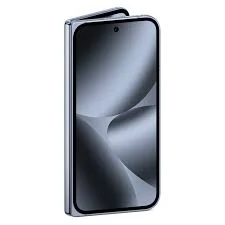
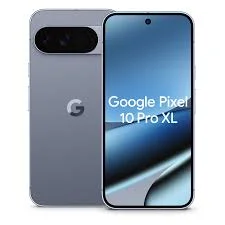

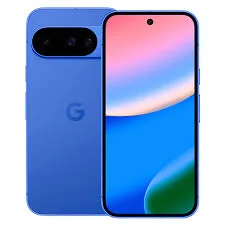

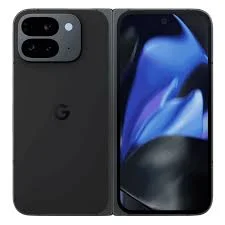
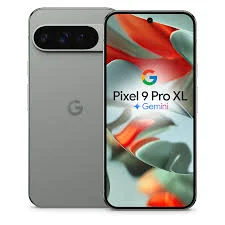


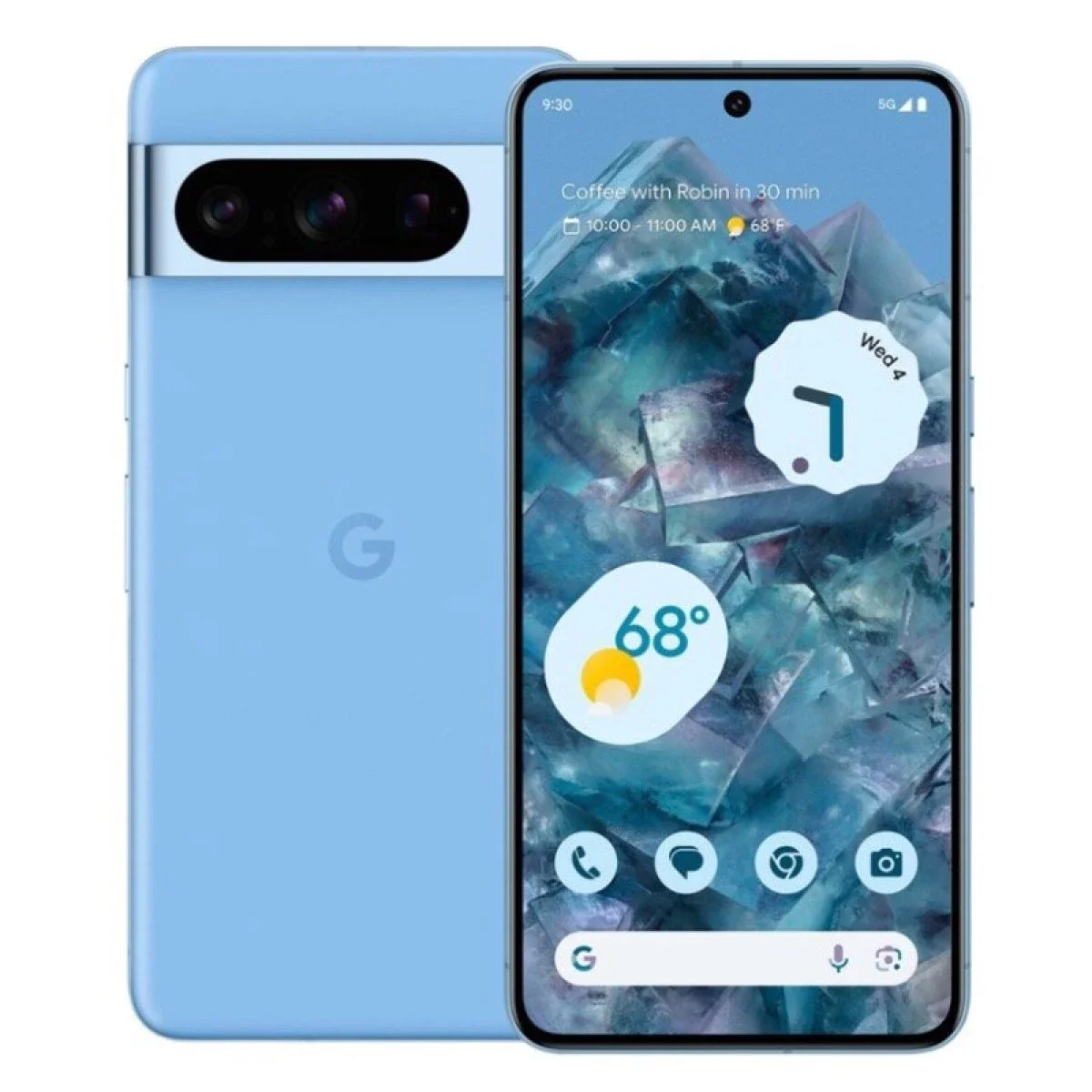
Pixel 10 Pro Fold
Google Pixel 10 Pro Fold Repair in Bangalore – iDoCare
The Google Pixel 10 Pro Fold is a premium foldable smartphone featuring an advanced display system, powerful performance and versatile cameras. If your Pixel 10 Pro Fold has a damaged inner screen, outer display issue, weak battery, charging problem or software malfunction, iDoCare provides professional mobile repair services in Bangalore, with diagnosis based on the device's condition.
Pixel 10 Pro Fold Repair Services in Bangalore
At iDoCare, we help customers identify and resolve common smartphone hardware and software problems. Repair recommendations depend on the fault, parts availability and the condition of the device.
-
Foldable screen repair: Assessment of inner folding display damage, lines, black spots, touch issues and outer screen problems.
-
Battery replacement: Diagnosis of rapid battery drain, unexpected shutdowns and reduced battery performance.
-
Charging repair: Inspection of charging ports, charging interruptions and power-related faults.
-
Camera repair: Troubleshooting blurry images, camera errors and camera hardware issues.
-
Software troubleshooting: Help with boot loops, system errors, freezing and performance problems.
-
Motherboard repair: Advanced diagnostics for power failure, liquid damage and other board-level faults where repair is feasible.
-
Data recovery assistance: Assessment of devices that will not switch on or have software or hardware problems affecting access to stored data.
Common Pixel 10 Pro Fold Problems
| Problem | Recommended action |
|---|---|
| Inner screen showing lines or black spots | Stop pressing the damaged screen and arrange a professional inspection. |
| Outer display not responding | Check for visible damage and request touch and display diagnostics. |
| Battery draining quickly | Review battery usage and have the battery and power system tested. |
| Phone not charging | Check the cable and adapter, then arrange charging-port diagnostics if needed. |
| Phone not turning on | Seek power-system and motherboard diagnosis. |
| Phone overheating | Close demanding apps, disconnect charging if unusually hot, and seek inspection if the issue continues. |
Why Choose iDoCare for Pixel 10 Pro Fold Repair?
iDoCare is a mobile and laptop service centre in Malleshwaram, Bangalore. Our approach focuses on identifying the cause of a fault before recommending a repair.
-
Device-specific troubleshooting and repair assessment
-
Display, battery, charging and hardware diagnostics
-
Software troubleshooting and data recovery assessment
-
Repair options explained before work begins
-
Doorstep pickup and delivery, subject to service availability
Foldable smartphones have delicate display assemblies and specialised construction. Avoid pressing a damaged folding screen, inserting objects into the hinge or attempting an unverified DIY repair. The final repair method, cost and turnaround time depend on the diagnosed fault and the availability of suitable parts.
Pixel 10 Pro Fold Repair in Malleshwaram, Bangalore
For Google Pixel 10 Pro Fold repair enquiries, contact iDoCare to discuss the symptoms and arrange a device assessment.
Pixel 10 Pro XL
Google Pixel 10 Pro XL Repair in Bangalore – iDoCare
Looking for Google Pixel 10 Pro XL repair in Bangalore? iDoCare provides professional mobile repair diagnostics and repair services in Malleshwaram for display damage, battery problems, charging faults, camera issues, software errors and other hardware-related concerns. Our approach focuses on identifying the actual problem, explaining the available repair options and helping customers make an informed decision before proceeding.
The Google Pixel 10 Pro XL is a premium smartphone with an advanced display, sophisticated camera system and powerful internal components. When a component stops working correctly, accurate diagnosis is important to avoid unnecessary replacements and protect the device's functionality.
Pixel 10 Pro XL Repair Services at iDoCare
iDoCare offers repair assessment for Google Pixel smartphones, with service recommendations based on the device's condition, the diagnosed fault and the availability of suitable replacement parts.
1. Pixel 10 Pro XL Screen Replacement
A cracked screen, unresponsive touch, display flickering, coloured lines or black spots can make your Pixel difficult to use. A professional inspection helps determine whether the issue involves the display assembly, connectors or another internal component.
iDoCare can assess screen damage and explain suitable display repair or replacement options, subject to compatible parts availability.
2. Pixel 10 Pro XL Battery Replacement
Does your Pixel 10 Pro XL lose battery power quickly, shut down unexpectedly or struggle to maintain a charge? Battery deterioration, background applications, software issues and power-system faults can cause similar symptoms.
Before recommending a battery replacement, the device should be checked to identify the likely cause of the problem.
3. Pixel 10 Pro XL Charging Port Repair
Charging interruptions can result from cable or adapter problems, debris in the port, connector damage or an internal power fault.
If your phone charges intermittently or does not recognise a charger, iDoCare can assess the charging system and recommend an appropriate repair. Avoid inserting metal objects into the charging port.
4. Pixel 10 Pro XL Camera Repair
Camera problems may include blurry images, focusing failures, camera app errors or a damaged camera lens. These symptoms can arise from software faults or hardware damage.
A diagnostic assessment can help identify whether the issue involves the camera module, lens assembly, software or another component.
5. Pixel 10 Pro XL Motherboard Repair
A phone that fails to power on, repeatedly restarts or experiences certain hardware failures may require motherboard-level diagnostics.
iDoCare can assess eligible motherboard and electronic faults to determine whether component-level repair is feasible. The repair method depends on the underlying damage and the availability of suitable components.
6. Pixel 10 Pro XL Software Troubleshooting
Freezing, boot loops, unexpected restarts and application crashes do not always indicate hardware damage. Software errors, storage limitations and incompatible applications may also contribute.
Where possible, troubleshooting should begin with non-destructive checks. Before any reset, firmware operation or repair that could erase information, discuss data preservation with the technician.
7. Pixel 10 Pro XL Data Recovery Assistance
If your Pixel 10 Pro XL contains important photographs, contacts, documents or business information, preserving data may be a priority.
iDoCare can assess certain hardware and software faults that prevent access to stored information. Data recovery is not guaranteed, particularly when storage components are damaged or the device is encrypted. If the data is important, avoid repeated repair attempts or factory resets before seeking advice.
Common Pixel 10 Pro XL Problems and Recommended Actions
| Problem | Recommended next step |
|---|---|
| Cracked or unresponsive display | Arrange a display and touch-system assessment. |
| Battery draining rapidly | Review battery usage and check battery health and power consumption. |
| Charging failure | Test a known-good compatible cable and adapter; arrange port diagnostics if necessary. |
| Camera not focusing | Check the lens for obstruction and test the camera app before seeking inspection. |
| Phone restarting repeatedly | Check for software issues and request hardware diagnostics if the problem persists. |
| Device not turning on | Arrange professional power-system and motherboard assessment. |
| Overheating | Reduce demanding usage and disconnect charging if the phone becomes unusually hot. Seek service if overheating persists. |
| Data inaccessible | Avoid factory resets and request an assessment focused on data preservation. |
Why Choose iDoCare for Google Pixel 10 Pro XL Repair in Bangalore?
Choosing a repair service involves more than replacing a damaged component. Understanding the fault, checking parts compatibility and communicating the repair options are important parts of a reliable service experience.
At iDoCare, our service approach focuses on:
-
Problem-based diagnostics: Investigating the symptoms before recommending a repair.
-
Repair transparency: Explaining the proposed work and estimated cost before proceeding.
-
Hardware and software assessment: Addressing a range of display, battery, charging, camera and system-related issues.
-
Data-conscious troubleshooting: Discussing data preservation before procedures that may affect stored information.
-
Parts compatibility: Confirming suitable parts availability before committing to a replacement.
-
Convenient service options: Doorstep pickup and delivery may be available depending on location and service arrangements.
Repair time, pricing, warranty coverage and the final repair method depend on the diagnosed fault and the parts required. Ask for confirmation of these details before authorising the repair.
Pixel 10 Pro XL Repair Cost in Bangalore
The cost of repairing a Google Pixel 10 Pro XL depends on the damaged component, the extent of the fault, parts availability and whether additional internal damage is present.
| Repair category | What affects the cost? |
|---|---|
| Display replacement | Display assembly availability and extent of damage |
| Battery replacement | Compatible battery availability and installation requirements |
| Charging repair | Port condition and the underlying charging fault |
| Camera repair | Camera module or related component requirements |
| Motherboard repair | Fault location, component damage and repair complexity |
| Software troubleshooting | Nature of the software issue and work required |
| Data recovery | Device condition, storage accessibility and recovery complexity |
Contact iDoCare for a device-specific assessment and an estimate before approving any work. A confirmed price should be provided only after the repair requirements have been evaluated.
Pixel 10 Pro XL Repair in Malleshwaram, Bangalore
If you need Google Pixel 10 Pro XL repair in Bangalore, iDoCare is located in Malleshwaram and can help you enquire about repair options for your device.
Pixel 10 Pro
Google Pixel 10 Pro Repair in Bangalore
The Google Pixel 10 Pro is a premium smartphone designed for advanced photography, smooth performance and everyday productivity. If your device develops a cracked screen, battery drain, charging failure, camera issue or software malfunction, identifying the underlying cause is the first step towards an effective repair.
iDoCare provides Google Pixel repair assessment in Bangalore, covering display problems, battery issues, charging faults, camera malfunctions, software troubleshooting and eligible motherboard-level repairs. Repair recommendations depend on the device's condition, diagnostic findings and compatible parts availability.
Google Pixel 10 Pro Repair Services
1. Pixel 10 Pro Screen Replacement
A damaged display can cause cracks, unresponsive touch controls, flickering, black spots or coloured lines. These symptoms may indicate damage to the display assembly or related internal components.
Professional screen diagnostics help determine whether a display replacement is necessary. The repair should account for compatible parts, display functionality and the condition of the surrounding components.
2. Pixel 10 Pro Battery Replacement
Does your Pixel 10 Pro lose charge quickly, shut down unexpectedly or struggle to maintain battery life? Battery deterioration, background applications, software issues and power-system faults can produce similar symptoms.
A proper assessment helps identify whether the battery requires replacement or another issue is affecting power consumption. Battery performance should be evaluated before recommending a component replacement.
3. Pixel 10 Pro Charging Port Repair
Charging problems may include slow charging, intermittent connections or the phone failing to recognise a charger. Possible causes include damaged connectors, debris, faulty charging accessories or internal power-related faults.
A charging-system inspection helps identify the source of the problem and determine whether port repair or another solution is appropriate. Avoid inserting sharp or metallic objects into the charging port.
4. Pixel 10 Pro Camera Repair
The Pixel 10 Pro's camera system is important for photography, video recording and everyday communication. Blurry images, focusing difficulties, camera errors or physical lens damage can affect its performance.
Camera troubleshooting helps distinguish between software-related problems and hardware faults involving the camera module or associated components. Replacement should be recommended only when the diagnosis supports it.
5. Pixel 10 Pro Motherboard Repair
If your Google Pixel 10 Pro does not power on, repeatedly restarts or experiences certain electrical failures, the problem may involve the motherboard or power circuitry.
Motherboard-level diagnostics can help identify eligible electronic faults and assess whether component-level repair is feasible. The outcome depends on the location and severity of the damage, including any effects of liquid exposure or short circuits.
6. Pixel 10 Pro Software Troubleshooting
Freezing, boot loops, application crashes and unexpected restarts do not always indicate hardware failure. Operating-system errors, storage limitations and incompatible applications can also cause these symptoms.
Appropriate troubleshooting can help identify the source of the issue before more extensive repair is considered. Discuss backup and data-preservation options before a factory reset or firmware procedure that could erase stored information.
7. Google Pixel 10 Pro Data Recovery Assistance
When a smartphone stops working, access to important photographs, contacts, documents and business files may become difficult. Data recovery assessment can help determine whether a hardware or software fault is preventing access to stored information.
Recovery depends on the device's condition, storage integrity and encryption status, and success cannot be guaranteed. If your data is important, avoid unnecessary resets or repeated repair attempts before obtaining professional guidance.
Common Google Pixel 10 Pro Problems and Recommended Solutions
| Problem | Recommended action |
|---|---|
| Cracked screen or touch failure | Arrange a professional display and touchscreen assessment. |
| Battery draining quickly | Review battery usage and assess battery and power-system performance. |
| Charging failure | Check compatible charging accessories and arrange port diagnostics if necessary. |
| Camera not focusing | Check the lens and software settings before requesting hardware inspection. |
| Phone restarting unexpectedly | Investigate software errors and possible hardware faults. |
| Phone not turning on | Assess the battery, charging system and motherboard. |
| Overheating | Reduce demanding usage and seek inspection if unusual heat persists. |
| Liquid damage | Stop charging the device and arrange a professional assessment. |
| Important data inaccessible | Request a data-preservation assessment before potentially destructive procedures. |
Why Professional Pixel 10 Pro Repair Matters
Modern smartphones integrate advanced displays, camera modules, batteries and electronic components. A single symptom can have several possible causes, so accurate diagnosis is important before replacing parts.
When choosing a Google Pixel repair service, consider these factors:
-
Accurate diagnostics: Identify the likely cause before deciding on a repair.
-
Compatible replacement parts: Confirm part suitability and availability for the exact model.
-
Transparent estimates: Understand the proposed work and expected cost before authorising service.
-
Data-conscious repair: Discuss backup and preservation options before procedures that may affect stored information.
-
Post-repair testing: Check the functions affected by the repair, where technically possible.
-
Clear warranty conditions: Confirm the duration, coverage and exclusions applicable to the repair.
iDoCare's mobile repair services in Bangalore focus on device assessment and suitable repair recommendations. Specific repair availability depends on technical feasibility and compatible parts.
Google Pixel 10 Pro Repair Cost in Bangalore
The cost of Google Pixel 10 Pro repair depends on the damaged component, severity of the fault, parts availability and the complexity of the work.
| Repair type | Factors affecting the cost |
|---|---|
| Screen replacement | Display assembly availability and extent of damage |
| Battery replacement | Battery compatibility and installation requirements |
| Charging port repair | Connector condition and related power faults |
| Camera repair | Camera module condition and replacement requirements |
| Motherboard repair | Circuit-level fault and component damage |
| Software troubleshooting | Type of software issue and work required |
| Data recovery | Storage accessibility and device condition |
A reliable estimate should be based on the actual fault and the required components. Confirm the repair cost, parts availability and expected turnaround time before approving the work.
Google Pixel 10 Pro Repair in Bangalore: What to Consider
For a premium smartphone such as the Pixel 10 Pro, repair quality depends on more than replacing a damaged part. Proper diagnosis, careful handling, compatible components and suitable post-repair checks all contribute to a dependable repair process.
If your phone has suffered accidental damage, liquid exposure or a sudden hardware failure, avoid attempting complex repairs without the appropriate tools and technical knowledge. For software-related problems, prioritise data backup whenever possible and avoid a factory reset if important information has not been secured.
iDoCare provides Google Pixel repair assessment in Bangalore, with repair options determined by the device's symptoms, diagnostic results and parts availability.
Conclusion
Google Pixel 10 Pro repair in Bangalore can involve screen replacement, battery service, charging-port diagnostics, camera repair, software troubleshooting, motherboard assessment or data recovery assistance. The right solution starts with identifying the actual fault rather than replacing components based on symptoms alone.
For a more reliable repair experience, prioritise accurate diagnostics, transparent pricing, compatible parts, careful data handling and clear warranty conditions. These considerations help you make an informed decision about restoring your Google Pixel 10 Pro's functionality.
Pixel 10
Google Pixel 10 Repair in Bangalore – iDoCare
The Google Pixel 10 is a modern smartphone designed for everyday performance, photography and seamless connectivity. If your Pixel 10 develops a cracked screen, battery drain, charging problem, camera fault or software issue, professional diagnostics can help identify the cause and determine the right repair.
iDoCare provides Google Pixel repair assessment in Bangalore, covering common display, battery, charging, camera, software and eligible motherboard-related problems. Each repair recommendation should be based on the device's condition, the diagnostic results and the availability of compatible replacement parts.
Google Pixel 10 Repair Services
1. Google Pixel 10 Screen Replacement
A cracked display, unresponsive touchscreen, flickering screen, black spots or coloured lines can affect the usability of your Pixel 10. These symptoms may result from physical damage, display component failure or an internal connection issue.
Professional display diagnostics help determine whether screen replacement or another repair is appropriate. The condition of the display assembly and the availability of compatible parts should be checked before proceeding.
2. Google Pixel 10 Battery Replacement
Rapid battery drain, unexpected shutdowns and reduced battery life can make your phone difficult to use throughout the day. Possible causes include battery deterioration, background applications, software problems or power-management faults.
A battery assessment can help identify the underlying issue and determine whether replacement is necessary. If the device becomes unusually hot or the battery appears swollen, stop using or charging it and seek professional assistance.
3. Google Pixel 10 Charging Port Repair
If your Pixel 10 charges slowly, disconnects repeatedly or does not recognise a charger, the cause may involve the charging cable, adapter, port or internal power circuitry.
A systematic inspection helps distinguish between accessory problems and device-related faults. Avoid inserting sharp or metallic objects into the charging port, as this can damage the connector.
4. Google Pixel 10 Camera Repair
Camera problems such as blurry photographs, focusing difficulties, camera application errors or physical lens damage can affect photography and video recording.
Camera diagnostics help determine whether the issue is software-related or caused by the camera module or associated hardware. A component replacement should be considered only after the fault has been assessed.
5. Google Pixel 10 Motherboard Repair
A Pixel 10 that fails to power on, restarts repeatedly or experiences certain electrical faults may require motherboard and power-system diagnostics.
Advanced hardware assessment can help identify eligible component-level faults and determine whether repair is feasible. The outcome depends on the severity of the damage, the affected circuitry and the availability of suitable components.
6. Google Pixel 10 Software Troubleshooting
Freezing, application crashes, boot loops and unexpected restarts do not always indicate hardware damage. Software errors, storage limitations and incompatible applications can also cause these problems.
Appropriate troubleshooting can help identify the issue before more extensive repair is considered. Before a factory reset or firmware procedure, discuss data backup and preservation because some operations can erase personal information.
7. Google Pixel 10 Data Recovery Assistance
When a phone stops working or becomes inaccessible, important photographs, contacts, documents and business files may be at risk.
Data recovery assessment can help determine whether a hardware or software fault is preventing access to stored information. Recovery depends on the device's condition, storage integrity and encryption status, and success cannot be guaranteed. If data preservation is important, avoid unnecessary resets and repeated repair attempts.
Common Google Pixel 10 Problems and Recommended Actions
| Problem | Recommended action |
|---|---|
| Cracked screen or touchscreen failure | Arrange a professional display assessment. |
| Battery draining quickly | Review battery usage and assess battery and power-system performance. |
| Phone not charging | Check compatible charging accessories and arrange port diagnostics if necessary. |
| Camera not focusing | Check the lens and software settings before requesting hardware inspection. |
| Unexpected restarts | Investigate software issues and possible hardware faults. |
| Phone not turning on | Assess the battery, charging system and motherboard. |
| Overheating | Reduce demanding usage and seek inspection if unusual heat persists. |
| Liquid damage | Stop charging the phone and arrange a professional assessment. |
| Data inaccessible | Request a data-preservation assessment before potentially destructive procedures. |
Why Choose Professional Google Pixel 10 Repair?
Modern smartphones contain integrated electronic components, advanced displays and sophisticated software. Similar symptoms can have different causes, making accurate diagnostics essential before replacing a component.
When evaluating a Pixel 10 repair service, consider the following:
-
Accurate fault diagnosis: Identify the likely cause before recommending a repair.
-
Compatible replacement parts: Confirm component suitability for the exact model.
-
Transparent estimates: Understand the proposed work and expected cost before authorising service.
-
Data-conscious troubleshooting: Discuss preservation options before procedures that could affect stored information.
-
Post-repair testing: Check repaired functions where technically possible.
-
Clear warranty terms: Confirm applicable coverage, duration and exclusions.
iDoCare's mobile repair services in Bangalore focus on device assessment and appropriate repair recommendations. The availability of specific Pixel 10 repairs depends on technical feasibility and compatible parts.
Google Pixel 10 Repair Cost in Bangalore
The cost of Google Pixel 10 repair depends on the damaged component, the severity of the fault, parts availability and the complexity of the repair.
| Repair category | Factors affecting cost |
|---|---|
| Screen replacement | Display assembly availability and extent of damage |
| Battery replacement | Battery compatibility and installation requirements |
| Charging repair | Connector condition and related power faults |
| Camera repair | Camera module condition and replacement requirements |
| Motherboard repair | Circuit-level fault and component damage |
| Software troubleshooting | Nature of the software issue and work required |
| Data recovery | Storage accessibility and device condition |
A reliable repair estimate should be based on the actual fault and the components required. Confirm the price, parts availability, estimated turnaround time and warranty terms before approving the repair.
Google Pixel 10 Repair in Bangalore: What You Should Know
If your Google Pixel 10 develops a hardware or software problem, avoid assuming that the most obvious symptom identifies the failed component. For example, charging problems can originate from accessories, the charging port or internal circuitry, while battery drain may be associated with software or power consumption.
Professional assessment helps narrow down the cause and determine an appropriate solution. For physical damage or liquid exposure, avoid unnecessary charging and seek qualified assistance. For software problems, back up important information whenever possible before attempting procedures that may erase data.
iDoCare provides Google Pixel repair assessment in Bangalore, with recommendations based on the diagnosed problem, repair requirements and parts availability.
Conclusion
Google Pixel 10 repair in Bangalore may involve screen replacement, battery service, charging-port diagnostics, camera troubleshooting, software repair, motherboard assessment or data recovery assistance. Identifying the underlying fault is the first step towards choosing an effective repair.
Accurate diagnostics, compatible parts, transparent estimates, careful data handling and appropriate post-repair testing help support a dependable repair experience and informed decisions about restoring your Google Pixel 10.
Pixel 9a
Google Pixel 9a Repair in Bangalore – iDoCare
The Google Pixel 9a is designed for everyday performance, photography and reliable smartphone use. When your Pixel 9a develops a cracked display, battery drain, charging problem, camera malfunction or software issue, identifying the underlying fault is essential to choosing the right repair.
iDoCare provides Google Pixel repair assessment in Bangalore for common smartphone hardware and software problems. From screen damage and battery performance issues to charging faults, camera troubleshooting and eligible motherboard repairs, the recommended solution depends on the device's condition, diagnostic findings and compatible parts availability.
Google Pixel 9a Repair Services
1. Google Pixel 9a Screen Replacement
A cracked screen, unresponsive touch controls, display flickering, black spots or coloured lines can affect your Pixel 9a's usability. Physical impact may damage the display assembly or related internal components.
A professional display assessment helps determine whether screen replacement is required or whether another component is responsible. Compatible replacement parts and display functionality should be checked before proceeding with the repair.
2. Google Pixel 9a Battery Replacement
Is your Pixel 9a losing charge quickly, shutting down unexpectedly or struggling to last through the day? Battery deterioration, background applications, software issues and power-management faults can produce similar symptoms.
Battery and power-system diagnostics help identify the likely cause before a replacement is recommended. If the phone becomes unusually hot or the battery appears swollen, stop using or charging the device and seek professional assistance.
3. Google Pixel 9a Charging Port Repair
Charging interruptions, slow charging and loose connections may result from a damaged charging port, faulty accessories, debris or an internal power-related fault.
The repair process should begin with checking compatible charging accessories and inspecting the port. Further diagnostics can determine whether connector repair or another component-level solution is appropriate.
4. Google Pixel 9a Camera Repair
Camera issues such as blurry images, focusing difficulties, camera application errors or physical lens damage can interfere with everyday photography.
Professional troubleshooting helps distinguish between software-related problems and hardware faults involving the camera module or associated components. Repair recommendations should be based on the actual cause rather than replacing parts unnecessarily.
5. Google Pixel 9a Motherboard Repair
If your Pixel 9a does not power on, restarts repeatedly or experiences certain electrical failures, the problem may involve the motherboard or power circuitry.
Advanced diagnostics can help identify eligible component-level faults and determine whether repair is technically feasible. The outcome depends on the extent of damage, affected circuitry and availability of suitable components.
6. Google Pixel 9a Software Troubleshooting
Freezing, boot loops, unexpected restarts and application crashes do not always indicate hardware failure. Software errors, storage limitations and incompatible applications can also affect performance.
Appropriate troubleshooting can help isolate the issue before more extensive repair is considered. Before a factory reset or firmware procedure, discuss data backup and preservation because certain operations may erase personal information.
7. Google Pixel 9a Data Recovery Assistance
When your Pixel 9a stops working or becomes inaccessible, photographs, contacts, documents and other important files may be difficult to retrieve.
Data recovery assessment helps determine whether a hardware or software fault is preventing access to stored information. Recovery depends on the device's condition, storage integrity and encryption status, and success cannot be guaranteed. If important data is at risk, avoid unnecessary resets or repeated repair attempts before obtaining professional guidance.
Common Google Pixel 9a Problems and Recommended Solutions
| Problem | Recommended action |
|---|---|
| Cracked display or touch failure | Arrange a professional screen and touchscreen assessment. |
| Rapid battery drain | Review battery usage and assess battery and power-system performance. |
| Phone not charging | Check compatible charging accessories and request charging diagnostics if needed. |
| Camera focusing problems | Check the lens and software settings before hardware inspection. |
| Unexpected restarts | Investigate software errors and possible hardware faults. |
| Phone not turning on | Assess the battery, charging system and motherboard. |
| Overheating | Reduce demanding usage and seek inspection if unusual heat persists. |
| Liquid damage | Stop charging the phone and arrange a professional assessment. |
| Data inaccessible | Request a data-preservation assessment before potentially destructive procedures. |
Why Professional Google Pixel 9a Repair Matters
Modern smartphones combine display assemblies, batteries, cameras and electronic components that require careful handling. Similar symptoms can have different causes, so accurate diagnostics are important before replacing a component.
When selecting a Google Pixel 9a repair service, consider these factors:
-
Accurate diagnostics: Identify the likely cause before recommending a repair.
-
Compatible replacement parts: Confirm suitability and availability for the exact device model.
-
Transparent pricing: Understand the proposed repair and estimated cost before authorising work.
-
Data-conscious troubleshooting: Discuss data preservation before procedures that may affect stored information.
-
Post-repair testing: Check the functions affected by the repair where technically possible.
-
Clear warranty conditions: Confirm coverage, duration and exclusions for the repair and replacement parts.
iDoCare's mobile repair services in Bangalore focus on device assessment and appropriate repair recommendations. Specific Pixel 9a repair availability depends on the diagnosed fault, technical feasibility and parts availability.
Google Pixel 9a Repair Cost in Bangalore
The cost of Google Pixel 9a repair depends on the damaged component, severity of the fault, compatible parts availability and the complexity of the required work.
| Repair category | Factors affecting the cost |
|---|---|
| Screen replacement | Display assembly availability and extent of damage |
| Battery replacement | Battery compatibility and installation requirements |
| Charging port repair | Connector condition and related power faults |
| Camera repair | Camera module condition and replacement requirements |
| Motherboard repair | Circuit-level fault and component damage |
| Software troubleshooting | Nature of the software issue and work required |
| Data recovery | Storage accessibility and device condition |
For an accurate estimate, the device should be assessed before repair. Confirm the expected cost, parts availability, turnaround time and applicable warranty terms before authorising any work.
Google Pixel 9a Repair in Bangalore: What to Consider
If your Pixel 9a develops a fault, avoid assuming that the most visible symptom identifies the failed component. Battery drain may be associated with software or hardware, while charging problems can originate from accessories, the charging port or internal circuitry.
Professional assessment helps narrow down the cause and identify an appropriate solution. After liquid exposure, avoid charging the device until it has been assessed. For software-related issues, back up important files whenever possible and avoid factory resets when data has not been secured.
iDoCare provides Google Pixel repair assessment in Bangalore, with recommendations based on the device's condition, the diagnosed issue and compatible parts availability.
Conclusion
Google Pixel 9a repair in Bangalore may involve screen replacement, battery service, charging-port diagnostics, camera troubleshooting, software repair, motherboard assessment or data recovery assistance. The right repair begins with identifying the underlying problem rather than replacing components based on symptoms alone.
Accurate diagnostics, compatible parts, transparent estimates, careful data handling and suitable post-repair testing help support a dependable repair experience and informed decisions about restoring your Google Pixel 9a.
Pixel 9 Pro Fold
Google Pixel 9 Pro Fold Repair in Bangalore – iDoCare
The Google Pixel 9 Pro Fold is a premium foldable smartphone featuring an expansive inner display, an outer screen, advanced cameras and powerful everyday performance. Its folding design requires careful handling when display damage, hinge-related concerns, battery problems or other hardware faults occur.
iDoCare provides Google Pixel repair assessment in Bangalore for common hardware and software issues, including foldable display problems, battery performance, charging faults, camera malfunctions and eligible motherboard repairs. Each repair recommendation depends on the device's condition, diagnostic findings and the availability of compatible replacement parts.
Google Pixel 9 Pro Fold Repair Services
1. Pixel 9 Pro Fold Inner and Outer Screen Repair
The Pixel 9 Pro Fold has two displays, and problems can affect either the inner foldable screen or the outer display. Common symptoms include cracks, black spots, flickering, coloured lines, unresponsive touch controls or a screen that fails to turn on.
A professional inspection helps determine whether the issue involves the display assembly, a connector or another internal component. Foldable displays require specialised handling, so avoid pressing damaged areas, repeatedly folding a damaged device or attempting an unverified DIY repair.
Display replacement options depend on the affected screen, the extent of damage and compatible parts availability.
2. Pixel 9 Pro Fold Hinge and Folding Mechanism Assessment
A folding phone's hinge is essential to its opening and closing mechanism. Unusual resistance, visible physical damage, abnormal movement or problems when opening the device may indicate a mechanical issue or damage involving nearby components.
Avoid forcing the phone open or closed, and do not insert objects into the hinge. A professional assessment can help determine whether the issue requires further inspection or a suitable repair.
3. Pixel 9 Pro Fold Battery Replacement
Rapid battery drain, unexpected shutdowns or reduced battery life can result from battery deterioration, demanding applications, software problems or power-system faults.
Battery diagnostics help identify the cause before replacement is recommended. Because foldable smartphones have compact internal assemblies, battery servicing should be performed with appropriate tools and model-specific procedures.
If the device becomes unusually hot or the battery appears swollen, stop using or charging it and seek professional assistance.
4. Pixel 9 Pro Fold Charging Port Repair
Charging interruptions, slow charging and loose connections may result from a damaged charging port, faulty accessories, debris or an internal power-related fault.
A systematic inspection helps distinguish between accessory problems and device-related issues. Further diagnostics can determine whether charging-port repair or another component-level solution is appropriate.
5. Pixel 9 Pro Fold Camera Repair
Camera problems may include blurry photographs, focusing difficulties, camera application errors or physical lens damage. These issues can originate from software, the camera module or associated hardware.
Professional diagnostics help identify the likely cause before recommending a repair. The final solution depends on the affected component, the extent of damage and the availability of compatible parts.
6. Pixel 9 Pro Fold Motherboard Repair
If the Pixel 9 Pro Fold fails to power on, restarts repeatedly or experiences certain electrical faults, the problem may involve the motherboard or power circuitry.
Advanced diagnostics can help identify eligible component-level faults and determine whether repair is technically feasible. Liquid damage, short circuits and complex electronic failures require careful assessment before selecting a repair method.
7. Pixel 9 Pro Fold Software Troubleshooting
Freezing, boot loops, unexpected restarts and application crashes do not always indicate hardware damage. Software errors, storage limitations and incompatible applications can also affect device performance.
Appropriate troubleshooting can help isolate the issue before more extensive repair is considered. Before a factory reset or firmware operation, discuss backup and data-preservation options because some procedures can erase stored information.
8. Google Pixel 9 Pro Fold Data Recovery Assistance
A foldable phone that will not turn on or cannot be accessed may contain important photographs, contacts, documents and business files.
Data recovery assessment can help determine whether a hardware or software fault is preventing access to stored information. Recovery depends on the device's condition, storage integrity and encryption status, and success cannot be guaranteed.
If data preservation is important, avoid unnecessary resets, repeated repair attempts or procedures that could overwrite stored information before obtaining professional guidance.
Common Pixel 9 Pro Fold Problems and Recommended Actions
| Problem | Recommended action |
|---|---|
| Inner display cracked or unresponsive | Arrange a foldable display assessment and check compatible replacement options. |
| Outer screen not working | Request display and touchscreen diagnostics. |
| Hinge feels abnormal | Avoid forcing the hinge and arrange a mechanical inspection. |
| Battery draining quickly | Review battery usage and assess battery and power-system performance. |
| Charging failure | Check compatible charging accessories and arrange port diagnostics if needed. |
| Camera not focusing | Check the lens and software settings before hardware inspection. |
| Phone not turning on | Arrange battery, charging-system and motherboard diagnostics. |
| Overheating | Reduce demanding usage and seek inspection if unusual heat persists. |
| Liquid damage | Stop charging the device and arrange a professional assessment. |
| Important data inaccessible | Request a data-preservation assessment before potentially destructive procedures. |
Why Professional Pixel 9 Pro Fold Repair Matters
Foldable smartphones have a more complex physical design than conventional phones. Their inner displays, hinge mechanisms, compact internal assemblies and interconnected components require careful diagnosis and handling.
When evaluating a Google Pixel 9 Pro Fold repair service, consider the following:
-
Foldable-device assessment: Identify whether the fault affects the inner display, outer screen, hinge or another component.
-
Accurate diagnostics: Investigate the underlying problem before recommending a repair.
-
Parts compatibility: Confirm that replacement components are suitable for the exact model.
-
Transparent estimates: Understand the proposed repair, expected cost and turnaround time before authorising work.
-
Data-conscious troubleshooting: Discuss data preservation before procedures that may affect stored information.
-
Post-repair testing: Check the repaired display, touch response and other affected functions where technically possible.
-
Clear warranty terms: Confirm the applicable coverage, duration and exclusions.
iDoCare's mobile repair services in Bangalore focus on device assessment and appropriate repair recommendations. Availability of specific Pixel 9 Pro Fold repairs depends on technical feasibility and compatible parts.
Google Pixel 9 Pro Fold Repair Cost in Bangalore
The cost of Pixel 9 Pro Fold repair depends on the affected component, the severity of the damage, parts availability and the complexity of the repair.
| Repair category | Factors affecting cost |
|---|---|
| Inner display replacement | Foldable display assembly availability and extent of damage |
| Outer screen replacement | Display component availability and physical damage |
| Hinge assessment or repair | Mechanical condition and associated component damage |
| Battery replacement | Battery compatibility and installation requirements |
| Charging port repair | Connector condition and related power faults |
| Camera repair | Camera module condition and replacement requirements |
| Motherboard repair | Circuit-level fault and component damage |
| Data recovery | Storage accessibility and device condition |
Foldable display and hinge repairs can involve specialised components and complex installation procedures. An accurate estimate should be provided after assessing the device and confirming parts availability.
Protecting Your Google Pixel 9 Pro Fold Before Repair
A few precautions can help prevent further damage while arranging an assessment:
-
Avoid repeatedly folding or unfolding a phone with a damaged inner display or hinge.
-
Do not press black spots, screen lines or damaged areas.
-
Stop charging the device if it shows signs of battery swelling, unusual heat or liquid damage.
-
Back up important information whenever the phone remains accessible.
-
Avoid factory resets if you need to preserve personal data.
-
Ask whether the proposed repair could affect stored data or existing water-resistance properties.
These precautions are especially important for foldable devices, where damage to one assembly may affect nearby components.
Google Pixel 9 Pro Fold Repair in Bangalore
For Pixel 9 Pro Fold repair, the most suitable solution depends on the affected display, hinge condition, battery performance or other diagnosed fault. Careful assessment helps determine whether a component replacement, software troubleshooting or specialised hardware repair is appropriate.
iDoCare provides Google Pixel repair assessment in Bangalore, with recommendations based on the device's condition, technical feasibility and compatible parts availability.
Conclusion
Google Pixel 9 Pro Fold repair in Bangalore may involve inner or outer display replacement, hinge assessment, battery service, charging-port diagnostics, camera troubleshooting, motherboard repair or data recovery assistance.
Because foldable smartphones use specialised displays and mechanical assemblies, accurate diagnostics and careful handling are essential. Confirm the repair scope, component availability, estimated cost, data-related risks and warranty terms before proceeding. This approach supports informed decisions and helps reduce the risk of unnecessary repairs.
Pixel 9 Pro XL
Google Pixel 9 Pro XL Repair in Bangalore – iDoCare
The Google Pixel 9 Pro XL is a premium smartphone designed for advanced photography, high performance and everyday productivity. If your device develops a cracked screen, battery drain, charging failure, camera problem or software malfunction, identifying the underlying cause is essential for choosing the right repair.
iDoCare provides Google Pixel repair assessment in Bangalore for display damage, battery issues, charging faults, camera problems, software errors and eligible motherboard-level faults. Each repair recommendation depends on the device's condition, diagnostic findings and the availability of compatible replacement parts.
Google Pixel 9 Pro XL Repair Services
1. Pixel 9 Pro XL Screen Replacement
A cracked display, unresponsive touchscreen, flickering, black spots or coloured lines can affect your phone's usability. These symptoms may result from accidental impact, display assembly damage or an internal connection fault.
Professional screen diagnostics help determine whether the display assembly needs replacement or whether another component is responsible. Before proceeding, check compatible parts availability and confirm the recommended repair.
2. Pixel 9 Pro XL Battery Replacement
Rapid battery drain, unexpected shutdowns and reduced battery life can make daily smartphone use difficult. Possible causes include battery deterioration, demanding applications, software issues or faults in the power system.
Battery and power-system diagnostics help identify the likely cause before replacement is recommended. If the battery appears swollen or the device becomes unusually hot, stop using or charging it and seek professional assistance.
3. Pixel 9 Pro XL Charging Port Repair
Charging interruptions, slow charging and intermittent connections may result from a damaged charging port, faulty accessories, debris or an internal power-related fault.
A systematic inspection helps distinguish between accessory problems and device-related faults. Further diagnostics can determine whether charging-port repair or another component-level solution is appropriate.
4. Pixel 9 Pro XL Camera Repair
Camera issues such as blurry photographs, focusing difficulties, camera application errors or physical lens damage can affect photography and video recording.
Professional troubleshooting helps identify whether the fault involves software, the camera module or related hardware. The appropriate repair depends on the symptoms, diagnostic results and availability of compatible components.
5. Pixel 9 Pro XL Motherboard Repair
If your Google Pixel 9 Pro XL fails to power on, restarts repeatedly or experiences certain electrical problems, the cause may involve the motherboard or power circuitry.
Advanced diagnostics can help identify eligible component-level faults and assess whether repair is technically feasible. Liquid damage, short circuits and complex electronic failures require careful inspection before a repair method is selected.
6. Pixel 9 Pro XL Software Troubleshooting
Freezing, boot loops, unexpected restarts and application crashes do not always indicate hardware damage. Operating-system errors, storage limitations and incompatible applications can also affect device performance.
Appropriate troubleshooting helps isolate the issue before more extensive repair is considered. Before a factory reset or firmware procedure, discuss backup and data-preservation options because some operations may erase personal information.
7. Google Pixel 9 Pro XL Data Recovery Assistance
When a smartphone stops working or becomes inaccessible, photographs, contacts, documents and business files may be difficult to retrieve.
Data recovery assessment helps determine whether a hardware or software fault is preventing access to stored information. Recovery depends on device condition, storage integrity and encryption status, and success cannot be guaranteed. If your data is important, avoid unnecessary resets or repeated repair attempts before obtaining professional guidance.
Common Google Pixel 9 Pro XL Problems and Recommended Actions
| Problem | Recommended action |
|---|---|
| Cracked screen or touchscreen failure | Arrange a professional display assessment. |
| Battery draining quickly | Review battery usage and assess battery and power-system performance. |
| Phone not charging | Check compatible charging accessories and arrange charging diagnostics if necessary. |
| Camera not focusing | Check the lens and software settings before requesting hardware inspection. |
| Unexpected restarts | Investigate software errors and possible hardware faults. |
| Phone not turning on | Assess the battery, charging system and motherboard. |
| Overheating | Reduce demanding usage and seek inspection if unusual heat persists. |
| Liquid damage | Stop charging the phone and arrange a professional assessment. |
| Data inaccessible | Request a data-preservation assessment before potentially destructive procedures. |
Why Professional Pixel 9 Pro XL Repair Matters
Modern smartphones combine advanced displays, camera modules, batteries and interconnected electronic components. Similar symptoms can have different causes, making accurate diagnosis important before replacing parts.
When choosing a Google Pixel repair service, consider the following:
-
Accurate diagnostics: Identify the likely cause before recommending a repair.
-
Compatible replacement parts: Confirm component suitability and availability for the exact model.
-
Transparent estimates: Understand the proposed work and estimated cost before authorising service.
-
Data-conscious troubleshooting: Discuss data preservation before procedures that may affect stored information.
-
Post-repair testing: Check the functions affected by the repair where technically possible.
-
Clear warranty terms: Confirm the coverage, duration and exclusions applicable to the repair.
iDoCare's mobile repair services in Bangalore focus on device assessment and appropriate repair recommendations. Specific Pixel 9 Pro XL repair availability depends on technical feasibility and compatible parts.
Google Pixel 9 Pro XL Repair Cost in Bangalore
The cost of Google Pixel 9 Pro XL repair depends on the damaged component, the extent of the fault, replacement-part availability and repair complexity.
| Repair category | Factors affecting cost |
|---|---|
| Screen replacement | Display assembly availability and extent of damage |
| Battery replacement | Battery compatibility and installation requirements |
| Charging port repair | Connector condition and related power faults |
| Camera repair | Camera module condition and replacement requirements |
| Motherboard repair | Circuit-level fault and component damage |
| Software troubleshooting | Nature of the software issue and work required |
| Data recovery | Storage accessibility and device condition |
An accurate estimate should be based on the actual fault and required components. Confirm the price, parts availability, estimated turnaround time and applicable warranty terms before approving the repair.
How to Protect Your Pixel 9 Pro XL Before Repair
Taking a few precautions can help reduce the risk of additional damage:
-
Use a suitable protective case to reduce the risk of accidental impact.
-
Avoid charging the phone if it shows signs of battery swelling, unusual heat or liquid damage.
-
Back up important information whenever the device remains accessible.
-
Avoid factory resets when important data has not been secured.
-
Do not attempt complex motherboard or display repairs without appropriate tools and expertise.
-
Confirm whether the proposed repair could affect stored data or existing water-resistance properties.
These precautions can help protect your device while the underlying issue is being assessed.
Pixel 9 Pro XL Repair in Bangalore
For Google Pixel 9 Pro XL repair in Bangalore, the appropriate solution depends on the damaged component and the results of professional diagnostics. Display replacement, battery service, charging repairs, camera troubleshooting, software support and eligible motherboard repairs may be considered according to the fault and parts availability.
iDoCare focuses on identifying the problem, explaining suitable repair options and helping customers make informed decisions before proceeding.
Conclusion
Google Pixel 9 Pro XL repair in Bangalore may involve screen replacement, battery diagnostics, charging-port repair, camera troubleshooting, software repair, motherboard assessment or data recovery assistance.
A reliable repair process begins with accurate fault identification and continues with compatible parts, transparent pricing, careful data handling and appropriate post-repair testing. Confirm the repair scope, estimated cost, turnaround time and warranty conditions before authorising the work.
Pixel 9 Pro
Google Pixel 9 Pro Repair in Bangalore – Screen, Battery, Camera & Hardware Service
The Google Pixel 9 Pro is a premium smartphone designed for advanced photography, smooth performance, and everyday productivity. When the device develops a cracked display, battery issue, charging fault, camera problem, or software malfunction, professional diagnosis can help identify the cause and determine the appropriate repair.
iDoCare provides Google Pixel 9 Pro repair services in Bangalore, with repair options for display damage, battery performance issues, charging problems, camera faults, speaker issues, and other hardware or software concerns. The recommended solution depends on the symptoms, device condition, and diagnostic findings.
Google Pixel 9 Pro Repair Services
1. Google Pixel 9 Pro Screen Replacement
A damaged display can affect touch response, visibility, and the overall usability of your phone. Common symptoms include cracks, black spots, flickering, green or coloured lines, and an unresponsive touchscreen.
A professional inspection helps determine whether the display assembly requires replacement or whether another component is responsible for the issue. Compatible replacement options should be evaluated for display quality, touch performance, fit, and functionality.
2. Google Pixel 9 Pro Battery Replacement
If your Pixel 9 Pro loses charge quickly, shuts down unexpectedly, or takes longer than usual to charge, the battery or charging system may need attention.
Possible causes include battery ageing, demanding applications, software activity, charging accessories, or internal hardware faults. Battery health and charging behaviour should be assessed before replacement is recommended.
3. Google Pixel 9 Pro Charging Port Repair
Charging difficulties can result from debris inside the port, a damaged connector, a faulty cable, moisture exposure, or a problem with the charging circuitry.
Before replacing any component, technicians should inspect the port and test the charging accessories. This helps distinguish a simple connection issue from a hardware fault that requires repair.
4. Google Pixel 9 Pro Camera Repair
The Pixel 9 Pro is known for its advanced camera capabilities. Problems such as blurry images, camera app crashes, focus errors, unusual camera noises, or a camera that fails to open can affect photography and video recording.
Camera issues may originate from the camera module, software, connectors, or other internal components. A diagnostic assessment helps identify the affected part before repair or replacement.
5. Google Pixel 9 Pro Motherboard and Hardware Repair
A phone that fails to power on, restarts repeatedly, overheats abnormally, or experiences multiple hardware failures may require deeper diagnostics.
Potential causes include power-related faults, damaged connectors, liquid exposure, or motherboard-level component failure. Board-level repair may be considered when appropriate, depending on the fault and the feasibility of a reliable repair.
6. Google Pixel 9 Pro Speaker, Microphone and Button Repair
Call audio problems, low speaker volume, microphone failure, or unresponsive buttons can interfere with normal use.
The issue may involve the affected component, a connection, software settings, or contamination. Testing helps establish whether cleaning, component repair, or replacement is the suitable next step.
7. Google Pixel 9 Pro Software Troubleshooting
Software problems can cause slow performance, application crashes, connectivity issues, boot problems, or repeated restarts.
Troubleshooting may include checking system behaviour, application conflicts, available storage, updates, and other software-related causes. A factory reset should not be the first step when less disruptive options are available, particularly if important data has not been backed up.
8. Google Pixel 9 Pro Data Recovery Assistance
If your Pixel 9 Pro cannot power on or has developed a hardware fault, access to stored photos, videos, documents, and other files may be affected.
Data recovery possibilities depend on the device's condition, storage accessibility, encryption, and the nature of the fault. If the data is important, explain this before authorising repairs or any procedure that could erase the device. Recovery cannot be guaranteed in every case.
Common Google Pixel 9 Pro Problems and Recommended Actions
| Problem | Possible cause | Recommended action |
|---|---|---|
| Cracked screen or touch failure | Display damage or internal connection fault | Inspect the display assembly |
| Battery drains quickly | Battery ageing, apps or software activity | Assess battery health and power usage |
| Phone will not charge | Cable, port, battery or charging circuit | Test accessories and inspect charging hardware |
| Camera images appear blurry | Lens contamination, focus or camera module issue | Check the lens and camera system |
| Phone restarts repeatedly | Software instability, battery or hardware fault | Perform systematic diagnostics |
| Device will not turn on | Battery, power circuit or motherboard fault | Check power delivery and internal components |
| Speaker or microphone not working | Component damage, blockage or connection issue | Test audio components |
| Phone has liquid exposure | Corrosion or electrical damage | Arrange prompt inspection and avoid charging |
These symptoms can have multiple causes. A correct diagnosis is important to avoid unnecessary part replacement.
Google Pixel 9 Pro Repair Cost in Bangalore
The cost of Google Pixel 9 Pro repair in Bangalore depends on the specific fault, the parts required, the availability and quality of replacement components, and the complexity of the work.
| Repair category | What influences the cost |
|---|---|
| Display replacement | Display assembly quality and extent of damage |
| Battery replacement | Battery quality and installation requirements |
| Charging repair | Port damage versus charging circuit failure |
| Camera repair | Camera module or related component fault |
| Motherboard repair | Fault location, component damage and repair complexity |
| Software troubleshooting | Nature of the software issue and diagnostic time |
| Data recovery | Device condition, storage accessibility and fault severity |
A reliable repair assessment should explain the suspected fault, recommended solution, expected cost, and any limitations before work begins. Exact pricing should be confirmed after inspecting the device rather than relying on a generic estimate.
Why Choose Professional Google Pixel 9 Pro Repair?
The Pixel 9 Pro contains compact internal components, advanced camera hardware, and integrated software features. Incorrect disassembly or unsuitable parts can create additional problems.
When choosing a repair service, consider whether the technician can:
-
Diagnose the underlying fault before recommending replacement.
-
Explain the available parts and their quality.
-
Check relevant functions after completing the repair.
-
Discuss repair limitations and any applicable warranty terms.
-
Handle personal data carefully and obtain permission before procedures that may erase it.
After screen, battery, or internal repairs, water resistance should not be assumed to remain equivalent to the original factory condition. Ask about the repair's limitations before exposing the phone to moisture.
What to Do Before Sending Your Pixel 9 Pro for Repair
A few precautions can help protect your device and personal information:
-
Back up important data if the phone is working and you can safely access it.
-
Describe the symptoms clearly, including when the problem started and whether the phone was dropped or exposed to moisture.
-
Avoid charging a wet or liquid-damaged phone. Power it off if safe to do so and arrange a professional assessment.
-
Do not repeatedly force-restart a malfunctioning device if it is overheating or showing signs of electrical damage.
-
Discuss data privacy and confirm whether any reset or data-erasing procedure is necessary before authorising it.
Google Pixel 9 Pro Repair in Bangalore with iDoCare
For Google Pixel 9 Pro repair in Bangalore, iDoCare offers repair assessment options for common smartphone problems, including screen damage, battery issues, charging faults, camera malfunctions, software troubleshooting, and selected hardware or motherboard faults.
The repair process should begin with identifying the symptoms and examining the device. Based on the findings, the appropriate repair option can be recommended, along with the expected cost and any relevant limitations.
Whether your Google Pixel 9 Pro has a cracked display, reduced battery life, charging problems, or a more complex hardware fault, an accurate diagnosis is the first step towards making an informed repair decision.
iDoCare – Phone and Laptop Service Center provides a diagnostic-led approach to smartphone repair, helping customers understand the available repair options before proceeding.
Pixel 9
Google Pixel 9 Repair in Bangalore – Screen, Battery, Charging & Hardware Service
The Google Pixel 9 is designed for reliable everyday performance, advanced photography, and a smooth Android experience. However, a cracked screen, fast battery drain, charging failure, camera malfunction, or unexpected restart can affect the phone's usability.
iDoCare provides Google Pixel 9 repair services in Bangalore, with diagnostic and repair options for display damage, battery problems, charging issues, camera faults, speaker and microphone problems, software errors, and selected motherboard faults. The right repair depends on the symptoms, device condition, and results of a technical inspection.
Google Pixel 9 Repair Services at iDoCare
1. Google Pixel 9 Screen Replacement
A damaged display can make your Pixel 9 difficult to use, even when the phone still powers on. Common signs include cracked glass, black patches, coloured lines, flickering, dead pixels, and unresponsive touch controls.
A technician should inspect the display and related connections to determine whether the screen assembly needs replacement. Replacement options should be evaluated for display quality, touch accuracy, compatibility, and proper fitting.
If the display is damaged but the phone continues to operate, back up important data before the condition worsens, where possible.
2. Google Pixel 9 Battery Replacement
Does your Google Pixel 9 battery drain faster than usual, lose charge unexpectedly, or struggle to last through the day?
Battery ageing can reduce runtime, but background applications, software activity, poor network conditions, and charging-related faults can also contribute to the problem.
A proper assessment can help distinguish battery deterioration from other power-related issues. If replacement is necessary, the battery's quality, compatibility, and installation should be considered before proceeding.
If the phone becomes unusually hot or the battery appears swollen, stop using or charging it and arrange a professional inspection.
3. Google Pixel 9 Charging Port Repair
Charging problems can occur when the phone does not recognise a cable, charges intermittently, or fails to charge altogether.
Possible causes include:
-
A damaged or contaminated USB-C charging port.
-
A faulty charging cable or adapter.
-
Moisture or corrosion inside the device.
-
A battery or charging circuit fault.
-
A software-related charging issue.
Testing the accessories and inspecting the charging connection can help identify the cause before a replacement component is recommended.
4. Google Pixel 9 Camera Repair
The Google Pixel 9 camera system supports everyday photography and video recording. Camera faults can affect image clarity, focus, video capture, or the ability to open the camera application.
Common symptoms include blurry photographs, focus problems, a black camera preview, camera app crashes, or unusual behaviour after a drop.
The issue may originate from the camera module, lens area, internal connection, or software. A diagnostic check helps establish whether the problem requires software troubleshooting, component repair, or camera replacement.
5. Google Pixel 9 Motherboard and Power Repair
If your Pixel 9 does not switch on, restarts repeatedly, or shows several hardware problems at once, the cause may involve the battery, power circuitry, internal connections, or motherboard.
Motherboard-level diagnosis can help identify faults that cannot be resolved by replacing an external component alone. Where technically feasible, component-level repair may be considered after the fault has been identified.
The likelihood of successful repair depends on the affected circuit, the extent of any physical or liquid damage, and the condition of the remaining components.
6. Google Pixel 9 Speaker and Microphone Repair
Poor call quality, low speaker volume, distorted sound, or a microphone that fails to capture your voice can make communication difficult.
Possible causes include blocked openings, damaged audio components, internal connection problems, or software settings. Testing should cover the affected speaker or microphone and other relevant audio functions before deciding on a repair.
7. Google Pixel 9 Software Troubleshooting
Software-related problems may cause application crashes, slow performance, connectivity issues, boot problems, or unexpected restarts.
Troubleshooting can include reviewing recent software changes, checking storage and application behaviour, and assessing system stability. A factory reset may be considered in some cases, but it can erase personal data and should not be performed without understanding the consequences and securing a backup where possible.
8. Google Pixel 9 Data Recovery Assistance
A Pixel 9 that will not power on or has suffered hardware damage may prevent access to important photos, videos, documents, and other personal files.
Data recovery depends on the device's condition, storage accessibility, encryption, and the underlying fault. Repairing the original device may be necessary in some situations, and recovery cannot be guaranteed.
If preserving data is your priority, communicate this before approving a reset, software reinstallation, or other procedure that could erase stored information.
Common Google Pixel 9 Problems and Repair Options
| Problem | Possible cause | Recommended next step |
|---|---|---|
| Cracked screen or touch failure | Display assembly damage | Inspect the display and touch functionality |
| Battery drains quickly | Battery ageing or software activity | Check battery performance and power usage |
| Phone does not charge | Cable, port, battery, or circuit fault | Test accessories and inspect the charging system |
| Camera is blurry or not opening | Camera module, connection, or software issue | Test the camera system |
| Phone restarts unexpectedly | Software instability or hardware fault | Perform systematic diagnostics |
| Phone will not turn on | Battery, power circuitry, or motherboard fault | Check power delivery and internal components |
| Speaker or microphone failure | Audio component or connection issue | Test the affected audio components |
| Liquid exposure | Moisture-related electrical damage | Avoid charging and arrange an inspection |
These symptoms can have more than one cause. Identifying the underlying fault helps reduce unnecessary part replacement and supports a more informed repair decision.
Google Pixel 9 Repair Cost in Bangalore
The cost of Google Pixel 9 repair in Bangalore varies according to the type of damage, replacement component, parts availability, and complexity of the repair.
| Repair type | Factors affecting cost |
|---|---|
| Screen replacement | Display assembly type, quality, and extent of damage |
| Battery replacement | Battery compatibility, quality, and installation |
| Charging port repair | Port damage versus a deeper charging circuit fault |
| Camera repair | Camera module or related component failure |
| Motherboard repair | Fault location, component damage, and repair complexity |
| Speaker or microphone repair | Affected component and extent of the fault |
| Software troubleshooting | Nature of the issue and diagnostic requirements |
| Data recovery | Device condition, storage access, and severity of damage |
A reliable estimate should be based on inspection rather than a generic price. Before authorising the work, confirm the proposed repair, component quality, expected cost, and any applicable warranty terms.
Why Professional Google Pixel 9 Repair Matters
Modern smartphones contain compact components that require careful handling. Incorrect disassembly, unsuitable replacement parts, or an incomplete diagnosis can create further problems.
When selecting a repair service, look for a process that includes:
-
Fault-based diagnosis: Identify the likely cause before recommending replacement.
-
Clear repair recommendations: Understand why a component needs repair or replacement.
-
Suitable replacement parts: Ask about compatibility and the quality of the proposed component.
-
Post-repair testing: Check relevant functions after the repair is completed.
-
Data awareness: Confirm whether any repair procedure could affect personal files.
-
Clear warranty terms: Understand the coverage and exclusions applicable to the repair.
Water resistance should not be assumed to remain at the original factory level after a device has been opened or repaired.
What to Do Before Repairing Your Google Pixel 9
Taking a few precautions can help protect your phone and data.
-
Back up important files if the phone is working and you can safely access them.
-
Describe the problem accurately, including any recent drop, liquid exposure, charging issue, or software change.
-
Avoid charging a wet device. If it has suffered liquid exposure, stop using it if safe and seek a professional assessment.
-
Do not ignore abnormal heat or battery swelling. Stop using the device and arrange appropriate inspection.
-
Ask before approving a reset. Confirm whether troubleshooting can be performed without erasing personal information.
-
Check the completed repair. Test charging, display response, cameras, audio, connectivity, and other affected functions before leaving the service centre.
Google Pixel 9 Repair in Bangalore by iDoCare
iDoCare offers Google Pixel 9 repair assessment options in Bangalore for common smartphone problems, including screen damage, battery performance issues, charging faults, camera problems, audio faults, software troubleshooting, and selected hardware or motherboard repairs.
The repair process starts by understanding the symptoms and inspecting the device. Based on the findings, the appropriate solution can be discussed along with the estimated cost, replacement options, and any repair limitations.
Whether your Google Pixel 9 has a damaged display, a battery that drains too quickly, charging difficulties, or a more complex hardware issue, an accurate diagnosis is the first step towards choosing the right repair.
iDoCare – Phone and Laptop Service Center takes a diagnostic-led approach to smartphone servicing, helping customers understand their repair options before proceeding.
Pixel 8a
Google Pixel 8a Repair in Bangalore – Screen, Battery, Charging & Hardware Service
The Google Pixel 8a combines Google's camera technology, an OLED display, and everyday smartphone performance in a compact design. Screen damage, battery drain, charging problems, camera faults, or software issues can affect its usability and reliability.
iDoCare provides Google Pixel 8a repair services in Bangalore, with diagnostic and repair options for display damage, battery issues, charging faults, camera problems, speaker and microphone failures, software errors, and selected motherboard faults. The appropriate repair depends on the device's condition, the symptoms, and the results of a technical inspection.
Google Pixel 8a Repair Services at iDoCare
1. Google Pixel 8a Screen Replacement
A cracked or malfunctioning display can make the Pixel 8a difficult to use. Common symptoms include broken glass, black spots, coloured lines, flickering, dead areas, and unresponsive touch controls.
The Pixel 8a uses an OLED display, so display damage may affect both image quality and touch functionality. A technician should inspect the screen assembly and its connections to determine whether replacement is necessary.
When selecting a replacement display, consider compatibility, colour reproduction, brightness, touch response, and fitting quality. The final recommendation should be based on the actual damage rather than the appearance of the glass alone.
2. Google Pixel 8a Battery Replacement
If your Google Pixel 8a loses charge quickly, shuts down unexpectedly, or struggles to maintain battery life, the cause may be battery ageing or another power-related issue.
Battery performance can also be affected by background applications, software activity, poor network reception, and charging habits. An assessment helps establish whether the battery needs replacement or whether another issue is responsible.
If the battery is swollen or the phone becomes unusually hot, stop using or charging it and arrange a professional inspection.
3. Google Pixel 8a Charging Port Repair
Charging issues can include intermittent connections, slow charging, a loose cable connection, or a phone that does not recognise the charger.
Possible causes include:
-
Debris or damage inside the USB-C charging port.
-
A faulty charging cable or adapter.
-
Moisture-related corrosion.
-
Battery or charging circuit faults.
-
Software-related charging problems.
Testing the charger and inspecting the port can help identify the source of the fault before a component is replaced. Avoid inserting metal objects into the port or forcing the charging cable into place.
4. Google Pixel 8a Camera Repair
The Google Pixel 8a is designed for everyday photography, portraits, and video recording. Camera problems can affect image clarity, focusing, exposure, or the ability to launch the camera application.
Common symptoms include blurry images, focus problems, a black camera preview, camera app crashes, and damage following a drop.
The issue may involve the camera module, lens area, internal connections, or software. A diagnostic check helps determine whether the phone needs software troubleshooting, component repair, or camera replacement.
5. Google Pixel 8a Motherboard and Power Repair
A Pixel 8a that fails to power on, restarts repeatedly, or develops multiple hardware problems may have a battery, power circuit, connector, or motherboard fault.
Motherboard diagnostics help investigate problems that cannot be resolved through basic troubleshooting or external component replacement. Where technically feasible, component-level repair may be considered after identifying the affected circuit.
Repair feasibility depends on the type of damage, the condition of the board, and whether the affected components can be repaired reliably.
6. Google Pixel 8a Speaker and Microphone Repair
Low speaker volume, distorted sound, microphone failure, or poor call audio can interfere with calls, recordings, and media playback.
These problems may result from blocked openings, damaged audio components, internal connections, or software settings. Testing the affected audio functions helps identify the appropriate repair rather than replacing components unnecessarily.
7. Google Pixel 8a Software Troubleshooting
Software issues may cause slow performance, application crashes, connectivity problems, boot failures, or unexpected restarts.
Troubleshooting can include reviewing recent updates, checking application behaviour, assessing available storage, and investigating system stability. A factory reset should be considered carefully because it can erase personal data. Less disruptive options should be assessed first where appropriate.
8. Google Pixel 8a Data Recovery Assistance
If your Pixel 8a will not turn on or has sustained hardware damage, access to photos, videos, documents, and other stored information may be affected.
Data recovery depends on the underlying fault, storage accessibility, encryption, and the condition of the device. Recovery is not guaranteed in every case.
If your data is important, explain this before authorising a reset, software reinstallation, or repair procedure that could erase stored information. Back up accessible data before repair whenever possible.
Common Google Pixel 8a Problems and Repair Options
| Problem | Possible cause | Recommended action |
|---|---|---|
| Cracked screen or touch failure | OLED display assembly damage | Inspect display and touch functionality |
| Battery drains quickly | Battery ageing or software activity | Assess battery performance and power usage |
| Phone will not charge | Cable, port, battery, or circuit fault | Test accessories and inspect charging hardware |
| Camera images are blurry | Camera, lens, connection, or software issue | Test the camera system |
| Phone restarts unexpectedly | Software instability or hardware fault | Perform systematic diagnostics |
| Phone will not turn on | Battery, power circuit, or motherboard fault | Check power delivery and internal components |
| Speaker or microphone not working | Audio component or connection issue | Test affected audio functions |
| Liquid exposure | Moisture-related electrical damage | Avoid charging and arrange an inspection |
These symptoms can have multiple causes. Accurate diagnosis helps determine whether the issue requires a component replacement, a repair, or software troubleshooting.
Google Pixel 8a Repair Cost in Bangalore
The cost of Google Pixel 8a repair in Bangalore depends on the type of fault, replacement component, parts availability, and complexity of the work.
| Repair category | Factors affecting cost |
|---|---|
| Screen replacement | OLED display assembly quality and extent of damage |
| Battery replacement | Battery compatibility, quality, and installation |
| Charging port repair | Port damage versus charging circuit failure |
| Camera repair | Camera module or related component fault |
| Motherboard repair | Fault location and component-level repair complexity |
| Speaker or microphone repair | Affected component and extent of damage |
| Software troubleshooting | Nature of the problem and diagnostic requirements |
| Data recovery | Device condition, storage accessibility, and severity of the fault |
A reliable estimate should follow a device inspection. Before approving a repair, confirm the proposed solution, replacement part quality, expected cost, and applicable warranty terms.
Why Choose Professional Google Pixel 8a Repair?
The Pixel 8a contains compact internal components that require careful handling during disassembly and repair. An incorrect diagnosis or unsuitable replacement part can create additional problems.
When evaluating a repair service, consider whether it provides:
-
Accurate diagnostics: Investigates the underlying cause before recommending a repair.
-
Compatible replacement parts: Explains the available component options and their quality.
-
Transparent estimates: Discusses the expected cost before work begins.
-
Post-repair testing: Checks the repaired functions and other relevant features.
-
Data-conscious service: Explains whether a procedure may affect personal files.
-
Clear warranty terms: Describes applicable coverage and exclusions.
Water resistance should not be assumed to remain at its original factory level after a device has been opened or repaired.
What to Do Before Repairing Your Google Pixel 8a
A few precautions can help protect your device and personal information.
-
Back up your data if the phone is working and you can safely access it.
-
Describe the symptoms clearly, including any recent drop, liquid exposure, charging issue, or software change.
-
Avoid charging a wet phone. Stop using it if safe and arrange a professional assessment.
-
Take abnormal heat seriously. Stop using the device if it overheats or the battery appears swollen.
-
Ask before authorising a reset. Confirm whether the repair can proceed without erasing personal data.
-
Test the completed repair. Check the display, touch response, cameras, charging, audio, and connectivity as relevant.
Google Pixel 8a Repair in Bangalore by iDoCare
iDoCare offers Google Pixel 8a repair assessment options in Bangalore for screen damage, battery problems, charging faults, camera malfunctions, audio issues, software troubleshooting, and selected motherboard repairs.
The process begins with understanding the symptoms and examining the device. Based on the findings, the appropriate repair can be discussed alongside the expected cost, replacement options, and any relevant limitations.
Whether your Google Pixel 8a has a damaged OLED display, reduced battery life, charging difficulties, or a more complex hardware problem, a proper diagnosis helps identify the next step.
iDoCare – Phone and Laptop Service Center takes a diagnostic-led approach to smartphone repair, helping customers understand their options before proceeding.
Pixel 8 Pro
Google Pixel 8 Pro Repair in Bangalore – Screen, Battery, Camera & Hardware Service
The Google Pixel 8 Pro is a premium smartphone featuring an advanced camera system, a high-quality LTPO OLED display, and powerful Google software features. Display damage, battery deterioration, charging problems, camera faults, and unexpected shutdowns can affect its performance and everyday usability.
iDoCare provides Google Pixel 8 Pro repair services in Bangalore, with diagnostic and repair options for screen replacement, battery issues, charging port faults, camera problems, audio failures, software troubleshooting, and selected motherboard repairs. The recommended solution depends on the symptoms, the condition of the phone, and the results of a technical inspection.
Google Pixel 8 Pro Repair Services
1. Google Pixel 8 Pro Screen Replacement
The Pixel 8 Pro's display is essential for touch controls, viewing photos, streaming videos, and everyday tasks. A cracked screen, black patches, flickering, coloured lines, or unresponsive touch can make the device difficult to use.
Because the Pixel 8 Pro uses an LTPO OLED display, choosing a compatible replacement is important for display quality and functionality. A technician should inspect the display assembly and related connections to determine whether replacement is necessary.
A professional assessment should consider screen compatibility, brightness, colour reproduction, touch response, fitting quality, and the condition of the frame. The repair recommendation should be based on the actual damage rather than replacing parts unnecessarily.
2. Google Pixel 8 Pro Battery Replacement
If your Google Pixel 8 Pro loses charge quickly, shuts down unexpectedly, or no longer provides its previous battery runtime, the battery may have deteriorated.
Battery drain can also result from background applications, software activity, poor network reception, or another power-related fault. Testing battery performance and charging behaviour helps determine whether replacement is appropriate.
If a replacement is required, the battery should be compatible with the device and installed carefully. Unusual heat, battery swelling, or sudden power loss should be taken seriously. Stop using or charging a swollen or overheating phone and arrange a professional assessment.
3. Google Pixel 8 Pro Charging Port Repair
Charging problems can include intermittent charging, a loose cable connection, slow charging, or a phone that fails to recognise the charger.
Possible causes include:
-
Damage or debris inside the USB-C charging port.
-
A faulty cable or charging adapter.
-
Moisture-related corrosion.
-
Battery or charging circuit problems.
-
Software-related charging issues.
Testing the charging accessories and inspecting the port can help identify the cause. If the problem originates inside the device, further hardware diagnostics may be necessary before recommending a repair.
4. Google Pixel 8 Pro Camera Repair
The Google Pixel 8 Pro features a versatile camera system for photography, portraits, zoom, and video recording. A camera fault can affect image clarity, focus, exposure, or the ability to open the camera application.
Common symptoms include blurry photographs, focus problems, a black camera preview, camera app crashes, or malfunction following an accidental drop.
The cause may involve a camera module, lens area, internal connection, or software. A diagnostic check helps determine whether troubleshooting, component repair, or camera replacement is the appropriate option.
5. Google Pixel 8 Pro Motherboard and Power Repair
If the Pixel 8 Pro will not turn on, restarts repeatedly, or develops multiple hardware problems, the fault may involve the battery, power circuitry, internal connections, or motherboard.
Motherboard-level diagnostics can help investigate faults that cannot be resolved through basic troubleshooting or replacing an external component. Where technically feasible, component-level repair may be considered after the affected circuit is identified.
Repair feasibility depends on the location and severity of the damage, the condition of the board, and whether the affected components can be repaired reliably.
6. Google Pixel 8 Pro Speaker and Microphone Repair
Audio problems can affect calls, recordings, video playback, and voice messages. Symptoms may include low speaker volume, distorted sound, microphone failure, or poor call clarity.
Possible causes include blocked openings, damaged audio components, internal connection issues, or software settings. Testing the relevant audio functions helps identify the source of the problem before recommending repair or replacement.
7. Google Pixel 8 Pro Software Troubleshooting
Software issues can cause application crashes, slow performance, connectivity problems, boot failures, or unexpected restarts.
Troubleshooting may include checking recent updates, reviewing application behaviour, assessing available storage, and investigating system stability. A factory reset may be considered in certain cases, but it can erase personal information. Less disruptive troubleshooting options should be considered first where appropriate.
8. Google Pixel 8 Pro Data Recovery Assistance
A Pixel 8 Pro that will not power on or has suffered hardware damage may prevent access to important photos, videos, documents, and other personal files.
Data recovery depends on the underlying fault, storage accessibility, encryption, and the device's condition. Recovery cannot be guaranteed in every case.
If preserving data is important, explain this before authorising a factory reset, software reinstallation, or repair procedure that could erase stored information. Back up accessible files before service whenever possible.
Common Google Pixel 8 Pro Problems and Repair Options
| Problem | Possible cause | Recommended action |
|---|---|---|
| Cracked or unresponsive screen | LTPO OLED display damage | Inspect the display assembly and touch functionality |
| Battery drains quickly | Battery ageing or software activity | Assess battery performance and power usage |
| Charging is intermittent | Cable, port, battery, or circuit fault | Test accessories and inspect charging hardware |
| Camera will not focus | Camera module, connection, or software issue | Diagnose the camera system |
| Phone restarts repeatedly | Software instability or hardware fault | Perform systematic diagnostics |
| Phone does not turn on | Battery, power circuit, or motherboard fault | Check power delivery and internal components |
| Speaker or microphone failure | Audio component or connection issue | Test the affected audio functions |
| Liquid exposure | Moisture-related electrical damage | Avoid charging and arrange a professional inspection |
These symptoms can have several possible causes. Identifying the underlying fault helps avoid unnecessary part replacement and supports a more informed repair decision.
Google Pixel 8 Pro Repair Cost in Bangalore
The cost of Google Pixel 8 Pro repair in Bangalore depends on the damaged component, replacement part quality, parts availability, and complexity of the repair.
| Repair type | Factors affecting cost |
|---|---|
| LTPO OLED screen replacement | Display assembly quality and extent of damage |
| Battery replacement | Battery compatibility, quality, and installation |
| Charging port repair | Port damage versus an internal charging circuit fault |
| Camera repair | Camera module or related component failure |
| Motherboard repair | Fault location and component-level repair complexity |
| Speaker or microphone repair | Affected component and severity of damage |
| Software troubleshooting | Nature of the problem and diagnostic requirements |
| Data recovery | Device condition, storage accessibility, and severity of the fault |
A reliable estimate should follow a device inspection. Before approving the repair, clarify the proposed solution, replacement component, expected cost, and applicable warranty terms.
Why Choose Professional Google Pixel 8 Pro Repair?
The Pixel 8 Pro contains compact internal components and advanced display and camera hardware. Incorrect disassembly, incompatible parts, or incomplete diagnostics can create additional problems.
When evaluating a repair service, consider whether it provides:
-
Accurate diagnosis: Investigates the cause before recommending replacement.
-
Compatible replacement parts: Explains available options and component quality.
-
Transparent pricing: Discusses the estimated cost before proceeding.
-
Post-repair testing: Checks the functions affected by the repair.
-
Data-conscious service: Explains whether any procedure could affect personal files.
-
Clear warranty terms: Describes applicable coverage and exclusions.
Water resistance should not be assumed to remain at its original factory level after the device has been opened or repaired.
How to Prepare Your Google Pixel 8 Pro for Repair
Before handing over your device, take these practical precautions:
-
Back up important data if the phone is working and can be accessed safely.
-
Describe the symptoms clearly, including any recent drop, liquid exposure, charging issue, or software change.
-
Avoid charging a wet phone. Stop using it if safe and arrange a professional assessment.
-
Take abnormal heat seriously. Stop using the device if it overheats or the battery appears swollen.
-
Discuss data preservation before authorising a reset or software procedure.
-
Test the completed repair. Check the display, touch response, cameras, charging, speakers, microphone, and connectivity as relevant.
Google Pixel 8 Pro Repair in Bangalore by iDoCare
iDoCare offers Google Pixel 8 Pro repair assessment options in Bangalore for display damage, battery problems, charging faults, camera issues, audio failures, software troubleshooting, and selected motherboard repairs.
The process begins by understanding the symptoms and inspecting the device. Based on the findings, the appropriate repair can be discussed alongside the expected cost, replacement options, and any relevant limitations.
Whether your Google Pixel 8 Pro has a cracked OLED display, reduced battery life, camera problems, or a more complex hardware fault, an accurate diagnosis is the first step towards selecting a suitable repair.
iDoCare – Phone and Laptop Service Center follows a diagnostic-led approach to smartphone repair, helping customers understand their available options before proceeding.
Pixel 8
Google Pixel 8 Repair in Bangalore – Screen, Battery, Camera & Hardware Service
The Google Pixel 8 is designed for everyday performance, advanced photography, and a smooth Android experience. A cracked screen, reduced battery life, charging failure, camera malfunction, or software issue can affect how reliably the phone works.
iDoCare provides Google Pixel 8 repair services in Bangalore, with diagnostic and repair options for display damage, battery problems, charging port faults, camera issues, speaker and microphone failures, software troubleshooting, and selected motherboard repairs. The recommended solution depends on the symptoms, the device's condition, and the findings of a technical inspection.
Google Pixel 8 Repair Services
1. Google Pixel 8 Screen Replacement
The Pixel 8 features an OLED display designed to deliver detailed images and responsive touch controls. A cracked screen, black spots, flickering, coloured lines, or unresponsive touch can affect everyday use.
A technician should inspect the display assembly and its connections to determine whether replacement is necessary. The condition of the frame and the extent of the damage can also influence the recommended repair.
When considering a replacement display, assess compatibility, brightness, colour reproduction, touch accuracy, and fitting quality. A proper diagnosis helps distinguish display damage from other problems that may cause a blank or malfunctioning screen.
2. Google Pixel 8 Battery Replacement
If your Google Pixel 8 battery drains quickly, the phone shuts down unexpectedly, or battery life has declined noticeably, the battery may have deteriorated.
However, rapid battery drain can also result from background applications, software activity, weak network reception, or charging-related faults. Checking battery performance and power usage can help identify the underlying issue before replacement is recommended.
If a replacement is necessary, the battery should be compatible with the device and installed carefully. If the phone becomes unusually hot or the battery appears swollen, stop using or charging it and arrange a professional assessment.
3. Google Pixel 8 Charging Port Repair
Charging problems may include intermittent charging, a loose cable connection, slow charging, or a phone that does not recognise the charger.
Possible causes include:
-
Damage or debris inside the USB-C charging port.
-
A faulty charging cable or adapter.
-
Moisture-related corrosion.
-
Battery or charging circuit problems.
-
Software-related charging issues.
Testing the charging accessories and inspecting the port can help determine whether the fault is related to the connection or an internal component. Avoid forcing a cable into the port or inserting metal objects to remove debris.
4. Google Pixel 8 Camera Repair
The Google Pixel 8 camera system supports everyday photography, portraits, and video recording. Camera problems can affect image clarity, focus, exposure, or the ability to open the camera application.
Common symptoms include blurry photos, focusing difficulties, a black camera preview, camera app crashes, or malfunction after an accidental drop.
The cause may involve the camera module, lens area, internal connections, or software. A diagnostic check helps establish whether troubleshooting, component repair, or camera replacement is the appropriate option.
5. Google Pixel 8 Motherboard and Power Repair
A Pixel 8 that will not turn on, restarts repeatedly, or experiences several hardware issues may have a fault involving the battery, power circuitry, internal connections, or motherboard.
Motherboard diagnostics help investigate faults that cannot be resolved through basic troubleshooting or replacing an external component. Where technically feasible, component-level repair may be considered after the affected circuit is identified.
The feasibility of repair depends on the type and extent of damage, the condition of the board, and whether a reliable repair is possible.
6. Google Pixel 8 Speaker and Microphone Repair
Low speaker volume, distorted audio, microphone failure, or poor call clarity can interfere with calls, recordings, and media playback.
These problems may result from blocked openings, damaged audio components, internal connection issues, or software settings. Testing the relevant audio functions helps identify the cause before recommending a repair or replacement.
7. Google Pixel 8 Software Troubleshooting
Software issues can cause slow performance, application crashes, connectivity problems, boot failures, or unexpected restarts.
Troubleshooting may include checking recent updates, reviewing application behaviour, assessing available storage, and investigating system stability. A factory reset may be necessary in some cases, but it can erase personal information. Less disruptive options should be considered first when appropriate.
8. Google Pixel 8 Data Recovery Assistance
If your Pixel 8 fails to power on or suffers hardware damage, access to photos, videos, documents, and other stored files may be affected.
Data recovery depends on the underlying fault, storage accessibility, encryption, and the condition of the device. Recovery cannot be guaranteed in every case.
If your personal data is important, explain this before authorising a reset, software reinstallation, or any repair procedure that could erase information. Back up accessible files before service whenever possible.
Common Google Pixel 8 Problems and Repair Options
| Problem | Possible cause | Recommended action |
|---|---|---|
| Cracked or unresponsive screen | OLED display assembly damage | Inspect the display and touch functionality |
| Battery drains quickly | Battery ageing or software activity | Assess battery performance and power usage |
| Phone does not charge | Cable, port, battery, or circuit fault | Test accessories and inspect charging hardware |
| Camera produces blurry images | Camera module, connection, or software issue | Diagnose the camera system |
| Phone restarts unexpectedly | Software instability or hardware fault | Perform systematic diagnostics |
| Phone will not turn on | Battery, power circuitry, or motherboard fault | Check power delivery and internal components |
| Speaker or microphone failure | Audio component or connection issue | Test the affected audio functions |
| Liquid exposure | Moisture-related electrical damage | Avoid charging and arrange a professional inspection |
The same symptom can have different causes. Identifying the underlying fault helps avoid unnecessary part replacement and supports a more informed repair decision.
Google Pixel 8 Repair Cost in Bangalore
The cost of Google Pixel 8 repair in Bangalore depends on the type of damage, replacement component, parts availability, and complexity of the repair.
| Repair category | Factors affecting cost |
|---|---|
| OLED screen replacement | Display assembly quality and extent of damage |
| Battery replacement | Battery compatibility, quality, and installation |
| Charging port repair | Port damage versus an internal charging circuit fault |
| Camera repair | Camera module or related component failure |
| Motherboard repair | Fault location and component-level repair complexity |
| Speaker or microphone repair | Affected component and severity of damage |
| Software troubleshooting | Nature of the problem and diagnostic requirements |
| Data recovery | Device condition, storage accessibility, and severity of the fault |
A reliable estimate should be provided after inspecting the phone. Before authorising the repair, confirm the proposed solution, replacement part quality, expected cost, and applicable warranty terms.
Why Professional Google Pixel 8 Repair Matters
Modern smartphones contain compact components that require careful handling. Incorrect disassembly, incompatible parts, or incomplete diagnostics can create additional problems.
When choosing a repair service, consider whether it provides:
-
Accurate diagnosis: Identifies the likely cause before recommending replacement.
-
Compatible replacement parts: Explains available component options and quality.
-
Transparent pricing: Discusses the estimated cost before work begins.
-
Post-repair testing: Checks the functions affected by the repair.
-
Data-conscious service: Explains whether a procedure could affect personal files.
-
Clear warranty terms: Describes applicable coverage and exclusions.
Water resistance should not be assumed to remain at its original factory level after the phone has been opened or repaired.
What to Do Before Repairing Your Google Pixel 8
Follow these precautions before sending your phone for repair:
-
Back up important data if the device is working and can be accessed safely.
-
Describe the symptoms clearly, including any recent drop, liquid exposure, charging issue, or software change.
-
Avoid charging a wet phone. Stop using it if safe and arrange a professional assessment.
-
Take abnormal heat seriously. Stop using the device if it overheats or the battery appears swollen.
-
Discuss data preservation before authorising a reset or software procedure.
-
Check the completed repair. Test the display, touch response, cameras, charging, audio, and connectivity as relevant.
Google Pixel 8 Repair in Bangalore by iDoCare
iDoCare offers Google Pixel 8 repair assessment options in Bangalore for display damage, battery problems, charging faults, camera issues, audio failures, software troubleshooting, and selected motherboard repairs.
The process begins with understanding the symptoms and inspecting the device. Based on the findings, the suitable repair can be discussed alongside the expected cost, component options, and any relevant limitations.
Whether your Google Pixel 8 has a damaged OLED display, reduced battery life, charging difficulties, or a more complex hardware issue, an accurate diagnosis is the first step towards choosing the right repair.
iDoCare – Phone and Laptop Service Center takes a diagnostic-led approach to smartphone repair, helping customers understand their options before proceeding.