Pro Series Device Models
Select your specific device model for repair services
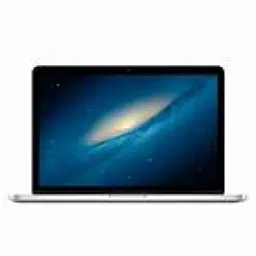

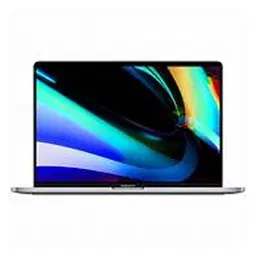


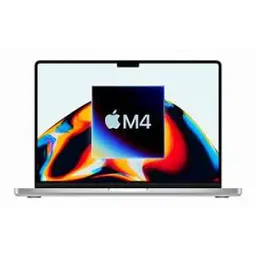
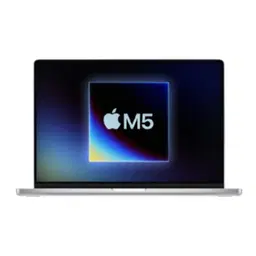
MacBook Pro (Retina)
The MacBook Pro (Retina) is known for its high-resolution Retina display, premium aluminum design, and strong performance for professional and everyday computing. Retina MacBook Pro models were widely used for business, education, programming, design, photography, video editing, and other demanding workloads.
As these MacBook Pro models age, common service requirements can include battery replacement, charging problems, display issues, keyboard faults, trackpad problems, speaker issues, overheating, slow performance, and macOS-related software errors. Physical impact and liquid exposure may also affect internal components.
Battery problems can appear as reduced runtime, rapid battery drain, unexpected shutdowns, or frequent charging. Battery health and power-related components should be assessed before replacement to determine the actual cause.
Charging issues may involve the charging adapter, cable, MagSafe connection, USB-C port on supported models, battery, or internal power circuitry. Proper diagnosis is important when the MacBook charges intermittently or does not power on.
Retina display problems may include flickering, lines, dark areas, backlight issues, or a blank screen. Keyboard and trackpad faults can result from component wear, accidental damage, liquid exposure, or other hardware issues.
Performance problems such as overheating, freezing, or slow operation can have multiple causes, including battery condition, storage limitations, software issues, or internal hardware faults. A professional diagnostic assessment can help identify the underlying problem before repair.
For MacBook Pro Retina repair in Bangalore, the correct service depends on the model year, configuration, condition, and specific fault. Accurate diagnosis helps determine whether a component requires repair, replacement, or further technical inspection.
MacBook Pro (Touch Bar Era)
The MacBook Pro (Touch Bar era) refers to MacBook Pro models featuring Apple’s Touch Bar, designed for professional users who needed portable performance for business, programming, creative work, video editing, photography, and other demanding tasks.
With regular use and age, these MacBook Pro models may develop issues involving the battery, charging system, display, keyboard, Touch Bar, trackpad, speakers, camera, connectivity, or macOS software. Accidental drops and liquid exposure can also affect internal components.
Battery issues may appear as reduced runtime, rapid battery drain, unexpected shutdowns, or frequent charging. Battery health should be checked before replacement because similar symptoms can sometimes be related to software or power-management problems.
Charging problems may involve the USB-C charging port, cable or adapter, battery, or internal charging circuitry. Intermittent charging or failure to recognize a charger should be diagnosed before replacing components.
Touch Bar, keyboard, display, and trackpad problems can affect everyday usability. Symptoms may include an unresponsive Touch Bar, keys that fail to register, display flickering, lines on the screen, trackpad problems, or unexpected input. These issues can result from hardware faults, physical damage, liquid exposure, or software problems.
Performance concerns such as overheating, slow operation, freezing, or unexpected shutdowns can have multiple causes. Proper diagnosis helps determine whether the issue is related to software, battery condition, storage, thermal management, or another internal component.
For MacBook Pro Touch Bar repair in Bangalore, the appropriate service depends on the exact model year, configuration, condition, and symptoms. Professional diagnosis helps identify the underlying fault and determine the appropriate repair or replacement.
MacBook Pro 16-inch (2019)
The MacBook Pro 16-inch (2019) is a professional laptop designed for demanding workloads such as video editing, software development, graphic design, photography, music production, and business applications. It features a large Retina display, powerful Intel processors, dedicated graphics options, and a redesigned keyboard compared with earlier MacBook Pro generations.
With age and regular use, this model may develop issues involving the battery, charging system, display, keyboard, trackpad, speakers, cooling system, ports, or macOS software. Accidental damage and liquid exposure can also affect internal components.
Battery problems may appear as reduced battery runtime, rapid drain, unexpected shutdowns, or frequent charging. Battery health and power-related components should be assessed before replacement to identify the actual cause.
Charging issues can involve the USB-C/Thunderbolt ports, charging cable or adapter, battery, or internal power circuitry. Intermittent charging or failure to recognize a charger should be properly diagnosed before replacing components.
Display, keyboard, and trackpad issues may include screen flickering, image abnormalities, unresponsive keys, inconsistent trackpad operation, or physical damage. These problems can result from component faults, wear, accidental impact, or liquid exposure.
The 16-inch display and internal cooling system are important for demanding workloads. Symptoms such as excessive heating, loud fan activity, slow performance, freezing, or unexpected shutdowns can have several possible causes and should be professionally diagnosed.
For MacBook Pro 16-inch 2019 repair in Bangalore, the appropriate repair depends on the exact configuration, device condition, symptoms, and affected component. Accurate diagnosis helps identify the underlying fault and determine whether repair or component replacement is appropriate.
MacBook Pro 14-inch and 16-inch (M1 Pro / M1 Max)
The MacBook Pro 14-inch and 16-inch with M1 Pro and M1 Max chips are professional laptops designed for demanding workloads such as software development, video editing, graphic design, music production, photography, 3D work, and professional business applications. They combine Apple silicon performance with a high-resolution Liquid Retina XDR display, advanced connectivity, and long battery life.
With regular use, these MacBook Pro models can develop issues involving the battery, charging system, display, keyboard, trackpad, speakers, ports, connectivity, or macOS software. Accidental impact and liquid exposure can also affect internal components.
Battery-related problems may include reduced runtime, rapid battery drain, unexpected shutdowns, or frequent charging. Battery health should be assessed before replacement to determine whether the battery or another power-related component is responsible.
Charging and port issues can involve USB-C/Thunderbolt ports, MagSafe charging, the charging adapter, cable, battery, or internal power circuitry. Intermittent charging or failure to detect accessories should be properly diagnosed before replacing hardware.
Display problems may include flickering, lines, brightness abnormalities, image distortion, or a blank screen. Keyboard, trackpad, speaker, and connectivity issues can result from hardware faults, accidental damage, liquid exposure, or software-related problems.
Performance or thermal concerns such as unusual heating, freezing, slow response, or unexpected shutdowns may have several possible causes. Professional diagnosis can help determine whether the issue is software-related or connected to battery, thermal, storage, or internal hardware components.
For MacBook Pro 14-inch and 16-inch M1 Pro/M1 Max repair in Bangalore, the correct repair approach depends on the exact model, configuration, device condition, and reported symptoms. Accurate diagnosis helps identify the underlying fault and supports an appropriate repair solution.
MacBook Pro (M3 Family) (2023)
The MacBook Pro (M3 family) (2023) includes MacBook Pro models powered by Apple’s M3, M3 Pro, and M3 Max chips. These laptops are designed for professional workloads such as software development, video editing, graphic design, photography, music production, 3D applications, and demanding business tasks.
With regular use, MacBook Pro M3 models may experience issues involving the battery, charging system, display, keyboard, trackpad, speakers, camera, connectivity, ports, or macOS software. Accidental drops and liquid exposure can also cause hardware damage.
Battery-related issues may include reduced runtime, rapid battery drain, frequent charging, or unexpected shutdowns. Battery health and power-management functions should be checked before replacement to determine the actual cause.
Charging problems may involve MagSafe charging, USB-C/Thunderbolt ports, the charging adapter, cable, battery, or internal power circuitry. Intermittent charging or accessory detection problems require accurate diagnosis before replacing components.
Display problems can include flickering, lines, brightness abnormalities, image distortion, or a blank screen. Keyboard, trackpad, speaker, microphone, and connectivity problems may result from hardware faults, physical damage, liquid exposure, or software issues.
Performance concerns such as freezing, slow response, unexpected shutdowns, or unusual heating can have several possible causes. Professional diagnosis helps determine whether the problem is related to software, battery condition, thermal management, storage, or another internal component.
For MacBook Pro M3 repair in Bangalore, the appropriate repair method depends on the exact model, chip configuration, condition, symptoms, and affected component. Proper diagnosis helps identify the underlying fault and supports an appropriate repair solution.
MacBook Pro (M4 Gen) (2024)
The MacBook Pro (M4 generation) (2024) is a professional laptop powered by Apple’s M4, M4 Pro, and M4 Max chips. It is designed for demanding workloads such as software development, video editing, graphic design, photography, music production, 3D applications, and professional business tasks.
With regular use, MacBook Pro M4 models can experience issues involving the battery, charging system, display, keyboard, trackpad, speakers, camera, connectivity, ports, or macOS software. Accidental impact and liquid exposure can also affect internal components.
Battery-related issues may include reduced runtime, faster-than-expected battery drain, frequent charging, or unexpected shutdowns. Battery health and power-management functions should be assessed before replacing the battery to identify the actual cause.
Charging problems may involve MagSafe, USB-C or Thunderbolt connections, the charging adapter, cable, battery, or internal power circuitry. Intermittent charging and accessory detection problems should be diagnosed carefully before replacing components.
Display issues can include flickering, lines, brightness abnormalities, image distortion, or a blank screen. Keyboard, trackpad, speaker, microphone, camera, and connectivity problems may result from hardware faults, physical damage, liquid exposure, or software issues.
Performance concerns such as freezing, slow response, unusual heating, or unexpected shutdowns can have multiple causes. Accurate diagnosis helps determine whether the issue is related to software, battery condition, thermal management, storage, or another internal component.
For MacBook Pro M4 repair in Bangalore, the appropriate repair method depends on the exact model, chip configuration, device condition, symptoms, and affected component. Professional diagnosis helps identify the underlying fault and determine the appropriate repair solution.
MacBook Pro 14-inch (M5) (2025)
The MacBook Pro 14-inch (M5) (2025) is a professional laptop powered by Apple’s M5 chip, designed for demanding productivity, software development, creative applications, content creation, and professional workflows. Its compact 14-inch design combines portability with high-performance computing.
Common service concerns can include battery drain, charging problems, display issues, keyboard faults, trackpad problems, speaker or microphone issues, connectivity problems, and macOS software errors. Accidental damage and liquid exposure can also affect internal components.
Battery-related issues may include reduced battery runtime, rapid battery percentage drops, unexpected shutdowns, or frequent charging. Battery health should be assessed before considering replacement because software and power-management issues can sometimes produce similar symptoms.
Charging problems may involve MagSafe, USB-C or Thunderbolt connections, the charging adapter, cable, battery, or internal power circuitry. Intermittent charging or accessory detection issues should be properly diagnosed before replacing hardware.
Display, keyboard, and trackpad issues may result from physical impact, liquid exposure, component faults, or software-related problems. Symptoms can include display abnormalities, unresponsive keys, trackpad issues, or inconsistent system input.
Performance concerns such as freezing, slow response, unexpected shutdowns, or unusual heating can have different causes. Accurate diagnosis helps determine whether the issue is software-related or connected to battery, thermal, storage, or internal hardware components.
For MacBook Pro 14-inch M5 repair in Bangalore, the appropriate service depends on the exact configuration, device condition, symptoms, and affected component. Professional diagnosis helps identify the underlying fault and supports an appropriate repair approach.