Air Series Device Models
Select your specific device model for repair services


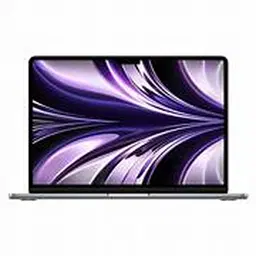


MacBook Air (tapered redesign)
The MacBook Air with the tapered redesign is recognized for its slim, lightweight construction and portable design. It was widely used by students, professionals, business users, and everyday users for browsing, office work, online meetings, media, and general productivity.
As the device gets older, hardware and software issues can develop. Common problems include battery drain, charging faults, display issues, keyboard problems, trackpad faults, overheating, slow performance, speaker problems, and macOS-related errors.
Common MacBook Air Tapered Redesign Issues
- Battery draining quickly
- MacBook Air not charging
- Battery health degradation
- Unexpected shutdowns
- Slow performance or freezing
- Overheating during normal use
- Display or backlight problems
- Keyboard keys not working
- Trackpad or clicking issues
- Speaker or microphone problems
- Wi-Fi and Bluetooth connectivity issues
- macOS startup and software problems
- Liquid or accidental damage
- Logic board and charging-related faults
MacBook Air Battery Problems
Battery performance naturally decreases with usage and charging cycles. If the MacBook Air starts losing charge quickly, shutting down unexpectedly, or showing significantly reduced battery life, the battery condition and system power usage should be checked before replacement.
A proper diagnostic assessment can help determine whether the issue is related to the battery itself, charging system, software, or another internal component.
MacBook Air Charging Issues
A MacBook Air that does not charge properly may have an issue with the charger, charging port, battery, power-management system, or internal circuitry. Intermittent charging should not be ignored because continued use with a faulty charging system can make diagnosis more difficult.
Display, Keyboard and Trackpad Problems
The display, keyboard, and trackpad are essential components for everyday MacBook use. Problems such as a blank screen, flickering display, unresponsive keys, accidental key presses, or an inconsistent trackpad can result from hardware damage, liquid exposure, component wear, or software-related problems.
Professional diagnosis helps identify whether the affected component requires repair, replacement, or software troubleshooting.
MacBook Air Overheating and Performance Issues
Performance problems can occur because of aging hardware, storage limitations, background applications, macOS issues, dust accumulation, or other internal faults. Excessive heat accompanied by reduced performance, unexpected shutdowns, or abnormal fan activity should be investigated rather than assuming that a battery replacement alone will solve the problem.
Liquid and Accidental Damage
Liquid exposure can affect the keyboard, trackpad, battery, display, charging circuitry, and logic board. The extent of damage depends on the type of liquid, affected area, and how quickly the MacBook is inspected.
A proper inspection is recommended before attempting further use or replacing individual components.
Professional MacBook Air Repair
Repairing an older MacBook Air requires accurate diagnosis because different symptoms can have similar causes. For example, a MacBook that does not turn on may have a battery, charging, display, software, or logic-board problem.
Professional diagnosis can help identify the actual fault before parts are replaced unnecessarily. Repair decisions should also consider the MacBook model, component availability, overall condition, and the importance of the user's data.
MacBook Air (M1)
The MacBook Air (M1) is a lightweight laptop powered by Apple’s M1 chip, designed for everyday productivity, professional work, study, browsing, video calls, and creative tasks. Its combination of performance, battery efficiency, and portability made it a popular MacBook Air model.
With regular use, a MacBook Air M1 may develop issues involving the battery, charging system, display, keyboard, trackpad, speakers, camera, Wi-Fi, or macOS software. Accidental drops and liquid exposure can also affect internal components.
Common MacBook Air M1 service requirements include battery replacement, charging troubleshooting, display-related repair, keyboard and trackpad service, software troubleshooting, liquid-damage inspection, and logic-board diagnosis.
Battery degradation can result in shorter usage time, rapid battery percentage drops, unexpected shutdowns, or frequent charging. Battery condition should be assessed before replacement because power-related problems can also originate from software or charging components.
Charging problems may involve the charging adapter, cable, USB-C port, battery, or internal power circuitry. If charging is intermittent or the MacBook does not recognize the charger, proper diagnosis can help identify the actual cause.
Display, keyboard, and trackpad problems can occur because of physical damage, liquid exposure, component wear, or software-related issues. Performance problems such as slow operation, freezing, or overheating may also have several possible causes and should be diagnosed before replacing hardware.
For MacBook Air M1 repair in Bangalore, the exact repair approach depends on the device condition, symptoms, configuration, and affected component. Professional diagnosis helps identify the underlying problem and supports appropriate repair without unnecessary component replacement.
MacBook Air (M2)
The MacBook Air (M2) is a slim and lightweight laptop powered by Apple’s M2 chip, designed for everyday productivity, professional work, education, browsing, video conferencing, and creative applications. Its portable design, efficient performance, and long battery life make it a widely used MacBook Air model.
With regular use, a MacBook Air M2 can experience issues involving the battery, charging system, display, keyboard, trackpad, speakers, camera, connectivity, or macOS software. Physical impact and liquid exposure can also affect internal components.
Common MacBook Air M2 service requirements include battery replacement, charging troubleshooting, display-related repair, keyboard and trackpad service, software troubleshooting, liquid-damage inspection, and logic-board diagnosis.
Battery-related symptoms may include reduced battery runtime, rapid percentage drops, unexpected shutdowns, or frequent charging. Battery health should be checked before replacement because power-management and software issues can sometimes produce similar symptoms.
Charging problems may be related to the USB-C charging connection, adapter, cable, battery, or internal power circuitry. Intermittent charging or failure to recognize a charger should be professionally diagnosed before replacing components.
Display, keyboard, and trackpad issues can result from accidental damage, liquid exposure, component wear, or software problems. Performance issues such as slow operation, freezing, or unexpected heating can also have multiple causes and should be diagnosed accurately.
For MacBook Air M2 repair in Bangalore, the appropriate repair method depends on the exact configuration, condition, symptoms, and affected component. Proper diagnosis helps identify the underlying fault and avoid unnecessary component replacement.
MacBook Air (M3)
The MacBook Air (M3) is a slim and lightweight laptop powered by Apple’s M3 chip, designed for everyday productivity, professional work, education, browsing, video conferencing, and creative applications. Its efficient performance, portable design, and long battery life make it suitable for both personal and professional use.
With regular use, a MacBook Air M3 can develop issues involving the battery, charging system, display, keyboard, trackpad, speakers, camera, connectivity, or macOS software. Accidental damage and liquid exposure can also affect internal components.
Common MacBook Air M3 service requirements include battery replacement, charging troubleshooting, display-related repair, keyboard and trackpad service, software troubleshooting, liquid-damage inspection, and logic-board diagnosis.
Battery-related problems may appear as reduced runtime, rapid battery percentage drops, unexpected shutdowns, or frequent charging. Battery health should be assessed before replacement because software, charging, and power-management issues can sometimes cause similar symptoms.
Charging issues may involve the USB-C port, charging cable or adapter, battery, or internal power circuitry. If the MacBook charges intermittently or does not recognize a compatible charger, accurate diagnosis can help identify the underlying fault.
Display, keyboard, and trackpad problems may result from physical impact, liquid exposure, component faults, or software issues. Performance concerns such as slow operation, freezing, or abnormal heating can also have different causes and should be diagnosed before replacing hardware.
For MacBook Air M3 repair in Bangalore, the appropriate service depends on the exact configuration, device condition, symptoms, and affected component. Professional diagnosis helps identify the actual problem and avoid unnecessary component replacement.
MacBook Air (M4)
The MacBook Air (M4) is a lightweight laptop powered by Apple’s M4 chip, designed for everyday productivity, professional work, education, browsing, video conferencing, and creative applications. Its efficient performance, compact design, and battery efficiency make it suitable for a wide range of personal and professional workloads.
Common issues that may require professional service include battery drain, charging problems, display faults, keyboard and trackpad issues, speaker or microphone problems, connectivity errors, performance issues, and macOS software problems. Accidental drops and liquid exposure can also affect internal components.
MacBook Air M4 battery issues may include reduced battery runtime, rapid battery percentage drops, frequent charging, or unexpected shutdowns. Battery health should be checked before replacement because software and power-management problems can sometimes produce similar symptoms.
Charging issues may involve the USB-C connection, charging cable or adapter, battery, or internal charging circuitry. Intermittent charging or failure to detect a compatible charger should be professionally diagnosed before replacing components.
Display, keyboard, and trackpad problems can result from physical damage, liquid exposure, component faults, or software-related issues. Performance concerns such as freezing, slow response, or abnormal heating can have multiple causes and require accurate diagnosis.
For MacBook Air M4 repair in Bangalore, the appropriate service depends on the exact configuration, device condition, symptoms, and affected component. Professional diagnosis helps identify the underlying problem and supports the correct repair approach.