
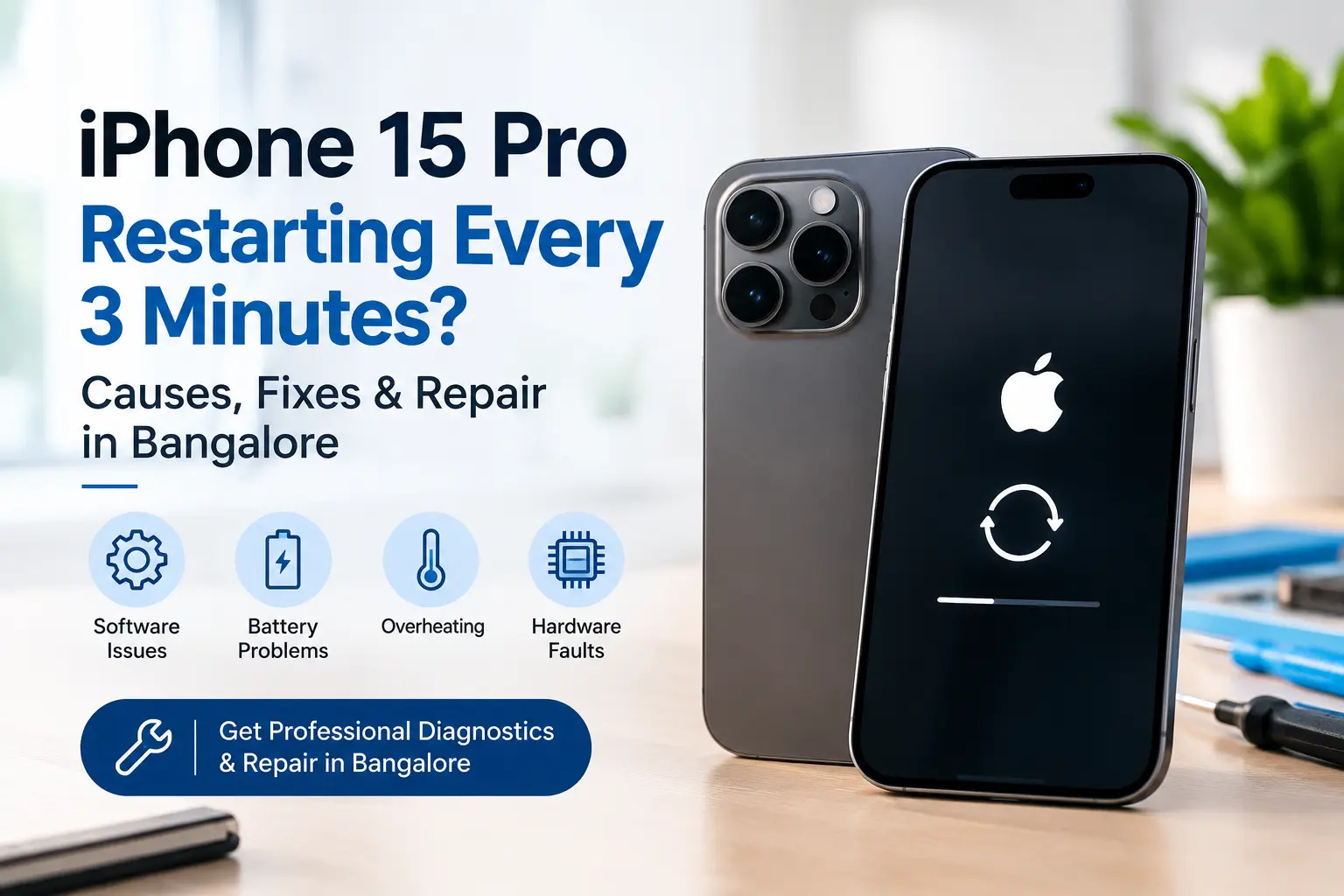
If your iPhone 15 Pro keeps restarting every 3 minutes, you are likely dealing with more than an ordinary software glitch. Repeated restarting can be caused by an iOS problem, a failing battery, damaged internal hardware, a sensor or communication fault, overheating, liquid exposure, or a problem that occurred after a previous repair.
The good news is that repeated restarts can often be diagnosed without immediately replacing major components.
If your iPhone 15 Pro has started restarting at almost the same interval repeatedly, this guide explains the most common causes, what you can safely try at home, when professional diagnosis is necessary, and where to get iPhone 15 Pro repair in Bangalore.
Important: A restart every few minutes does not automatically mean the motherboard is damaged. Proper diagnosis is required before replacing the battery, charging port, sensors or other components.
Quick Answer: Why Is My iPhone 15 Pro Restarting Every 3 Minutes?
An iPhone 15 Pro that repeatedly restarts may have a software crash, battery or power problem, thermal issue, damaged component, sensor communication fault, or internal hardware failure.
Common possibilities include:
- iOS system crashes or corrupted system files
- Battery degradation or unstable power delivery
- Charging or USB-C-related problems
- Internal sensor or component communication failure
- Damage from a drop, pressure or impact
- Liquid or moisture exposure
- Overheating
- Faulty or poorly performed previous repair
- Hardware problems involving the logic board
- Startup or recovery-related software problems
Apple's repair documentation specifically includes unexpected freeze, restart and shutdown troubleshooting for the iPhone 15 family, which reinforces that repeated restarts should be investigated systematically rather than treated as a single universal fault.
What Does a 3-Minute Restart Pattern Mean?
The timing of the restart can provide a useful diagnostic clue.
If your iPhone:
- Starts normally
- Works for a short period
- Suddenly freezes or turns off
- Shows the Apple logo
- Starts again
- Repeats the same cycle
the problem may involve a system process or hardware component that fails during normal operation.
A consistent restart pattern can be particularly useful to a technician because the device can be monitored while reproducing the fault.
However, the three-minute interval itself is not proof of a specific component failure.
A proper diagnosis should consider the device's software version, battery condition, crash information, physical condition, repair history and other symptoms.
iPhone 15 Pro Restarting Every 3 Minutes: Common Causes
1. iOS Software Crash
A corrupted system process, failed update, incompatible configuration or serious software crash can cause an iPhone to restart repeatedly.
This is one of the first areas to check because software-related problems may sometimes be resolved without opening the device.
Apple recommends keeping the iPhone updated when troubleshooting problems, and its Recovery Assistant can help with certain startup and crash-related issues.
2. Battery or Power Delivery Problem
A battery does not have to be completely dead to cause unexpected shutdowns or restarts.
An aging or damaged battery may struggle to provide stable power during certain workloads. Power-related issues can also involve charging components or other circuitry.
On iPhone 15 and later, battery information can be checked through:
Settings → Battery → Battery Health
Apple notes that batteries have a limited lifespan and that a Service indication can mean the battery should be replaced.
3. Internal Sensor or Component Communication Problem
Modern iPhones depend on communication between multiple hardware components.
If a component or sensor develops a fault, the operating system may encounter a serious error and restart.
Potential areas that may need inspection include:
- Charging-related hardware
- Proximity or ambient-light systems
- Camera-related hardware
- TrueDepth/Face ID system
- Power-related components
- Other internal sensor connections
Apple's iPhone 15 repair documentation covers troubleshooting for battery/power, camera, TrueDepth, display and sensor-related systems.
4. Damage After a Drop or Physical Impact
An iPhone can develop internal problems even when the outside looks relatively normal.
A hard fall can affect:
- Internal connectors
- Flex cables
- Power circuits
- Camera systems
- Charging components
- Logic-board connections
If the restarting problem began immediately or shortly after a drop, mention this to the technician. It can significantly narrow down the diagnostic process.
5. Liquid or Moisture Exposure
Liquid exposure can cause intermittent electrical problems that become more noticeable later.
If your iPhone 15 Pro has been exposed to:
- Water
- Rain
- Humidity
- Spilled drinks
- Moisture around the charging port
avoid repeatedly charging or restarting the phone.
A device affected by liquid should be professionally inspected before further repair attempts.
6. Previous Repair or Replacement Part
Did the problem start after a screen, battery, charging-port, back-glass or other repair?
If yes, the previous repair should be considered during diagnosis.
This does not necessarily mean the previous repair caused the problem. It simply provides useful diagnostic history.
A professional technician should inspect connectors, replacement components and the device's overall condition before recommending a major repair.
7. Overheating
Excessive heat can affect device stability.
Check whether the restart problem becomes worse when you are:
- Gaming
- Recording video
- Using navigation
- Charging
- Using demanding applications
- Using the phone in a hot environment
If the iPhone becomes unusually hot before restarting, stop heavy use and allow it to cool naturally.
Do not attempt to cool it rapidly with ice, a refrigerator or other extreme methods.
How to Fix an iPhone 15 Pro That Keeps Restarting
Before visiting a repair centre, you can try several safe troubleshooting steps.
Step 1: Force Restart the iPhone
For an iPhone 15 Pro:
- Quickly press and release Volume Up.
- Quickly press and release Volume Down.
- Press and hold the Side button.
- Continue holding until the Apple logo appears.
Apple provides this procedure for iPhones with Face ID when the device is unresponsive.
A force restart does not normally erase your personal data.
Step 2: Disconnect Accessories
Disconnect:
- USB-C cables
- Hubs
- External accessories
- Car accessories
- Third-party charging equipment
Then observe whether the restarting continues.
Apple also recommends disconnecting USB-C accessories when troubleshooting certain iPhone problems.
Step 3: Check Battery Health
Go to:
Settings → Battery → Battery Health
Look for battery capacity and any service-related message.
If the battery shows a service recommendation or the phone has significant battery-related symptoms, professional battery testing may be appropriate.
Step 4: Update iOS
If you can keep the iPhone running long enough, check:
Settings → General → Software Update
An available software update may resolve certain system problems.
If the phone cannot remain operational long enough to complete an update, recovery-based troubleshooting may be necessary.
Step 5: Back Up Your Data
If the phone remains usable for several minutes, back up important data before attempting advanced troubleshooting.
This is particularly important if the device is repeatedly restarting because hardware instability can become worse.
Step 6: Use Recovery Options Carefully
If the iPhone experiences startup problems, Apple's Recovery Assistant may appear and can attempt to resolve certain startup issues. If the problem continues, Apple recommends updating or using recovery mode depending on the situation.
Do not immediately choose Restore if you have important data that has not been backed up.
A restore can erase the device.
When Should You Stop Troubleshooting at Home?
Professional diagnosis is recommended if:
- The iPhone restarts every few minutes
- It becomes unusually hot
- It restarts even after updating iOS
- It cannot complete startup
- It shows the Apple logo repeatedly
- It was recently dropped
- It was exposed to liquid
- The problem started after a repair
- The phone shuts down while charging
- The phone cannot stay on long enough to back up data
- The issue continues after a force restart
Repeated restart problems are especially worth diagnosing when the device is your primary phone and you need reliable access to calls, messages, banking apps, authentication codes and business information.
iPhone 15 Pro Restarting After a Drop
If your iPhone 15 Pro began restarting after a fall, don't assume that replacing the battery will solve the problem.
A technician should inspect the device for physical and internal damage.
Depending on the symptoms, diagnosis may involve checking:
- Battery condition
- Charging system
- Internal connectors
- Camera-related hardware
- Sensor systems
- Flex assemblies
- Logic-board-related faults
- Signs of liquid or impact damage
The correct repair depends on what the diagnostic process finds.
iPhone 15 Pro Restarting After Battery Replacement
If the restarting began after a battery replacement, return to the repair provider and explain exactly when the problem started.
The technician should check the installation and test the device rather than immediately replacing another component.
A reliable repair process should include testing after the repair to confirm that the original symptom has been resolved.
iPhone 15 Pro Restarting After Screen Replacement
A restart problem following a screen repair also deserves proper inspection.
The technician may need to check the display installation, connectors, related components and whether another pre-existing fault is responsible.
Do not assume that the screen itself is necessarily defective just because the restart problem appeared after screen replacement.
Why Professional Diagnosis Matters
Repeated restarting can have multiple possible causes.
Replacing parts one by one without diagnosis can:
- Increase repair costs
- Waste time
- Fail to solve the original problem
- Introduce additional issues
- Put important data at risk
A professional diagnostic process should begin with the symptoms and repair history and then narrow down the likely cause.
For difficult cases, technicians may need to reproduce the restart cycle and inspect relevant hardware and software information.
iPhone 15 Pro Repair in Bangalore
If your iPhone 15 Pro is restarting repeatedly and basic troubleshooting has not solved the problem, iDoCare provides iPhone repair services in Bangalore, including diagnosis of restart, battery, charging and other device problems.
For customers in and around Malleshwaram, Bangalore, a local repair centre can be useful when you need the device inspected without unnecessarily replacing multiple components.
Depending on the diagnosis, the repair may involve software troubleshooting, battery service, charging-related repair, component-level diagnosis or another hardware solution.
Areas We Serve in Bangalore
Customers searching for iPhone repair in Bangalore may also be looking for services around:
- Malleshwaram
- Rajajinagar
- Yeshwanthpur
- Sadashivanagar
- Vasanth Nagar
- Basavanagudi
- Indiranagar
- Koramangala
- MG Road
- Central Bangalore
For local search, the most important factor is not simply mentioning every neighbourhood. The service page should clearly communicate where the business operates, what is actually repaired, how diagnosis works and how customers can contact the repair team.
What to Ask Before Giving Your iPhone for Repair
Before approving a repair, ask:
- What is causing the repeated restart?
- Has the device been diagnosed before replacing a part?
- Will my data be affected?
- Is the repair covered by a service warranty?
- Which component is being replaced?
- Will the phone be tested after repair?
- Is the repair authorised by Apple or provided independently?
These questions help customers understand exactly what service they are paying for.
Apple states that repairs performed by Apple or an Apple Authorised Service Provider are the repairs covered by Apple's Limited Warranty or AppleCare; independent repair providers are separate from Apple-authorised service.
How iDoCare Approaches an iPhone Restart Problem
At iDoCare, the focus should be on diagnosis before unnecessary replacement.
A typical troubleshooting process can include:
Symptom assessment → Device inspection → Software checks → Battery/power checks → Hardware diagnosis → Repair recommendation → Post-repair testing
This approach helps identify whether the problem is likely software-related, battery-related or connected to another internal component.
The exact repair and cost should be confirmed after inspecting the individual device.
iPhone 15 Pro Restarting Every 3 Minutes: Repair or Replace?
A restarting problem does not automatically mean that the iPhone needs to be replaced.
Repair may make sense when:
- The phone is otherwise in good condition
- The fault can be identified
- The repair cost is reasonable compared with the device's value
- Important data is stored on the device
- The device does not have extensive physical or liquid damage
Replacement may be worth considering when the device has extensive damage or when the estimated repair cost is disproportionately high.
A technician should explain both options when appropriate.
Frequently Asked Questions
Why does my iPhone 15 Pro restart every 3 minutes?
A repeated restart can be caused by software instability, battery or power problems, hardware faults, sensor/component communication issues, physical damage, liquid exposure or a previous repair. The exact cause requires diagnosis.
Is an iPhone 15 Pro restarting every few minutes a battery problem?
It can be, but not always. Battery health and power delivery should be checked before assuming the battery is responsible.
Can an iOS update fix an iPhone 15 Pro that keeps restarting?
Yes, an update can resolve some software-related problems. However, an update will not repair physical or hardware faults.
Will a force restart delete my iPhone data?
A normal force restart is designed to restart an unresponsive iPhone and does not normally erase its data. Apple recommends the volume-up, volume-down and Side-button procedure for Face ID iPhones.
What if my iPhone 15 Pro restarts after a screen or battery replacement?
Tell the repair provider that the problem began after the repair. The device should be inspected, including relevant connectors and replacement components, before another part is installed.
Can water damage cause repeated iPhone restarts?
Yes. Liquid or moisture can cause electrical instability and corrosion. If liquid exposure occurred, professional inspection is recommended.
Should I restore my iPhone if it keeps restarting?
Not immediately if you have important data that is not backed up. A restore can erase the device. Consider backing up first and using appropriate recovery troubleshooting.
Can iDoCare repair an iPhone 15 Pro that keeps restarting in Bangalore?
iDoCare can inspect iPhone restart and related hardware/software symptoms in Bangalore and recommend a repair based on the diagnosis. The exact repair and cost depend on the device's condition.
How much does iPhone 15 Pro restart repair cost in Bangalore?
There is no single reliable price because repeated restarting can have several different causes. Software troubleshooting, battery service and hardware/board-level repairs can have very different costs. A proper inspection should be completed before quoting the final repair.
Final Verdict
An iPhone 15 Pro restarting every 3 minutes is not a problem you should ignore. While a software issue may sometimes be responsible, repeated restarts can also indicate battery, power, sensor, component or other hardware problems.
Start with a force restart, disconnect accessories, check battery health and update iOS when possible. If the problem continues, especially after a drop, liquid exposure or previous repair, get the device professionally diagnosed rather than replacing parts randomly.
For customers searching for iPhone 15 Pro repair in Bangalore, iDoCare can diagnose the restarting issue and recommend the appropriate repair based on the device's actual condition.